
In This Article
Here’s the thing nobody tells you before you buy your first podcast microphone kit: the mic is maybe 40% of the equation. The other 60% is the room you’re sitting in, the arm holding the thing up, and whether you actually enjoy using it enough to hit record a second time. A lot of first-time podcasters buy based on brand recognition alone, then wonder why their voice still sounds like it’s coming from inside a tin can.
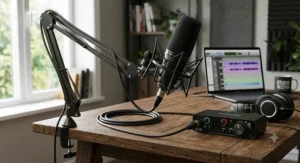
A podcast microphone kit, in the useful sense of the term, bundles a microphone with the accessories that actually make it usable day to day — a boom arm or stand, a shock mount, sometimes a pop filter, sometimes headphones for monitoring. That bundling matters more than it sounds like it should, because the accessories are exactly what beginners skip when they buy a bare mic and then discover, three episodes in, that their voice is picking up every keyboard click and door slam in the house.
This guide walks through seven real podcast microphone kits currently sold to Canadian shoppers, from budget plug-and-play options under C$70 to premium broadcast-style hybrids north of C$400. We’ll get into USB versus XLR, dynamic versus condenser, and — because a few of you are shopping for a teenager’s first home recording studio teens setup rather than a full production suite — we’ll cover studio headphones teens should actually be allowed to wear for hours at a time. Every product below reflects real specs and aggregated review sentiment, not invented hands-on impressions, so you’re getting honest analysis rather than a rewritten spec sheet.
One more thing before the gear talk: if your show is going to include intro music, clips, or anything you didn’t record yourself, it’s worth a quick read through the Canadian legal guide to podcasting from the University of Ottawa’s public interest law clinic before you publish episode one — copyright rules for podcasters work a little differently in Canada than the American guides you’ll find with a quick search.
Quick Comparison: Podcast Microphone Kit Options at a Glance
If you’ve got sixty seconds before your coffee gets cold, here’s the shortlist.
| Kit | Connection | Best For | Price Range (CAD) |
|---|---|---|---|
| MAONO PD200XS | USB-C / XLR | Best all-around value kit | C$100–C$140 |
| Shure MV7+ | USB-C / XLR | Serious, long-term podcasters | C$370–C$420 |
| RODE PodMic USB | USB-C / XLR | Broadcast-style dynamic sound | C$260–C$300 |
| TONOR TC-777 | USB | Absolute cheapest complete kit | C$50–C$70 |
A quick note on how to read this: the connection type isn’t a minor spec — it decides your upgrade path. USB-only kits are plug-and-play but stuck at one input. Hybrid USB/XLR kits like the MAONO PD200XS and Shure MV7+ let you start simple and later route through a mixer or audio interface without buying a second microphone. Given that most Canadian podcasters record fewer than 20 episodes before deciding whether the hobby sticks, starting with a hybrid kit is generally the safer bet financially — you’re not paying twice for the same upgrade.
💬 Just one click — help others make better buying decisions too!😊
Top 7 Podcast Microphone Kits: Expert Analysis
1. MAONO PD200XS — best all-in-one kit for the price
The MAONO PD200XS is the kit most new podcasters should actually start with, and it earns that spot by including the boom arm most beginners don’t know they need until week two. Let’s expand on that: a huge share of budget “microphone” purchases arrive as just the mic head, forcing a second purchase once the desktop tripod turns out to wobble every time you reach for your coffee.
Specs with real-world meaning: the dynamic capsule covers a 40 Hz–16 kHz frequency range, which is a deliberately narrower window than a wide condenser range — and that’s a feature here, not a limitation, because it’s tuned toward spoken voice rather than trying to capture a full musical spectrum. Dual USB-C and XLR outputs mean you can start on a laptop and later add an audio interface without replacing the mic itself, and the included MAONO Link software adds EQ, a limiter, and a compressor entirely in USB mode.
Who it’s for: beginners and co-hosted shows who want one box that solves the mic, the arm, and the shock mount simultaneously, rather than assembling a setup piece by piece. Reviewers consistently report that the bundled boom arm and shock mount hold up better than the flimsy included stands typical of this price bracket, though the RGB lighting is a love-it-or-skip-it extra that some serious podcasters simply switch off.
Pros:
- ✅ Complete kit with boom arm and shock mount included
- ✅ USB and XLR dual connectivity for future upgrades
- ✅ Software EQ, compressor, and limiter at no extra cost
Cons:
- ❌ RGB lighting feels like a gaming-gear holdover, not a podcast feature
- ❌ Software tuning only works in USB mode, not XLR
Priced in the C$100–C$140 range, the MAONO PD200XS is arguably the best value-per-dollar kit on this whole list — check current price before buying, since bundle contents occasionally shift between retailers.
2. Shure MV7+ — best premium hybrid for serious podcasters
The Shure MV7+ is the mic that podcast production companies actually recommend to clients who plan to still be recording in three years, and the standout here is the touch-sensitive LED mute panel that replaces the awkward reach-for-the-mic-and-fumble-for-a-button moment mid-recording.
Its gain adjustment runs from 0 to +36 dB with a frequency range of 50 Hz to 16 kHz, and in practice that means it handles both a booming baritone and a quieter co-host without the recording engineer riding gain levels manually between takes. On-board DSP includes a real-time denoiser and a “digital popper stopper,” effectively software-based plosive reduction layered on top of the internal shock mounting.
Based on the spec comparison against the rest of this list, the MV7+’s real differentiator is control, not raw capsule quality — dynamic mics in this price tier sound broadly similar, but few offer this level of onboard processing without opening a separate app. Reviewers frequently flag that the boom arm and desktop stand are sold separately, which catches first-time buyers off guard when the total cost balloons past the sticker price.
Pros:
- ✅ Touch LED panel makes muting fast and visible
- ✅ Real-time denoiser and popper stopper built in
- ✅ USB-C and XLR outputs for any setup
Cons:
- ❌ Boom arm and stand sold as separate add-ons
- ❌ Premium price versus dynamic mics with similar core sound
Expect a price in the C$370–C$420 range depending on whether you buy the mic-only version or a bundle — check current price, as Shure runs stand-and-mic bundles periodically.
3. RODE PodMic USB — best broadcast-style dynamic sound
The RODE PodMic USB takes the shape of a classic radio-style dynamic microphone and modernizes it with a USB-C output, and the standout feature is that hybrid flexibility: start on a laptop today, move to a full XLR mixer setup later, same mic both times.
The frequency range runs a genuinely wide 20 Hz–20 kHz, broader than most dynamic capsules in its price class, and the digital path runs through RØDE’s APHEX-based DSP for compression, a noise gate, and tonal shaping before the audio even reaches your recording software. What most buyers overlook about this model is the internal pop filter and shock mounting, which together reduce the need for an external pop screen that competitors typically require you to buy separately.
This mic is for anyone who wants the physical heft and warm dynamic tone of a “real” broadcast microphone without learning an audio interface on day one. Aggregated customer sentiment across retail listings consistently praises the zero-latency headphone monitoring, though a recurring theme in reviews is that the mic ships heavier than expected at roughly 900 grams, which matters if your boom arm is a budget one.
Pros:
- ✅ Broadcast-style dynamic tone with built-in pop filtering
- ✅ On-board APHEX DSP processing, no software required
- ✅ Zero-latency headphone monitoring for real-time checks
Cons:
- ❌ Heavier build strains cheaper boom arms
- ❌ USB mode caps at 24-bit/48kHz, not adjustable
Look for it in the C$260–C$300 range in Canada — check current price, as this is one of RØDE’s newer releases and early retail pricing tends to fluctuate.
4. Audio-Technica AT2040USB — best noise rejection on a budget
The Audio-Technica AT2040USB stands out from nearly everything else on this list because of its hypercardioid — not cardioid — polar pattern, and that’s a meaningfully tighter pickup cone that rejects side and rear noise more aggressively than the cardioid mics most competitors ship.
Here’s what that means practically: a hypercardioid pattern is laser-focused on whatever’s directly in front of it, which tunes out mechanical keyboard clicks, air conditioner hum, and a roommate’s footsteps far better than a standard cardioid capsule at the same price point. The mic includes a built-in low-pass filter switch for an even tighter sound and connects via USB-C without requiring an external audio interface.
On paper this makes the AT2040USB the pick for anyone recording in a shared apartment or an untreated bedroom rather than a dedicated studio, which — let’s be honest — describes most home recording studio teens setups and plenty of adult ones too. Reviewers who compared it directly against pricier condenser mics noted the build quality feels disproportionately solid for the price, though it ships without a boom arm, so budget for one separately.
Pros:
- ✅ Hypercardioid pattern rejects room noise aggressively
- ✅ Solid metal build quality for the price tier
- ✅ Plug-and-play USB-C, no interface required
Cons:
- ❌ No boom arm included, sold separately
- ❌ Fixed hypercardioid pattern, no polar pattern switching
A Canadian retailer listed it recently in the C$190–C$220 range — check current price, since it’s occasionally bundled with a boom arm at a discount.
5. Blue Yeti — most versatile multi-pattern condenser
The Blue Yeti has been a category-defining name for so long that “Blue Yeti” has practically become a generic term for USB podcast mics, and the standout reason it’s stuck around is the four selectable polar patterns packed into one desktop unit.
Its three-capsule condenser array switches between cardioid, omnidirectional, bidirectional, and stereo modes, which in practical terms means the same physical mic can handle a solo episode, a two-person interview sitting across a table, and a field recording of ambient room sound without buying three separate microphones. Signal-to-noise ratio sits around 100 dB, respectable for a condenser at this price, and onboard controls cover headphone volume, pattern selection, instant mute, and gain — no software required for basic operation.
The spec sheet won’t tell you this, but user reports suggest the condenser capsule picks up more ambient room noise than the dynamic mics on this list, which is the trade-off condensers generally make in exchange for capturing more vocal detail. That makes the Blue Yeti a stronger fit for a quiet, semi-treated room than a noisy shared space — pair it with acoustic panels if your recording spot echoes.
Pros:
- ✅ Four polar patterns cover solo, interview, and field recording
- ✅ No software needed for core functionality
- ✅ Widely compatible, well-documented for troubleshooting
Cons:
- ❌ Condenser sensitivity picks up more background noise
- ❌ Desktop stand only, boom arm sold separately
Pricing typically sits in the C$170–C$210 range in Canada — check current price, since older colourways occasionally clear out below that band.
6. FIFINE AmpliGame A8T — best RGB kit for teen streamers
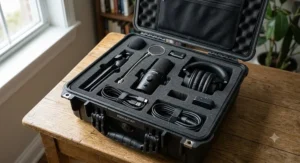
The FIFINE AmpliGame A8T is aimed squarely at gamers and younger streamers, and the standout feature — beyond the price — is that it already includes a boom arm in the box, which is unusual at this budget tier.
Its condenser capsule covers a 50 Hz–20,000 Hz frequency range with a cardioid pattern, and the kit ships with a shock mount, pop filter, and a full boom arm assembly rather than the flimsy tripod stand that budget mics typically default to. Customizable RGB lighting with multiple colour modes is clearly aimed at a streaming-and-gaming audience rather than traditional podcasters, and honestly, that’s fine — plenty of teens starting a first YouTube channel or Discord-adjacent show care about the aesthetic as much as the audio.
Here’s what most buyers overlook about this model: the condenser capsule, at this price, isn’t going to compete with the dynamic mics higher on this list for noise rejection in an untreated room, so it’s a better match for a quieter bedroom setup than a busy shared space. Reviewers repeatedly flag the included boom arm as punching above its price class, which is a rare compliment at this budget.
Pros:
- ✅ Full boom arm kit included at a budget price
- ✅ RGB customization appeals to younger streamers
- ✅ Cardioid condenser captures detailed vocal tone
Cons:
- ❌ Condenser sensitivity struggles in noisy rooms
- ❌ No XLR option if you outgrow USB later
Expect the C$80–C$110 range for the full kit — check current price, as FIFINE runs frequent seasonal bundle deals.
7. TONOR TC-777 — cheapest complete plug-and-play kit
The TONOR TC-777 is the mic to buy when the budget is genuinely tight and you just need something that works today, and the standout feature is that “kit” here means an actual complete kit — tripod, shock mount, pop filter, and windscreen all included, not sold separately.
Specs with real-world meaning: a 100 Hz–16 kHz frequency response and a cardioid condenser capsule keep it firmly in “good enough for spoken word” territory rather than studio-grade, and the 44.1–48 kHz sample rate at 16-bit is a step below the 24-bit recording most mid-range kits on this list offer. It’s genuinely driver-free — plug it into a USB-A port and most systems recognize it instantly as a generic USB audio device, no installation process required.
Based on the spec comparison, this is the mic for someone testing whether podcasting or streaming is even a hobby they’ll stick with, before investing in anything pricier. Aggregated reviewer sentiment describes the audio quality as surprisingly competent for the price, though several reviewers note the mic body itself feels noticeably plasticky and the USB cable isn’t detachable, so a damaged cable means replacing the whole unit.
Pros:
- ✅ True complete kit — stand, mount, filter all included
- ✅ Truly driver-free plug-and-play setup
- ✅ Lowest price point of any kit on this list
Cons:
- ❌ Non-detachable USB cable is a single point of failure
- ❌ 16-bit recording is a step below mid-range competitors
At roughly C$50–C$70, the TONOR TC-777 is the safest first purchase for anyone who isn’t sure podcasting will stick — check current price before buying, as this model occasionally dips lower during retail sales events.
Top 7 Podcast Microphone Kits Compared
Here’s the full lineup side by side, now that you’ve seen the reasoning behind each pick.
| Kit | Type | Connection | Price Range (CAD) | Best For |
|---|---|---|---|---|
| MAONO PD200XS | Dynamic | USB-C / XLR | C$100–C$140 | Best overall value kit |
| Shure MV7+ | Dynamic | USB-C / XLR | C$370–C$420 | Long-term, serious podcasters |
| RODE PodMic USB | Dynamic | USB-C / XLR | C$260–C$300 | Broadcast-style warmth |
| Audio-Technica AT2040USB | Dynamic | USB-C | C$190–C$220 | Noisy rooms, tight budget |
| Blue Yeti | Condenser | USB | C$170–C$210 | Interviews and multi-pattern needs |
| FIFINE AmpliGame A8T | Condenser | USB | C$80–C$110 | Teens and younger streamers |
| TONOR TC-777 | Condenser | USB | C$50–C$70 | Absolute tightest budget |
Reading this table left to right, the pattern is clear: dynamic mics dominate the upper half of the price range because their noise-rejecting capsules cost more to manufacture well, while the condenser options cluster at the budget end where raw sensitivity is cheaper to deliver than tight noise rejection. If your room is quiet and treated, that trade-off barely matters — but in a typical Canadian apartment or shared house, it’s usually worth stretching toward a dynamic podcast microphone kit if the budget allows it.
Podcast Microphone Kit for Teens: Building a Home Recording Studio That Grows With Them
Setting up a home recording studio teens will actually use for more than a week comes down to three decisions: the mic, the monitoring, and the room. Start with a hybrid USB/XLR kit like the MAONO PD200XS or the budget-friendly FIFINE AmpliGame A8T — both include the boom arm and shock mount that keep a bedroom desk from turning into a tangle of loose cables a parent has to untangle every session.
Add Studio Headphones for Teens: Why Monitoring Matters
A microphone is only half the setup. Studio headphones teens wear for monitoring need to be closed-back, over-ear designs rather than earbuds, both for comfort during long recording sessions and — this part actually matters medically — for hearing safety. Health Canada research on personal listening devices found that someone listening at full volume through certain consumer headphones could risk hearing damage in as little as three to twelve minutes, and the study specifically examined listening habits in kids and teenagers aged 10 to 17. That’s not a reason to avoid headphones entirely; it’s a reason to pick over-ear monitoring headphones with a reasonable volume ceiling and to follow the general guidance from Government of Canada hearing researchers about keeping listening levels moderate rather than maxed out during editing sessions.
Budget C$40–C$80 for a solid pair of closed-back monitoring headphones alongside the mic kit itself — this is a spot where cutting the budget too thin genuinely costs sound quality, since open-back or bass-heavy consumer headphones make it hard to judge how a recording will actually sound to a listener.
First 30 Days: Setup and Maintenance
Position the mic four to six inches from the mouth, slightly off-axis to reduce plosives, and set gain levels so a normal speaking voice peaks around -12 dB, leaving headroom before clipping. Wipe down foam windscreens monthly — they absorb more moisture and oil than people expect — and store the mic upright rather than lying flat on a desk where dust settles into the capsule grille.
Real-World Scenarios: Matching a Podcast Microphone Kit to Your Situation
The college student in a dorm room: thin walls, roommates, unpredictable noise. The hypercardioid Audio-Technica AT2040USB is built for exactly this — its tight pickup pattern rejects the hallway noise a cardioid mic would happily record along with your voice.
The parent-and-teen co-hosted show: two voices, one desk, a shared budget. The MAONO PD200XS handles this well because its USB/XLR flexibility means you can later add a second mic and a small mixer without replacing what you already bought — a common upgrade path for family podcasts that start as a fun weekend project and turn into something more regular.
The small business owner recording weekly training content: consistency and broadcast-credible sound matter more than budget here. The Shure MV7+ or RODE PodMic USB both deliver the kind of polished, dynamic-mic warmth that content creation audio work benefits from, especially when that content ends up in front of clients or on a company’s public channels.
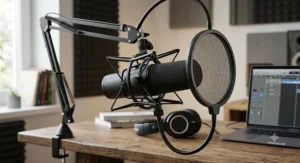
How to Choose a Podcast Microphone Kit: 7 Expert Criteria
- Connection type first. USB is simpler; USB/XLR hybrids protect your investment if you ever add a mixer.
- Dynamic versus condenser. Dynamic mics (Shure, RØDE, most FIFINE dynamic models) reject room noise better; condensers (Blue Yeti, TONOR) capture more vocal detail in treated rooms.
- What’s actually in the box. A bare mic head versus a full kit with boom arm changes the real total cost significantly.
- Polar pattern. Cardioid for solo recording, multi-pattern (like the Blue Yeti) if you’ll record interviews or ambient audio.
- Headphone monitoring jack. Non-negotiable for catching problems while recording, not after.
- Software ecosystem. MAONO Link, Shure MOTIV, and RØDE Connect all add EQ and processing — check whether it’s USB-only before assuming XLR mode gets the same treatment.
- Room reality, not room fantasy. Buy for the room you actually record in, not the treated studio you wish you had.
Podcast Microphone Kit vs Broadcasting Equipment: What’s Actually Different
The line between a podcast microphone kit and full broadcasting equipment used to be obvious — XLR-only professional gear on one side, plug-and-play consumer mics on the other. That line has mostly dissolved. Hybrid mics like the Shure MV7+ and RODE PodMic USB deliver output quality genuinely close to studio broadcasting equipment while keeping the USB simplicity beginners need.
What still separates the two categories is the surrounding chain: traditional broadcasting equipment typically runs through a dedicated audio interface or mixing console with phantom power, multiple simultaneous XLR inputs, and hardware-level processing before anything touches a computer. A podcast microphone kit compresses that entire chain into one device. The trade-off is flexibility versus simplicity — a broadcast studio setup scales to a five-person panel show more gracefully, while a podcast microphone kit gets a solo or two-person show recording in minutes.
Podcast Microphone Kit vs Traditional Alternatives
| Setup | Upfront Cost | Setup Time | Best For |
|---|---|---|---|
| Podcast microphone kit (e.g. MAONO PD200XS) | C$100–C$420 | Under 30 minutes | Solo shows, small teams, home studios |
| Laptop or phone built-in mic | C$0 | Instant | Emergency backup only, not recommended |
| Full broadcast studio (interface + mixer + XLR mics) | C$800+ | Several hours to configure | Multi-host panel shows, professional studios |
| Studio rental with engineer | C$50–C$150 per session | None (managed for you) | Occasional high-stakes recordings |
The analysis here is fairly blunt: a podcast microphone kit sits in the sweet spot between “free but unusable” and “professional but overkill for a hobby show.” Renting studio time makes sense for a one-off event like a live recording, but it doesn’t scale economically for a weekly show, and full broadcast studio equipment is genuinely more capability than most solo or two-person podcasts will ever use.
Beat Making Equipment vs a Podcast Microphone Kit: Do You Need Separate Gear?
Short answer: mostly yes, though there’s overlap worth understanding before you buy twice. Beat making equipment — MIDI controllers, drum machines, audio interfaces built for multitrack instrument recording — is optimized for capturing and layering musical elements, not spoken voice. A podcast microphone kit is tuned specifically for the frequency range and dynamics of speech.
Where they intersect is the audio interface. If your podcast microphone kit is USB/XLR hybrid, the same XLR output can plug into an audio interface you already own for beat making equipment, letting the mic double as a vocal-recording input for music projects without buying a second microphone. What it won’t do well is replace dedicated beat making equipment for actual production — a podcast mic captures voice cleanly, but drum programming and sample chopping still need their own dedicated gear regardless of how good the microphone is.
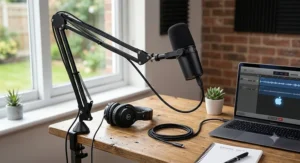
Podcast Microphone Kits for Content Creators: YouTube, TikTok, and Streaming
Content creation audio has different demands than a two-person sit-down podcast. Short-form video creators often need a mic that sounds good both on-camera and off, which is where compact hybrid kits like the MAONO PD200XS or FIFINE AmpliGame A8T have an edge — their boom arms keep the mic out of frame while staying close enough to the mouth for clean audio.
Livestreamers face a different problem: real-time monitoring without latency, so viewers and the streamer hear the same feed simultaneously. That’s precisely where the Blue Yeti‘s built-in headphone jack and the RODE PodMic USB‘s zero-latency monitoring earn their keep — a delayed audio signal while live is far more jarring to an audience than mediocre sound quality would be.
Vocal Recording Quality: What the Spec Sheet Won’t Tell You
Every mic on this list lists a frequency response range, and every marketing page treats a wider range as automatically better. It isn’t, for vocal recording specifically. Human speech lives mostly between 100 Hz and 8 kHz — the RODE PodMic USB‘s 20 Hz–20 kHz range and the MAONO PD200XS‘s narrower 40 Hz–16 kHz range both comfortably cover that, so the wider number on the spec sheet mostly matters for capturing music or ambient sound, not for making a voice sound clear.
What actually moves the needle for vocal recording is self-noise, polar pattern tightness, and how the capsule handles plosives — the hard “P” and “B” sounds that spike a recording. That’s why the Audio-Technica AT2040USB‘s hypercardioid pattern and the RODE PodMic USB‘s internal pop filter matter more in daily use than either mic’s headline frequency range.
Long-Term Cost & Maintenance: The Real Value of a Podcast Microphone Kit
A podcast microphone kit’s sticker price is only the entry fee. Foam windscreens wear out and need replacing roughly every six to twelve months of regular use, running C$10–C$20 each. Boom arm mounting hardware occasionally loosens with repeated adjustment and may need a replacement clamp after a year or two of heavy use.
Where the real long-term value shows up is in the hybrid kits. A USB-only mic like the TONOR TC-777 has a hard ceiling — once you outgrow it, the entire unit gets replaced. A USB/XLR hybrid like the Shure MV7+ or MAONO PD200XS absorbs a studio upgrade (adding a mixer, adding co-host mics) without the original mic becoming obsolete, which is the closest thing to guaranteed resale value this category offers.
One maintenance cost people rarely budget for is their own hearing. Editing long episodes through headphones for hours at a stretch, session after session, adds up in ways that are easy to ignore in your twenties and harder to ignore later. Speech-Language & Audiology Canada’s guidance on safer personal listening is worth a skim if editing is going to be a regular part of your routine — it’s a national clinical association, not a random blog, and the advice is genuinely practical rather than alarmist.
Common Mistakes When Buying a Podcast Microphone Kit
Buyers consistently make the same handful of errors. Skipping the boom arm to save money, then buying one separately at a worse price a month later. Choosing a condenser mic for a noisy shared apartment when a dynamic mic would have rejected that noise from the start. Ignoring headphone monitoring entirely and only discovering audio problems after editing an entire episode. And buying based on subscriber-count-driven “what I use” videos rather than matching gear to their actual room and budget — the mic a famous podcaster uses in a treated studio isn’t necessarily the right pick for a bedroom recording setup.
It’s also worth remembering that home recording setups sit inside a broader pattern of everyday noise exposure. Statistics Canada’s research on Canadians and workplace noise found that a large share of Canadians who spend long hours in noisy environments never got in the habit of protecting their hearing — a good reminder to keep monitoring volumes reasonable even once your recording setup is fully dialed in.
Frequently Asked Questions
❓ What is the best podcast microphone kit for beginners in Canada?
❓ How much does a good podcast microphone kit cost in Canada?
❓ Do I need XLR or USB for a podcast microphone kit?
❓ Can teens use a podcast microphone kit safely?
❓ What else do I need besides a podcast microphone kit?
Conclusion
There isn’t a single best podcast microphone kit for every Canadian creator — there’s a best one for your room, your budget, and how seriously you plan to take this. Beginners and family co-hosted shows get excellent mileage from the MAONO PD200XS‘s complete-kit value. Anyone recording in a genuinely noisy space should lean toward the hypercardioid focus of the Audio-Technica AT2040USB. And podcasters ready to commit for the long haul, where onboard processing and touch controls save real editing time, will find the Shure MV7+ justifies its price over a year of weekly episodes.
Whatever you land on, remember that the kit — the boom arm, the shock mount, the headphones — matters as much as the microphone spec sheet. Buy for the room you’re actually recording in, budget honestly for the accessories that don’t come standard, and check current prices before buying, since Amazon.ca pricing shifts more often than most people expect.
✨ Don’t Miss These Exclusive Deals! 🔍
Take your podcast setup to the next level with these carefully selected kits. Click on any highlighted item to check current pricing and availability on Amazon.ca. The right podcast microphone kit will help you create content your listeners actually want to hear!
Recommended for You
- 7 Best MIDI Keyboards In Canada For 2026 (Ranked; Compared)
- 7 Best Camera Lens Beginner Picks For Canada In 2026
- 7 Best Raspberry Pi Projects Kits For Makers In 2026
Disclaimer: This article contains affiliate links. As an Amazon Associate, I earn from qualifying purchases. If you purchase products through these links, we may earn a small commission at no additional cost to you.
✨ Found this helpful? Share it with your friends! 💬🤗
