
In This Article
Here’s a secret the “just start streaming!” crowd rarely mentions: viewers forgive blurry video. They do not forgive bad audio.
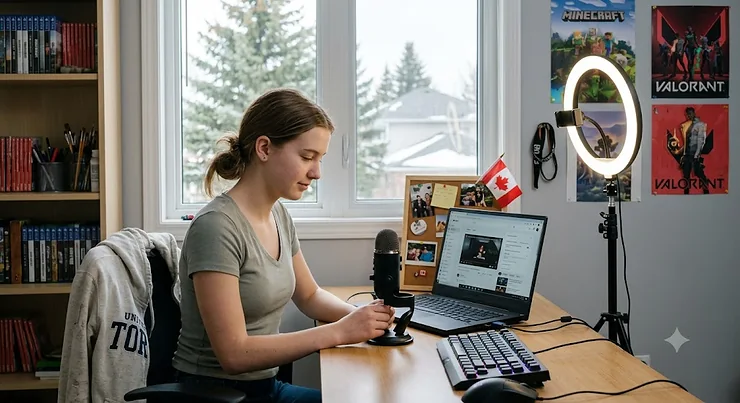
That single truth should shape every dollar you spend on streaming equipment teens can grow with. A 15-year-old in Winnipeg with a clear microphone, a comfortable headset and a tidy desk will almost always hold an audience longer than someone with a flashy RGB rig and a mic that sounds like it lives inside a tin of Tim Hortons Timbits.
So what is streaming equipment teens actually need? It’s the core hardware a young creator uses to broadcast gameplay or content live — typically a microphone, a headset, a webcam, a control device, and desk accessories — chosen for clear audio, reliable video, easy setup, and a budget a teenager or parent can realistically support.
Live streaming has evolved from a niche hobby into a genuine creative outlet — and, for some teens, the first taste of running a small media project. The good news? Entry-level live streaming gear in 2026 is dramatically better than it was five years ago. A mic in the C$70–C$90 range now delivers what cost C$250 not long ago.
In this guide, I’ve combed through real spec sheets, professional reviews and aggregated owner feedback to pick seven products across budget, mid-range and premium tiers. You’ll find honest analysis (no fake “I tested it for 90 days” stories), practical setup advice, a problem-solving section, and Canadian-specific notes on privacy and hearing safety.
Whether you’re a teen saving birthday money or a parent trying to decode why your kid suddenly needs a “Stream Deck,” you’re in the right place. Let’s build a setup that sounds good, looks decent, and doesn’t wreck the family budget.
Quick Comparison Table: Streaming Equipment Teens at a Glance
| Product | Category | Price Range (CAD, at time of research) | Standout Strength | Best For |
|---|---|---|---|---|
| FIFINE AmpliGame AM8 | USB/XLR dynamic mic | ~C$65–C$90 | Room-noise rejection | FIFINE AmpliGame AM8: first-time streamers in noisy homes |
| Elgato Wave:3 | USB condenser mic | ~C$170–C$210 | Clipguard anti-distortion | Elgato Wave:3: loud, excitable gamers in quiet rooms |
| Logitech G435 Lightspeed | Wireless headset | ~C$70–C$100 | 165 g featherweight | Logitech G435 Lightspeed: younger teens, long sessions |
| SteelSeries Arctis Nova 7 Wireless Gen 2 | Wireless headset | mid-to-high C$200s | 54-hour battery, dual wireless | SteelSeries Arctis Nova 7 Wireless Gen 2: multi-platform players |
| Logitech C922 Pro Stream | 1080p webcam | ~C$90–C$130 | Plug-and-play reliability | Logitech C922 Pro Stream: face-cam beginners |
| Elgato Stream Deck MK.2 | Control pad | ~C$190–C$230 | 15 programmable LCD keys | Elgato Stream Deck MK.2: teens ready to “produce” a show |
| SteelSeries QcK XXL | Desk-size mousepad | ~C$35–C$55 | 900 × 400 mm coverage | SteelSeries QcK XXL: finishing a clean desk |
Reading the table as a whole, the smartest spending pattern is lopsided: put real money into audio (a mic or headset), then spend modestly everywhere else. The FIFINE AmpliGame AM8 plus the Logitech G435 Lightspeed gets a teen a credible, clean-sounding starter kit for roughly C$150–C$190 combined, while the Elgato Stream Deck MK.2 is a “level two” purchase that only makes sense once someone streams regularly.
💬 Just one click — help others make better buying decisions too!😊
Top 7 Streaming Equipment Teens Picks: Expert Analysis
Each pick below was chosen for a specific job. Think of them as positions on a hockey team — you don’t need seven goalies.
1. FIFINE AmpliGame AM8 — best budget mic for noisy family homes
The FIFINE AmpliGame AM8 is a dynamic microphone, which is the single most important detail for a teen streaming from a bedroom beside a busy hallway.
Dynamic capsules are less sensitive than condensers, so they naturally ignore the dishwasher, the sibling and the barking dog. The cardioid pattern captures what’s directly in front of it, while dual USB-C and XLR outputs mean the mic can plug straight into a PC today and graduate to an audio interface later. According to TechPowerUp’s review, it records at up to 16-bit/48 kHz and includes a touch-sensitive mute and a headphone jack for zero-latency monitoring.
Based on the spec comparison, this is the best “first real mic” for most teens. The XLR option is quietly brilliant: it’s an upgrade path baked in, so the purchase doesn’t become e-waste when skills grow. The frequency response (50–16,000 Hz) is narrower than studio mics, but for speech, that barely matters.
Reviewers consistently praise the value-to-sound ratio and the included stand and foam windscreen; a common note is that you need to speak fairly close to the capsule, since dynamic mics need proximity.
Pros:
- ✅ Excellent background-noise rejection for shared homes
- ✅ USB and XLR outputs create a future upgrade path
- ✅ Tap-to-mute and headphone monitoring built in
Cons:
- ❌ Must be positioned close to your mouth
- ❌ Narrower frequency range than pricier studio mics
💰 Expect roughly C$65–C$90 (check current price) — outstanding value for a starter setup.
2. Elgato Wave:3 — best mic for loud, excitable gamers
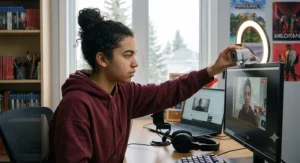
The Elgato Wave:3 solves a problem every energetic teen streamer eventually hits: the sudden scream after a clutch win that distorts into crunchy noise.
Its Clipguard technology automatically drops gain when your voice spikes, so yelling doesn’t clip. It’s a cardioid condenser capturing 24-bit/96 kHz audio, meaning richer, more detailed vocal tone than a dynamic mic. The Wave Link software acts as a virtual mixer, letting you balance game audio, Discord and music independently for yourself and your stream.
Here’s what to weigh: condensers hear everything. In a quiet, carpeted room, the Elgato Wave:3 sounds noticeably fuller than the FIFINE AmpliGame AM8. In a room with a humming PC tower and a fan, it will capture that too. The software mixer is the hidden value — it replaces a physical mixer that would cost more than the mic.
User reviews frequently highlight the clarity and the capacitive mute on top; a recurring complaint is picking up keyboard clatter, especially from loud mechanical switches.
Pros:
- ✅ Clipguard prevents distortion during loud moments
- ✅ Powerful Wave Link software mixer included
- ✅ Warm, detailed broadcast-style vocal tone
Cons:
- ❌ Picks up room noise and keyboard sounds
- ❌ Priced well above entry-level alternatives
💰 Typically in the C$170–C$210 range (prices may vary) — worth it for quiet rooms and serious hobbyists.
3. Logitech G435 Lightspeed — lightest gaming headset wireless option for younger teens
The Logitech G435 Lightspeed weighs just 165 g, which makes it the gaming headset wireless pick for long sessions and smaller heads.
It connects through Logitech’s Lightspeed 2.4 GHz dongle for low-latency gaming or Bluetooth for phones, runs up to about 18 hours per charge, and uses 40 mm drivers. There’s no boom arm; instead, dual beamforming mics sit inside the earcup to focus on your voice.
On paper, this headset is built for comfort and simplicity rather than streaming-grade voice. That’s fine — because most teens should pair it with a proper desk mic like the FIFINE AmpliGame AM8 anyway. As a monitoring headset, it’s easy to wear for three hours without the “clamp headache” heavier headsets cause. Parents should note it’s also one of the more affordable gaming headset wireless models from a major brand.
Aggregated reviews repeatedly praise the weight and comfort; the most common criticism is that the built-in mics sound thin, and adults with larger heads may find the fit snug.
Pros:
- ✅ Extremely light, comfortable for long sessions
- ✅ Lightspeed and Bluetooth in one headset
- ✅ Friendly price for a major-brand wireless model
Cons:
- ❌ Built-in mics too thin for stream voice
- ❌ Battery life shorter than premium rivals
💰 Usually around C$70–C$100 (check current price) — superb value as a listening headset.
4. SteelSeries Arctis Nova 7 Wireless Gen 2 — premium all-day battery for multi-platform teens
The SteelSeries Arctis Nova 7 Wireless Gen 2 is the premium gaming headset wireless choice for teens who bounce between PC, console and phone.
According to PCWorld’s review, it delivers up to 54 hours on 2.4 GHz (about 42 over Bluetooth 5.3) and supports simultaneous 2.4 GHz and Bluetooth — so a teen can hear game audio and a phone call at once. A 15-minute quick charge yields roughly six hours, and the retractable ClearCast Gen 2 mic adds AI noise cancellation.
What most buyers overlook is how that battery changes daily life: charging once a week instead of every night means fewer mid-stream “headset dying” moments. The simultaneous connection is also a practical win for Discord-on-phone users. However, the mic isn’t this headset’s strongest feature, so streamers should still route voice through a dedicated mic.
Reviewers consistently call it one of the most comfortable headsets in its class; the common complaints are a mic that sounds slightly nasal and a wide USB dongle that can block neighbouring ports.
Pros:
- ✅ Exceptional battery life with fast charging
- ✅ Simultaneous 2.4 GHz and Bluetooth audio
- ✅ Works across PC, PlayStation, Xbox, Switch
Cons:
- ❌ Mic quality trails its premium price
- ❌ Bulky dongle may crowd nearby ports
💰 Generally in the mid-to-high C$200s (prices may vary) — worth it for heavy, multi-device use.
5. Logitech C922 Pro Stream — the reliable face-cam starter
The Logitech C922 Pro Stream is the webcam equivalent of a well-worn hockey stick: not fancy, but it simply works.
It records 1080p at 30 fps or 720p at 60 fps, has autofocus, a 78° field of view, and dual stereo mics. A small tripod is included, which lets you place the camera at eye level rather than perching it on a monitor.
Based on the spec comparison, 720p/60 is the setting most streamers should use — smoother motion matters more on a small face-cam window than extra pixels. The honest caveat: this model has been around for years, and newer 4K webcams outperform it. But for a teen whose face-cam occupies a corner of the screen, 4K is wasted bandwidth. Plug-and-play support in OBS, Streamlabs and Discord matters more than resolution.
Owners broadly report dependable plug-and-play setup; the most repeated complaint is grainy video in dim rooms, which a simple lamp or ring light usually fixes.
Pros:
- ✅ Plug-and-play with major streaming software
- ✅ 720p/60 fps gives smooth face-cam motion
- ✅ Tripod included for flexible placement
Cons:
- ❌ Struggles noticeably in low light
- ❌ Aging design versus newer 4K models
💰 Roughly C$90–C$130 (check current price) — sensible value when paired with decent lighting.
6. Elgato Stream Deck MK.2 — the content creator tools upgrade that makes you feel like a producer
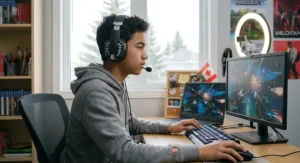
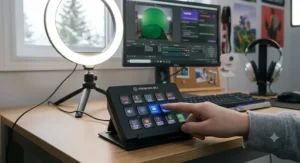
The Elgato Stream Deck MK.2 turns 15 programmable LCD keys into one-tap buttons for scene switches, mutes, sound effects and more.
Each key displays a custom icon, so you can see exactly what it does. It has a detachable USB-C cable, a removable stand and swappable faceplates. Plugins integrate with OBS, Twitch, Spotify, Discord and dozens of other content creator tools.
Here’s the honest analysis: nobody needs this on day one. Keyboard shortcuts accomplish the same thing. But once a teen is running scene changes, alerts and music mid-game, the Elgato Stream Deck MK.2 removes the fumbling that makes streams look amateurish. It’s also useful beyond streaming — homework shortcuts, video editing macros and launching apps. Among content creator tools, it’s the one with the clearest “quality of life” payoff.
Aggregated user sentiment is overwhelmingly positive about ease of setup and plugin variety; the main criticism is price, especially for users who only program a handful of keys.
Pros:
- ✅ Visual LCD keys eliminate shortcut memorization
- ✅ Huge plugin library for creator apps
- ✅ Useful for school and editing too
Cons:
- ❌ Premium price for a non-essential tool
- ❌ Overkill for occasional streamers
💰 Typically C$190–C$230 (prices may vary) — worth it once streaming becomes routine.
7. SteelSeries QcK XXL — the gaming mousepad large enough to anchor a whole desk
The SteelSeries QcK XXL covers a full 900 × 400 mm (about 35.4 × 15.7 in) at 4 mm thick, making it the classic gaming mousepad large option.
The micro-woven cloth surface provides consistent glide for optical sensors, while the non-slip rubber base holds it in place. Because it spans keyboard and mouse, it quietly dampens keystroke noise — a detail that matters when your mic is sitting a few centimetres away.
What the spec sheet won’t tell you: a desk-sized pad makes a gaming desk setup look finished on camera, hides scratches and cold laminate, and gives low-sensitivity players room for big arm-swipes. It’s also one of the cheapest upgrades on this list, which makes it a natural gift pick for relatives who ask what to buy.
Reviewers consistently praise the surface consistency and value; common complaints include creases when first unrolled (they fade) and edges that can fray over time because they aren’t stitched.
Pros:
- ✅ Covers keyboard and mouse in one surface
- ✅ Dampens typing noise reaching the microphone
- ✅ Affordable, easy gift upgrade
Cons:
- ❌ Unstitched edges may fray eventually
- ❌ Arrives with rolling creases initially
💰 Around C$35–C$55 (check current price) — the best value-per-dollar item here.
Top 7 Specs Side by Side
| Product | Key Spec | What It Means in Practice | Tier | Best For |
|---|---|---|---|---|
| FIFINE AmpliGame AM8 | Dynamic, USB + XLR | Ignores room noise; upgradable | Budget | FIFINE AmpliGame AM8: noisy homes |
| Elgato Wave:3 | Condenser, 24-bit/96 kHz, Clipguard | Rich voice, no clipping when yelling | Mid-premium | Elgato Wave:3: quiet rooms |
| Logitech G435 Lightspeed | 165 g, ~18 h battery | All-day comfort, nightly charging | Budget | Logitech G435 Lightspeed: younger teens |
| SteelSeries Arctis Nova 7 Wireless Gen 2 | 54 h battery, dual wireless | Weekly charging, phone + game audio | Premium | SteelSeries Arctis Nova 7 Wireless Gen 2: multi-device users |
| Logitech C922 Pro Stream | 1080p/30, 720p/60 | Smooth face-cam with good light | Mid | Logitech C922 Pro Stream: first webcam |
| Elgato Stream Deck MK.2 | 15 LCD keys | One-tap scene control | Premium | Elgato Stream Deck MK.2: regular streamers |
| SteelSeries QcK XXL | 900 × 400 × 4 mm | Full-desk glide, quieter typing | Budget | SteelSeries QcK XXL: finishing touch |
The pattern here is clear: the two microphones are the only products that directly change what your audience hears, so they deserve priority. The two headsets split neatly — the Logitech G435 Lightspeed for budget comfort, the SteelSeries Arctis Nova 7 Wireless Gen 2 for battery and platform flexibility. Everything else is an upgrade layer you add as your channel grows.
✨ Don’t Miss These Smart Upgrades! 🔍
Take your streams to the next level with these carefully selected picks. Click on any highlighted product to check current pricing and availability on Amazon.ca. The right gear helps you create clear, confident broadcasts your viewers will actually stick around for!
Practical Usage Guide: Building a Gaming Desk Setup That Streams Well
Buying good gear is half the job. Arranging it is the other half — and it’s where most first streams go sideways.
Day-One Setup (about 45 minutes)
- Mic placement first. Position the FIFINE AmpliGame AM8 or Elgato Wave:3 5–15 cm from your mouth, slightly off-axis so breath doesn’t hit it directly. A cheap boom arm is the best C$30–C$40 accessory you’ll ever buy.
- Camera at eye level. Mount the Logitech C922 Pro Stream on its tripod just above your monitor’s centre line. Looking up at a camera is flattering; looking down at one is a nostril documentary.
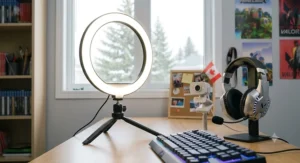
- Light your face, not the wall. Put a lamp or light behind the camera, pointing toward you. Never sit with a bright window behind you.
- Lay the pad, then the cables. Roll out the SteelSeries QcK XXL, then route cables behind it with Velcro ties. A clean gaming desk setup reads as “serious creator” on camera.
First-Week Optimization Tricks
- ⚡ Set OBS audio to peak around -12 dB to -6 dB — loud enough to hear, never touching red.
- ⚡ Add a noise suppression filter to the mic in OBS; it’s free and surprisingly effective.
- ⚡ Program three Elgato Stream Deck MK.2 keys only: mute, “Be Right Back” scene, and start/stop. Add more later.
Common Mistakes in the First 30 Days
- ❌ Streaming on Wi-Fi when an Ethernet cable is possible.
- ❌ Using the headset mic and the desk mic, creating echo.
- ❌ Never checking a recording back — always watch five minutes of your own VOD weekly.
Maintenance Schedule
Wipe the headset earcups weekly, hand-wash the mousepad with mild soap every couple of months (air-dry flat), and update Elgato, Logitech G HUB and SteelSeries GG software monthly. A tidy gaming desk setup isn’t just aesthetic — dust and heat shorten the life of electronics.
Real-World Scenarios: Matching Streaming Equipment Teens Need to Real Lives
Specs are abstract. People aren’t. Here are three realistic profiles and the gear that fits each.
Profile 1: Maya, 14, Surrey BC — the shared-bedroom beginner
Budget: around C$150–C$200. Environment: shares a wall with a younger brother; streams Minecraft two evenings a week.
Best match: FIFINE AmpliGame AM8 + Logitech G435 Lightspeed. The dynamic mic ignores her brother’s cartoons, while the featherweight headset suits a smaller head. She skips the webcam for now — plenty of successful streamers start voice-only, which also keeps her face off the internet while she learns the ropes.
Profile 2: Jordan, 16, Mississauga ON — the console-and-PC hopper
Budget: around C$450–C$550 saved from a part-time job. Environment: own room, plays on both PS5 and PC, streams four nights a week.
Best match: SteelSeries Arctis Nova 7 Wireless Gen 2 + Elgato Wave:3 + Logitech C922 Pro Stream. The headset’s dual wireless covers both platforms, the Wave:3’s Clipguard handles his competitive shouting, and the webcam adds a personal connection. He buys the Elgato Stream Deck MK.2 later with his next few paycheques.
Profile 3: Priya, 17, Halifax NS — the aspiring creator
Budget: flexible, but spread over a year. Environment: quiet room, streams art and games, edits YouTube highlights.
Best match: Elgato Wave:3, Elgato Stream Deck MK.2, SteelSeries QcK XXL. For her, content creator tools that speed up editing matter as much as live audio — the Stream Deck’s macros pay off every single editing session.
Problem → Solution Guide: Fixing Common Teen Streaming Headaches
Every streamer hits these walls. The fixes are usually cheaper than you’d think.
Problem 1: “Chat says my mic sounds echoey.”
Solution: Hard walls bounce sound. Add soft furnishings — a rug, curtains, even a duvet behind the monitor. A dynamic mic like the FIFINE AmpliGame AM8 also reduces room reflections compared with condensers.
Problem 2: “Viewers hear my keyboard more than my voice.”
Solution: Move the mic closer and turn its gain down. Place the SteelSeries QcK XXL under the keyboard to soften impact noise. With the Elgato Wave:3, enable a noise gate in Wave Link.
Problem 3: “My face looks grainy and orange.”
Solution: The Logitech C922 Pro Stream is starved for light. Add a daylight-balanced lamp (around 5,000–5,600 K) in front of you and disable auto-exposure in the camera settings.
Problem 4: “My headset keeps dying mid-stream.”
Solution: Build a charging habit — plug the Logitech G435 Lightspeed in after each session — or step up to the SteelSeries Arctis Nova 7 Wireless Gen 2, which lasts days between charges.
Problem 5: “A stranger in chat asked where I live.”
Solution: This one matters most. Never answer, ban and block, and turn on moderation tools. The Office of the Privacy Commissioner of Canada’s guidance on privacy and young people is a smart family read before anyone goes live. Blur anything identifying in the background — school logos, windows showing your street, mail on the desk.
How to Choose Streaming Equipment Teens Will Actually Use
Picking gear is less about “best” and more about “best for this teen, in this room, with this budget.” Follow these seven steps in order.
- Set the budget first, then split it. Aim to put roughly 40–50% into audio. Sound is what keeps viewers; everything else is garnish.
- Assess the room’s noise level. Noisy home? Choose a dynamic mic. Quiet, soft-furnished room? A condenser like the Elgato Wave:3 can shine.
- List every platform. PC only, or PC plus console plus phone? Multi-platform teens benefit from dual-wireless headsets.
- Prioritize comfort and weight. Streams run long. A heavy headset on a young head becomes a distraction within the hour.
- Check software compatibility. Confirm the gear works with OBS, Streamlabs, Twitch Studio or whatever the teen uses — plug-and-play saves hours of frustration.
- Plan the upgrade path. Products with XLR outputs or modular accessories grow with the creator instead of being replaced.
- Decide on camera privacy early. Talk as a family about whether face-cam is on or off before buying a webcam at all.
The key insight? Step 7 sometimes eliminates an entire purchase — and that’s perfectly fine. Plenty of great channels are voice-only.
Gaming Headset Wireless vs Wired: Which Makes Sense for Teen Streamers?
The gaming headset wireless debate used to be simple: wired sounded better and never died. In 2026, that’s mostly outdated.
Where Wireless Wins
Modern 2.4 GHz dongles, like Logitech’s Lightspeed and SteelSeries’ low-latency connection, deliver lag that’s imperceptible in normal gameplay. The freedom to stand, stretch, grab a snack or walk around the room without yanking a cable is a genuine quality-of-life win for long streams. For teens with a console across the room, a gaming headset wireless model simply fits the space better.
Where Wired Still Holds Ground
Wired headsets never need charging and are often cheaper for equal sound quality. For tight budgets under C$60, a wired headset plus the FIFINE AmpliGame AM8 can outperform an entry wireless model.
The Verdict
For most teen streamers, a gaming headset wireless option earns its keep. The Logitech G435 Lightspeed covers budget buyers, while the SteelSeries Arctis Nova 7 Wireless Gen 2 justifies its price through battery life and simultaneous connections. Just remember: in both cases, a desk mic should handle the stream voice. The headset is for listening.
Gaming Mousepad Large: Why Desk Real Estate Changes Everything
A gaming mousepad large enough to cover your desk sounds like a cosmetic choice. It isn’t.
Performance
Low-sensitivity aim — popular in shooters like Valorant and Counter-Strike 2 — needs room for wide arm movements. A standard 25 cm pad forces the mouse off the edge mid-flick. The SteelSeries QcK XXL‘s 90 cm width eliminates that.
Audio
This is the benefit almost nobody mentions. Keyboards on bare wood or laminate resonate, sending typing noise straight into a sensitive mic. A 4 mm cloth layer absorbs a surprising amount of that thump.
On-Camera Look
A gaming mousepad large and uniform in colour makes a desk look organized and intentional on camera, even if it cost under C$55. It also protects the desk surface from years of wrist friction and scratches.
What to Look For
Stitched edges last longer, 4–6 mm thickness balances comfort and control, and a rubber base prevents drifting. If the teen uses a very small desk, measure first — a gaming mousepad large enough for one desk may hang awkwardly off another.
Content Creator Tools Beyond the Microphone
Once the basics work, content creator tools become the difference between “someone streaming” and “someone running a show.”
Control and Workflow
The Elgato Stream Deck MK.2 leads this category for a reason: tactile, visible shortcuts reduce mistakes during live moments. Budget alternatives exist, including free phone apps that mimic a stream deck, which are a clever way to test whether a teen will actually use one before spending C$200+.
Software (Mostly Free)
- OBS Studio — free, open-source, the industry standard.
- Streamlabs — easier for beginners, with built-in alerts.
- DaVinci Resolve — free, powerful editing for highlight clips.
Lighting
A lamp works. A small LED panel with adjustable colour temperature is the next step. Good lighting also makes the Logitech C922 Pro Stream look like a pricier camera.
Why This Matters
Content creator tools teach transferable skills — audio mixing, video editing, scheduling and even basic branding. For many teens, the tools themselves become an education in digital media production, which is a legitimately valuable skill set.
Live Streaming Gear vs Phone-Only Streaming: Is the Upgrade Worth It?
Many teens start by streaming straight from a phone. It’s free, instant, and surprisingly capable. So when does dedicated live streaming gear actually pay off?
| Factor | Phone-Only Streaming | Dedicated Live Streaming Gear | Best For |
|---|---|---|---|
| Audio quality | Built-in mic, picks up room noise | FIFINE AmpliGame AM8 or Elgato Wave:3 — clear, focused voice | Dedicated gear for regular streamers |
| Setup cost | ~C$0 extra | ~C$150 (starter) to C$700+ (full kit) | Phone for testing interest |
| Gameplay capture | Limited to mobile games | PC/console gameplay with overlays | Dedicated gear for PC/console gamers |
| Control & scenes | Minimal | Full scene switching via Elgato Stream Deck MK.2 | Dedicated gear for “show” formats |
| Comfort for long sessions | Poor ergonomics | Logitech G435 Lightspeed or SteelSeries Arctis Nova 7 Wireless Gen 2 | Dedicated gear for 2+ hour streams |
The table makes the decision surprisingly clear. Phone-only streaming is the perfect experiment — if a teen streams weekly for a month and still loves it, that’s the signal to invest. The first upgrade should almost always be the microphone, because it delivers the biggest jump in perceived quality for the least money.
Live streaming gear also brings flexibility phones can’t match: overlays, alerts, multiple audio sources and proper gameplay capture. For a teen building a real channel, the upgrade isn’t a luxury — it’s the moment the hobby starts to feel professional.
Broadcast Technology Basics: What Actually Happens When You Hit “Go Live”
Understanding a little broadcast technology helps teens troubleshoot like pros instead of panicking.
The Signal Chain
Your mic, webcam and game audio flow into streaming software (like OBS). That software encodes everything — compressing it into a manageable video stream — and sends it to a platform like Twitch or YouTube, which redistributes it to viewers.
Bitrate and Upload Speed
Bitrate is how much data per second you send. A 1080p/60 stream typically needs around 6,000 kbps, while 720p/30 works nicely at roughly 3,000–4,500 kbps. The practical rule: your stable upload speed should comfortably exceed your bitrate. Many Canadian home plans advertise fast downloads but modest uploads, so run a speed test first.
Encoding: CPU vs GPU
Modern graphics cards include hardware encoders (NVIDIA NVENC, AMD AMF, Intel Quick Sync). Using them offloads the work so the game doesn’t stutter. For most teens, GPU encoding is the right default.
Why This Matters for Gear Choices
Broadcast technology knowledge explains why a C$1,000 camera won’t fix a laggy stream — the bottleneck is usually the connection or encoder. It’s also why audio matters so much: compression hides small video flaws, but it exaggerates audio problems. Good broadcast technology habits start with a clean mic signal.
Features That Actually Matter (And Those That Don’t)
Marketing loves big numbers. Let’s filter the hype.
✅ Features That Matter
- Mic polar pattern. Cardioid keeps focus on your voice — both mics here use it.
- Anti-clipping or limiter functions. The Elgato Wave:3‘s Clipguard saves streams from distortion.
- Battery life over 20 hours. Fewer interruptions and less charging anxiety.
- Headset weight under ~300 g. Comfort for marathon sessions.
- Software integration. OBS/Streamlabs compatibility saves hours.
❌ Features That Mostly Don’t
- 4K webcams for a corner face-cam. Viewers watch at a fraction of that resolution.
- “7.1 surround” branding. Virtual surround is usually processing, not extra drivers — often worse for voice clarity.
- Maximum RGB. Fun, not functional.
- Extreme sample rates (192 kHz). Streaming platforms compress audio anyway; 48 kHz is plenty.
The takeaway: pay for features that affect sound, comfort and reliability — not features that look impressive on a box.
Safety, Privacy & Hearing Health: A Canadian Guide for Teen Streamers
This section is the one parents should read twice.
Protect Their Hearing
Long gaming sessions with loud headsets add up. Health Canada recommends keeping headphone volume below 60% of your device’s maximum and using devices with volume-limiting features. Both the Logitech G435 Lightspeed and the SteelSeries Arctis Nova 7 Wireless Gen 2 allow volume adjustment through companion software, and most consoles and phones include volume limits parents can set. Taking a 10-minute headset break every hour helps too.
Protect Their Privacy
- 🔒 Use a gamer name, never a full real name.
- 🔒 Keep school uniforms, logos and windows out of frame.
- 🔒 Delay the stream by 30–60 seconds to prevent real-time location tracking.
- 🔒 Enable moderation tools and appoint a trusted moderator.
Platform Age Rules
Twitch and YouTube require users to meet minimum age requirements (typically 13+, with parental involvement for younger users on some platforms). Check each platform’s current terms, as they change.
Physical Safety
Use a certified power bar (look for CSA or cUL marks) rather than daisy-chaining extension cords, and keep cables tidy to avoid trips and overheating.
Long-Term Cost & Value: Price Range Analysis
A smart purchase considers cost per year, not just sticker shock.
| Product | Price Range (CAD) | Realistic Lifespan | Approx. Cost per Year | Best For |
|---|---|---|---|---|
| FIFINE AmpliGame AM8 | ~C$65–C$90 | 4–6 years | ~C$15–C$20 | FIFINE AmpliGame AM8: best value audio |
| Elgato Wave:3 | ~C$170–C$210 | 5+ years | ~C$35–C$40 | Elgato Wave:3: long-term creators |
| Logitech G435 Lightspeed | ~C$70–C$100 | 2–3 years (battery aging) | ~C$30 | Logitech G435 Lightspeed: budget comfort |
| SteelSeries Arctis Nova 7 Wireless Gen 2 | mid-to-high C$200s | 3–4 years | ~C$65–C$85 | SteelSeries Arctis Nova 7 Wireless Gen 2: heavy users |
| SteelSeries QcK XXL | ~C$35–C$55 | 2–4 years | ~C$12–C$15 | SteelSeries QcK XXL: cheapest daily upgrade |
Lifespans here are estimates based on typical usage and the nature of each component — not guarantees. Microphones, with no battery and few moving parts, deliver the best long-term value, which reinforces the “audio first” strategy. Wireless headsets cost more per year mainly because lithium batteries degrade; that’s worth factoring in before choosing the premium model for a younger teen who may outgrow it.
Streaming Equipment Teens: Budget Tiers at a Glance
To make the decision even easier, here’s how streaming equipment teens might buy groups into sensible tiers.
🟢 Starter (~C$150–C$200)
FIFINE AmpliGame AM8 + Logitech G435 Lightspeed. Voice-only streaming with clean audio and comfortable listening.
🟡 Growing Creator (~C$350–C$450)
Add the Logitech C922 Pro Stream and SteelSeries QcK XXL, plus a lamp. Now there’s a face-cam and a camera-ready desk.
🔴 Serious Hobbyist (~C$700+)
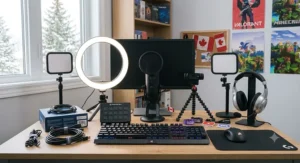
Elgato Wave:3, SteelSeries Arctis Nova 7 Wireless Gen 2, Elgato Stream Deck MK.2, Logitech C922 Pro Stream and SteelSeries QcK XXL. A full production setup that rivals many established channels.
The smartest route is to climb these tiers gradually. Each step should be earned by consistent streaming — not by a sudden burst of enthusiasm that fades in three weeks.
FAQ
❓ What is the cheapest streaming setup for a teenager in Canada?
❓ Is a gaming headset wireless good enough for streaming voice?
❓ Do I need a capture card to stream from a PS5 or Xbox?
❓ What age can teens start streaming on Twitch?
❓ Is a Stream Deck worth buying for a beginner streamer?
Conclusion
The best streaming equipment teens can own isn’t the most expensive — it’s the gear that fits their room, their budget and their commitment level. Start with audio. The FIFINE AmpliGame AM8 is the no-brainer first mic for noisy homes, while the Elgato Wave:3 rewards quiet rooms and energetic personalities. Pair either with a comfortable headset — the Logitech G435 Lightspeed for value, the SteelSeries Arctis Nova 7 Wireless Gen 2 for all-week battery — and you’ve covered 80% of what makes a stream enjoyable.
From there, climb gradually. Add the Logitech C922 Pro Stream when face-cam feels right, the SteelSeries QcK XXL to polish your gaming desk setup, and the Elgato Stream Deck MK.2 when your show needs a producer’s touch.
Most importantly, keep it safe and fun. Families can explore MediaSmarts’ resources for parents — Canada’s centre for digital and media literacy — to talk about online safety together. A teen who streams with good habits, protected hearing and a private identity is set up to enjoy this hobby for years.
✨ Ready to Go Live? 🎮
Take your stream from “just starting” to “can’t-stop-watching” with these carefully chosen picks. Click any highlighted product to check current pricing and availability on Amazon.ca — and build the setup your future viewers will love!
Recommended for You
- 7 Best Gaming Keyboard Mechanical Picks For 2026 (Ranked; Worth It)
- 7 Best Podcast Microphone Kits In Canada For 2026
- 7 Best MIDI Keyboards In Canada For 2026 (Ranked; Compared)
Disclaimer: This article contains affiliate links. As an Amazon Associate, I earn from qualifying purchases. If you purchase products through these links, we may earn a small commission at no additional cost to you.
✨ Found this helpful? Share it with your friends! 💬🤗
