
In This Article
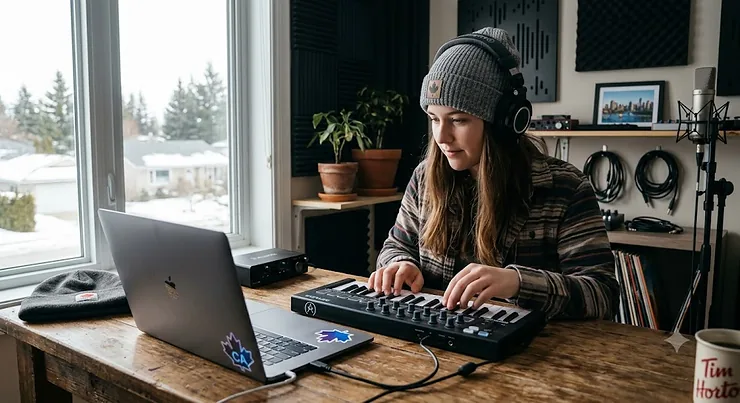
A MIDI keyboard is a controller that sends performance data — which key you pressed, how hard, for how long — to your computer instead of making sound on its own; your software does the actual singing. That distinction trips up a lot of first-time buyers, and it’s the reason so many people in this country end up with the wrong box on their desk. Searching for a MIDI keyboard Canada shoppers can actually trust means wading through Amazon listings, YouTube “unboxing” videos, and forum threads that all seem to contradict each other. Some swear by tiny 25-key units you can toss in a backpack. Others won’t touch anything under 61 keys. Both camps have a point, and neither is telling you the whole story.
Here’s the thing nobody puts in the marketing copy: the “best” MIDI keyboard depends entirely on what your rig already looks like. A film-scoring student at a Canadian university’s music technology program needs different tools than a bedroom producer chasing a Spotify placement. This guide breaks down seven genuinely good, currently available controllers — budget, mid-range, and premium — with honest analysis of who each one actually suits, not just a list of specs copied off a product page. We’ll also walk through how MIDI itself works (it’s simpler than you’d think — the underlying protocol has barely changed since 1983), how to avoid the most common buying mistakes, and what owning one of these actually costs you over a few years. Let’s get into it.
Quick Comparison Table: 7 MIDI Keyboards at a Glance
If you’re in a hurry, here’s the short version. Every price below is a rough Canadian-dollar range based on research at the time of writing — always check current pricing before you buy, since retail prices shift constantly.
| Product | Keys | Price Range (CAD) | Best For |
|---|---|---|---|
| Akai MPK Mini IV | 25 mini | C$140–C$170 | All-around beginners |
| Donner N-25 | 25 mini | C$70–C$95 | Absolute first purchase |
| Arturia MiniLab 3 | 25 slim | C$130–C$165 | Software-bundle hunters |
| M-Audio Keystation 49 MK3 | 49 full-size | C$150–C$185 | Pianists who need real keys |
| Novation Launchkey 37 MK4 | 37 keys | C$220–C$260 | Ableton Live users |
| Arturia KeyLab Essential mk3 | 49/61 keys | C$280–C$335 | Serious home-studio producers |
| Novation Launchkey 61 MK4 | 61 keys | C$375–C$435 | Arrangers and multi-instrumentalists |
Looking at this table, the pattern that jumps out is how much key count and price move together, but not in a straight line — the Novation Launchkey 37 MK4 costs more than the 49-key M-Audio Keystation 49 MK3 despite having fewer keys, because you’re paying for pads, DAW integration, and chord modes rather than raw key count. If your budget tops out around C$100, the Donner N-25 is your realistic entry point, while anyone chasing tight software integration with a specific DAW should look past key count entirely and focus on the Novation Launchkey or Arturia KeyLab Essential mk3 lines instead.
💬 Just one click — help others make better buying decisions too!😊
Top 7 MIDI Keyboards in Canada: Expert Analysis
Below are seven real, currently sold controllers, arranged from ultra-budget to premium. Each entry covers what the specs actually mean for your playing, who the reviewer consensus says it suits, and where it falls short — because no keyboard here is perfect, and pretending otherwise wouldn’t help you buy the right one.
1. Akai MPK Mini IV — best all-rounder for beginners
The fourth generation of Akai’s tiny classic keeps the formula that made the original a bedroom-studio staple, and this time it adds USB-C, 5-pin MIDI output, and genuinely useful chord and scale-lock features. Twenty-five velocity-sensitive mini keys sit beside eight backlit MPC-style pads and eight assignable Q-Link knobs, so you’re not just playing notes — you’re also finger-drumming beats and twisting virtual knobs on a synth plug-in without touching your mouse. The scale-lock mode is worth calling out specifically: set it to a key, and every pad and key you hit lands in that scale, which is a genuinely useful crutch for anyone who hasn’t spent years at a piano. Based on the spec comparison with its closest rivals, the MPK Mini IV earns its reputation less from any single standout feature and more from doing five things competently rather than one thing brilliantly. Reviewers consistently note the mini keys feel bouncier and more consistent than earlier Akai generations, though the keybed still won’t satisfy anyone coming from an acoustic piano. A recurring theme in aggregated feedback is that the software bundle (MPC Beats plus a handful of AIR Music Tech instruments) gives new producers an actual reason to open a DAW the same day it arrives, rather than staring at an empty session.
Pros:
- ✅ Chord and scale-lock modes flatten the learning curve fast
- ✅ USB-C plus 5-pin MIDI out means it won’t feel dated in two years
- ✅ Included software bundle gets total beginners producing immediately
Cons:
- ❌ Mini keys feel cramped for anyone with a piano background
- ❌ Only two octaves of range before you’re hunting the octave button
At around C$140–C$170, the Akai MPK Mini IV sits at a genuinely fair price for what it packs in, and it’s a defensible first purchase for almost anyone starting from zero.
2. Donner N-25 — lightest wallet hit for first-timers
If the Akai MPK Mini IV feels like more than you need — or more than you want to spend before you know if music production is even for you — the Donner N-25 is the honest budget alternative. It strips things back to 25 mini keys, basic octave and transpose buttons, and USB-MIDI class-compliant connectivity, without pads, knobs, or faders competing for space. What the spec sheet won’t tell you, but user reports suggest, is that the key action is noticeably lighter and springier than the pricier options on this list — fine for triggering samples and sketching melodies, less fine if you’re trying to play anything with real dynamic nuance. This is a keyboard built to answer one question cheaply: do you actually want to keep doing this? For anyone unsure whether music production software is a hobby that sticks, that’s a legitimate use case, and Donner has leaned into it by bundling a voucher for entry-level recording software rather than a premium suite nobody needs on day one. Aggregated review sentiment skews positive for the price bracket specifically, with buyers frequently flagging it as “good enough” rather than impressive — which, for a sub-C$100 controller, is a fair trade.
Pros:
- ✅ Lowest realistic entry price for a usable MIDI keyboard
- ✅ Plug-and-play class-compliant USB, no drivers needed
- ✅ Small footprint fits on a desk beside a laptop easily
Cons:
- ❌ No pads or knobs limits creative workflow options
- ❌ Build quality feels noticeably lighter than pricier alternatives
Priced under C$100 in most cases, the Donner N-25 is a low-risk way to test the waters before committing serious money.
3. Arturia MiniLab 3 — best software bundle under C$200
Arturia’s third-generation MiniLab keeps almost the same footprint as its predecessor but reworks the internals meaningfully: eight endless rotary encoders, eight velocity- and pressure-sensitive RGB pads, and four assignable sliders, all USB-C powered with no external adapter required. What sets this apart on paper is the bundled Analog Lab V software, which hands you a genuinely large library of synth and keyboard sounds pulled from Arturia’s own V Collection — a bundle that on its own often costs more than the hardware. Based on the spec comparison, the endless encoders (as opposed to knobs with hard stops) are a small but real upgrade for anyone automating parameters mid-performance, since they never “jump” when you switch between mapped controls. Here’s what most buyers overlook about this model: the RGB pad feedback isn’t just cosmetic — it’s mapped to Analog Lab’s interface, so the pads visually confirm what you’re triggering before you even glance at the screen. Reviewers consistently praise the software value here over the hardware feel; the keys themselves are described as adequate rather than exceptional, which tracks with Arturia positioning this as a controller-plus-software package rather than a pure hardware play.
Pros:
- ✅ Analog Lab V bundle alone rivals the hardware’s price
- ✅ Endless encoders avoid parameter jumps during automation
- ✅ USB-C bus power means one cable does everything
Cons:
- ❌ Key action rated merely adequate, not a standout
- ❌ Only 25 keys limits two-handed playing significantly
Expect to pay in the C$130–C$165 range, and the value case gets stronger the more you actually use the bundled instruments rather than your own plug-ins.
4. M-Audio Keystation 49 MK3 — best value for full-size keys
Everything on this list so far uses mini or slim keys. The M-Audio Keystation 49 MK3 is the first genuine step up to full-size, synth-action keys, and for anyone who actually studied piano — even briefly, even years ago — that distinction changes how the instrument feels under your hands almost immediately. Forty-nine keys give you just over four octaves, enough for left-hand bass and right-hand melody without constant octave-shifting, and the assignable pitch and modulation wheels plus a handful of programmable controls round out a genuinely simple, uncluttered layout. The trade-off is deliberate: no pads, no chord modes, no flashy RGB — M-Audio built this as a “just play the thing” controller, and honest analysis has to credit that focus rather than penalize it for lacking features it was never trying to have. A common thread in aggregated review sentiment is that buyers coming from acoustic or digital pianos specifically seek this model out because full-size keys at this price point are rarer than you’d expect; most competitors save real key size for the C$250-plus tier. The bundled DAW software (a lite version of a well-known recording package) is serviceable but not the draw here — the keybed is.
Pros:
- ✅ Full-size synth-action keys, rare at this price bracket
- ✅ Four-plus octaves means far less constant octave-shifting
- ✅ Simple layout with no clutter competing for desk space
Cons:
- ❌ No pads or knobs for beatmaking or sound design
- ❌ Bundled software is basic compared to premium bundles
At roughly C$150–C$185, this is arguably the single best value pick on the list for anyone whose priority is playing feel over production gadgetry.
5. Novation Launchkey 37 MK4 — best Ableton Live integration
Novation built the Launchkey line specifically around tight, “in-the-box” integration with Ableton Live, and the MK4 generation pushes that further with deeper chord and scale modes, an arpeggiator, and eight velocity-sensitive drum pads that map automatically to Ableton’s session view without manual configuration. The 37-key layout is a genuine middle ground — noticeably more playable than a 25-key mini controller, still compact enough for a cramped apartment desk. What most buyers overlook about DAW-specific controllers like this one is that the deep integration is a double-edged sword: it’s extraordinary if you’re on Ableton, and it’s merely a fine controller with wasted potential if you’re not. Based on the spec comparison with the M-Audio and Akai options above, the Launchkey’s semi-weighted key action splits the difference between mini-key bounce and full weighted resistance, which reviewers frequently describe as a comfortable middle ground rather than a compromise. The included software voucher (Ableton Live Lite, plus additional instrument and effect plug-ins) sweetens the deal further for anyone not already locked into a DAW.
Pros:
- ✅ Deep, automatic Ableton Live session-view mapping
- ✅ Chord and scale modes reduce music-theory guesswork
- ✅ Semi-weighted action feels notably better than mini keys
Cons:
- ❌ Integration advantages shrink fast outside Ableton Live
- ❌ Pricier than similarly sized non-DAW-specific competitors
Sitting around C$220–C$260, this one earns its premium specifically for Ableton users; everyone else should weigh it against cheaper, DAW-agnostic alternatives first.
6. Arturia KeyLab Essential mk3 — best all-in-one for serious producers
This is where the list moves from “starter gear” into genuinely capable home-studio equipment. The Arturia KeyLab Essential mk3 (available in 49- and 61-key configurations) pairs a noticeably better semi-weighted keybed with nine faders, nine knobs, and DAW-specific command centre buttons that adapt automatically to whichever major DAW you’re running — Ableton, Logic, Cubase, and others each get dedicated mapping templates rather than a generic MIDI layer you have to configure yourself. The analytical case for this model rests on that command centre: instead of learning one DAW’s shortcuts, you get transport, mixer, and plug-in controls that follow you if you ever switch software down the line. Paired with the same Analog Lab V bundle found on the MiniLab, plus Arturia’s FX Collection of effect plug-ins, the software value here compounds rather than duplicates what a beginner already owns. Reviewers consistently flag the physical build as sturdier than anything else in this price bracket, with a brushed-aluminum-style top panel that reads as genuinely professional rather than “prosumer.” The honest caveat: none of this matters if you’re still deciding whether production is a hobby worth keeping — this is a keyboard for someone who already knows the answer is yes.
Pros:
- ✅ DAW command centre adapts across Ableton, Logic, Cubase and more
- ✅ Sturdier build quality than most competitors at this tier
- ✅ Analog Lab V plus FX Collection meaningfully expands your sound palette
Cons:
- ❌ Steep step up in price from the mid-range options
- ❌ Overkill if you’re still testing whether production sticks
Expect a price in the C$280–C$335 range depending on the 49- or 61-key configuration you choose, making this the clearest “grow into it” purchase on this list.
7. Novation Launchkey 61 MK4 — best 61-key for advanced arranging
At the top of this list sits the full 61-key Novation Launchkey 61 MK4, which takes everything praised about its 37-key sibling — the automatic Ableton session mapping, the chord and scale modes, the arpeggiator — and pairs it with a full five-octave range. That range matters more than it sounds: five octaves means you can genuinely play orchestral arrangements, layered chords with a wide left-hand bass, or complex keyboard-and-strings parts without constantly repositioning your hands. On paper this means the Launchkey 61 MK4 is less a “controller” and more a legitimate performance instrument that happens to also trigger software sounds. What the spec sheet won’t tell you, but user reports suggest, is that the semi-weighted action holds up surprisingly well across the full range, with less of the “mushy” feel some full-size budget controllers develop toward the low end. The trade-off is obvious and physical: this is a large, deskspace-hungry unit that doesn’t suit small apartment setups the way the mini controllers do, and its price puts it firmly in “you already know you need this” territory rather than an impulse buy.
Pros:
- ✅ Full five-octave range suits complex, orchestral arranging
- ✅ Same deep Ableton integration as the smaller Launchkey models
- ✅ Semi-weighted feel holds up consistently across the whole range
Cons:
- ❌ Large footprint demands real desk or studio space
- ❌ Premium price only makes sense for committed producers
At roughly C$375–C$435, this is a genuine investment piece rather than a casual pickup, and it’s the model most likely to still be on your desk five years from now.
How to Choose a MIDI Keyboard in Canada
Picking between seven good options gets easier once you know which criteria actually matter. Here’s the shortlist, in the order most producers should weigh them.
- Key count and size. Twenty-five mini keys suit travel and beat-focused work; 49 to 61 full-size keys suit anyone doing real two-handed playing or orchestral arranging.
- Key action. Mini, semi-weighted, and full-weighted each feel different under your fingers — semi-weighted is the most common middle ground for home studios.
- DAW integration. If you already use Ableton, Logic, or FL Studio, a controller built around that specific software (like the Launchkey or KeyLab lines) saves real setup time.
- Pads, knobs, and faders. Useful for beatmaking and mixing; genuinely unnecessary if you only ever play melodic parts.
- Connectivity. USB-C is the current standard; 5-pin MIDI output matters only if you plan to control external hardware synths.
- Bundled software value. A generous plug-in bundle can offset a higher sticker price meaningfully, especially for beginners without existing sound libraries.
- Portability versus desk space. Be honest about where this thing will actually live — a 61-key controller in a shared apartment bedroom often ends up half-packed away.
Working through that list in order, rather than starting with price, tends to save buyers from the single most common regret: purchasing on size or looks first and discovering the DAW integration or key feel doesn’t match how they actually work.
MIDI Keyboard vs Digital Piano vs Synthesizer: What’s the Difference
Confusion between these three categories sends a lot of shoppers toward the wrong product entirely, so it’s worth being direct about the distinction. A MIDI keyboard makes no sound whatsoever on its own — it needs a connected computer, tablet, or sound module running music production software to generate any audio. A digital piano, by contrast, has its own built-in sounds and speakers and can be played standalone, though most lack the pads, knobs, and DAW-mapping features covered above. A synthesizer sits somewhere in between: it generates its own sound through internal synthesis engines, but many modern synths also double as MIDI controllers for software when connected via USB.
| Category | Makes Sound Alone? | Needs a Computer? | Typical Buyer |
|---|---|---|---|
| MIDI Keyboard | No | Yes | Producers using a DAW |
| Digital Piano | Yes | No | Practising pianists |
| Synthesizer | Yes | Optional | Sound designers, performers |
The table above simplifies a genuinely common point of confusion: buyers frequently return digital pianos expecting DAW pad-controller features, or return MIDI keyboards expecting them to make noise straight out of the box. If your goal is recording and arranging music inside software like the products covered in the Novation Launchkey or Arturia KeyLab Essential mk3 families above, a MIDI keyboard is unambiguously the right category — just don’t expect it to play a note until it’s plugged into something.
Common Mistakes When Buying a MIDI Keyboard
Even careful shoppers trip over the same handful of pitfalls repeatedly, and most of them are avoidable with a bit of forethought rather than more money.
Buying too many keys too early tops the list — a beginner unsure whether production will stick rarely needs the Novation Launchkey 61 MK4‘s five-octave range on day one, and that unused desk space becomes a source of quiet regret. Close behind is ignoring DAW compatibility entirely: a gorgeous controller with deep Ableton mapping does nothing special if you’re actually running FL Studio, so check integration claims against your specific software before assuming they apply universally. A third mistake is underestimating software bundle value, treating it as a throwaway extra when, as with the Arturia MiniLab 3, it can represent more retail value than the hardware itself. Fourth, buyers sometimes skip checking key action entirely, assuming “keys are keys,” when the jump from mini to semi-weighted to full-weighted genuinely changes what feels natural under your hands — a mismatch here is one of the most common reasons a MIDI keyboard ends up gathering dust. Finally, plenty of shoppers forget to budget for an audio interface or studio headphones as a package, leaving them with a controller but no clean way to actually hear their recordings mixed properly.
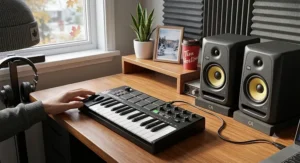
MIDI Keyboards for Beginners vs Serious Producers
The right controller genuinely differs by experience level, and honest advice has to acknowledge that rather than pushing everyone toward the same “best overall” pick.
Beginners are generally better served by the Donner N-25 or Akai MPK Mini IV — low financial risk, simple enough layouts that you’re not fighting the hardware while you’re still learning basic music theory, and in the Akai’s case, chord and scale-lock modes that quietly compensate for gaps in that theory knowledge. Beginners should also prioritize a generous, beginner-friendly software bundle over deep DAW integration, since most new producers haven’t committed to one specific piece of music production software yet.
Serious or working producers, by contrast, tend to already know which DAW they live in and what their workflow demands, which is exactly why the Arturia KeyLab Essential mk3 and Novation Launchkey family earn their higher prices for this audience — the DAW-specific command centres and session-view pad mapping save real minutes on every single session, which compounds meaningfully across hundreds of hours of work. For this group, key feel and build durability also matter more, since the instrument is getting daily use rather than occasional practice.
Pairing Your MIDI Keyboard With an Audio Interface for Beginners
A MIDI keyboard handles performance data, not audio — so if your plan includes recording vocals, guitar, or any live instrument alongside your virtual keyboard sounds, you’ll eventually need an audio interface too. For an audio interface beginner setup, the good news is that most budget interfaces (roughly C$100–C$200) handle one or two inputs cleanly, which is plenty for a solo bedroom producer layering a MIDI keyboard part with a vocal or guitar take. The MIDI keyboard and the audio interface do genuinely different jobs and don’t compete for the same USB port function: your keyboard sends note data, while the interface converts analog signals — a microphone, a guitar cable — into digital audio your computer can record. A common beginner mistake is assuming a MIDI keyboard’s USB connection replaces an audio interface entirely; it doesn’t, unless you’re working purely “in the box” with software instruments and never recording an external audio source. If that’s genuinely your workflow — all software synths, no live microphones — you can reasonably delay an audio interface purchase until a project actually calls for one.
Choosing Music Production Software and Your Digital Audio Workstation
None of the seven controllers above do anything meaningful without software behind them, so the digital audio workstation you choose matters at least as much as the hardware. A digital audio workstation — Ableton Live, Logic Pro, FL Studio, Cubase, and Reaper are the most common choices among Canadian home-studio producers — is where you actually record, arrange, mix, and export finished tracks using the notes your MIDI keyboard sends it. Beginners weighing music production software options should factor in platform (Logic Pro is Mac-only, for instance), learning-curve steepness, and — crucially — which of the controllers above ships with a free or discounted version bundled in, since that can meaningfully reduce your total starting cost. Reaper deserves a specific mention for budget-conscious readers: it’s fully featured, genuinely inexpensive under its extended trial and licensing model, and works identically well with every controller on this list. Whichever digital audio workstation you land on, map your chosen MIDI keyboard’s pads and knobs to that software’s actual controls early — most of the frustration new producers report in aggregated forum feedback traces back to skipping this setup step rather than any hardware shortcoming.
✨ Don’t Miss These Exclusive Deals!
🔍 Take your home studio to the next level with these carefully selected MIDI keyboards. Click on any highlighted product above to check current pricing and availability — the right controller makes every session that much smoother.
Setting Up Your MIDI Keyboard: A Practical First-30-Days Guide
Getting a new controller working is usually simple; getting it working well takes a bit more care. Start by installing any manufacturer driver or software the product page recommends — most of the controllers above are USB class-compliant and technically work without one, but the dedicated software usually unlocks pad colour customization and firmware updates you’ll want eventually. Next, open your chosen digital audio workstation and confirm it recognizes the controller as both a MIDI input and, if applicable, a control surface — these are frequently two separate settings that beginners only half-configure. Spend your first session mapping the essentials: octave buttons, sustain pedal input if you own one, and any pads or knobs to instruments and effects you actually use, rather than accepting whatever the factory default assigns.
A common first-30-days mistake is over-customizing before you understand your own workflow — remapping every knob on day one, then forgetting what you changed by day five. A better approach is incremental: use the default mapping for a week, note genuine friction points, then adjust only what’s actually slowing you down. On the maintenance side, these controllers need very little upkeep — occasional dust removal with a soft brush around the keys and pads, and keeping the USB cable connection clean, is genuinely most of it. If keys start feeling sticky or unresponsive, most manufacturers publish disassembly guides rather than requiring a repair shop visit, which keeps long-term costs low.
Real-World Scenarios: Which MIDI Keyboard Fits Your Music Journey
Abstract advice only goes so far, so here are three grounded profiles matched to specific picks from the list above.
The apartment-dwelling beatmaker. Budget around C$150, works entirely in-the-box on a laptop at a small desk, mostly programs drums and basslines rather than playing melodic lines live. The Akai MPK Mini IV fits this profile almost perfectly — its pads do the heavy lifting, its footprint respects a cramped desk, and its chord-lock mode compensates for limited keyboard-playing experience.
The former piano student returning to music. Years of lessons growing up, comfortable reading music and playing two-handed, now wants to record original ideas at home without pads or gimmicks getting in the way. The M-Audio Keystation 49 MK3 suits this person specifically because its full-size keys respect existing technique, and this kind of returning player is exactly the audience Canadian university music technology programs — McGill’s Music Technology area among them — increasingly see enrolling in evening and continuing-education courses.
The committed home-studio producer with a specific DAW. Already three years into making music, knows Ableton Live inside and out, frustrated by generic controllers that don’t map automatically to session view. The Novation Launchkey 37 MK4 or 61 MK4, depending on available desk space, directly addresses that frustration through purpose-built integration rather than generic MIDI mapping.
None of these profiles are exhaustive, and plenty of readers will land somewhere between two of them — which is precisely why the comparison table earlier in this guide exists.
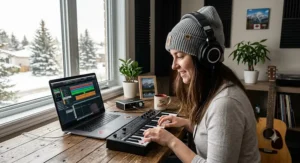
Buyer’s Decision Framework: If This, Choose That
For readers who want a fast, checklist-style answer rather than reading every product section, here’s a simplified decision path.
- If you’re not sure production is for you and want to spend as little as possible → choose the Donner N-25.
- If you want beatmaking pads and a forgiving learning curve on a moderate budget → choose the Akai MPK Mini IV.
- If a generous software bundle matters more to you than key feel → choose the Arturia MiniLab 3.
- If you have piano background and want real key feel without extra clutter → choose the M-Audio Keystation 49 MK3.
- If you live inside Ableton Live daily and want a compact footprint → choose the Novation Launchkey 37 MK4.
- If you’re a committed producer wanting DAW-agnostic, professional-grade build quality → choose the Arturia KeyLab Essential mk3.
- If you need a genuine five-octave range for complex arranging → choose the Novation Launchkey 61 MK4.
This framework deliberately prioritizes your actual situation over abstract “best overall” rankings, because the right answer genuinely changes person to person — a C$400 controller sitting unused because it didn’t fit someone’s actual workflow isn’t better than a C$90 one that gets played daily.
Long-Term Cost and Maintenance: What Owning a MIDI Keyboard Really Costs
The sticker price is only part of the real cost picture. Beyond the hardware, budget for cables (most ship with the required USB cable, but a sustain pedal is a common add-on around C$20–C$40), studio headphones if you don’t already own a pair, and — depending on which controller you chose — either free bundled software or a paid digital audio workstation licence if the bundle doesn’t cover a full version.
| Cost Category | Typical Range (CAD) | Frequency |
|---|---|---|
| Hardware (controller itself) | C$70–C$435 | One-time |
| Sustain pedal (optional) | C$20–C$40 | One-time |
| Studio headphones | C$60–C$250 | One-time, replace occasionally |
| Full DAW licence (if not bundled) | C$0–C$300 | One-time or subscription |
| Repairs/replacement parts | Rare | As needed |
Reading across that table, the pattern worth flagging is that hardware is frequently the smallest recurring cost over a multi-year span — a sustain pedal and a decent pair of headphones can, cumulatively, approach what you spent on a budget controller itself. The good news is that MIDI keyboards are mechanically simple and low-maintenance, so unlike instruments with strings or reeds, ongoing upkeep costs stay close to zero for most owners.
One genuinely underused angle for Canadian readers earning income from music: if you’re composing or performing professionally rather than purely as a hobby, the Canada Revenue Agency allows employed artists to deduct certain equipment-related expenses, which can meaningfully offset the cost of hardware like the controllers above if your situation qualifies — worth a conversation with a tax professional rather than guesswork, since eligibility rules are specific.
Features That Actually Matter (And Those That Don’t)
Marketing copy loves to bury genuinely important specs beside flashy but marginal ones, so here’s an honest filter.
Actually matters: key action and feel (you’ll notice this every single session), DAW integration if you already use specific software, pad velocity sensitivity if you plan to finger-drum, and build quality if this is getting daily use for years. Doesn’t matter nearly as much as marketing suggests: RGB lighting colour options (nice, cosmetically, and irrelevant to sound or workflow), exact pad count beyond eight (most producers use a handful regularly and ignore the rest), and aftertouch on budget mini-key controllers, since it’s rarely implemented well enough at that price point to notice in practice. Based on the spec comparison across all seven products here, the single feature most correlated with long-term satisfaction in aggregated review sentiment isn’t a headline spec at all — it’s whether the controller’s default layout matches how a buyer actually plays, which is exactly why the decision framework above leads with use-case rather than spec sheets.
MIDI Keyboards in Music Technology, Audio Engineering and Sound Production Careers
For readers considering more than a hobby, it’s worth zooming out to where these skills actually lead. Music technology as a field spans composition, audio engineering, sound production for film and games, and increasingly, software development for the tools musicians use daily — and a MIDI keyboard is frequently the first piece of hardware anyone in these paths owns, long before a full studio comes together. Canadian institutions have taken this seriously for decades; McGill’s Music Technology program blends digital signal processing, human-computer interaction, and traditional music training, producing graduates who move into audio engineering roles at everything from game studios to acoustics research labs.
Technology’s role in a working musician’s creative life isn’t new, either — Canadian musicians have spoken publicly for decades about how home-recording technology reshaped their creative control, long before affordable MIDI keyboards made that kind of setup accessible to essentially anyone with a laptop. Whether your interest lies in sound production for media, live audio engineering, or simply writing better songs at home, the controllers covered in this guide are a genuinely reasonable entry point into all three paths, not a compromise you’ll outgrow the moment you get serious.
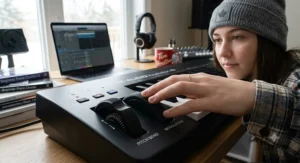
Frequently Asked Questions
❓ Do I need a MIDI keyboard to make music on a computer?
❓ What size MIDI keyboard should a beginner in Canada buy?
❓ Does a MIDI keyboard work with any music production software?
❓ Can I use a MIDI keyboard without an audio interface?
❓ How long does a MIDI keyboard typically last?
Conclusion
Choosing between these seven controllers really comes down to being honest with yourself about two things: how you actually plan to play, and which software you’re already committed to, or willing to commit to. The Donner N-25 and Akai MPK Mini IV cover the low-risk end for anyone still finding their footing, the M-Audio Keystation 49 MK3 and Arturia MiniLab 3 sit comfortably in the middle for players who know roughly what they want, and the Novation Launchkey models alongside the Arturia KeyLab Essential mk3 reward producers who’ve already put in the hours and know exactly what slows them down in a session. None of these seven is objectively “the best MIDI keyboard” in a vacuum — that framing was never going to be honest — but each one is genuinely the best choice for a specific, identifiable kind of buyer, and hopefully this guide helped you recognize which one you are.
Whatever you land on, remember that the hardware is only ever half the equation; the music production software behind it, and the hours you actually spend with both, will matter more to your results than any single spec on this page.
Recommended for You
- 7 Best Camera Lens Beginner Picks For Canada In 2026
- 7 Best Raspberry Pi Projects Kits For Makers In 2026
- 7 Best Beginner DSLR Cameras for Teens in 2026 (Real Picks)
Disclaimer: This article contains affiliate links. As an Amazon Associate, I earn from qualifying purchases. If you purchase products through these links, we may earn a small commission at no additional cost to you.
✨ Found this helpful? Share it with your friends! 💬🤗
