
In This Article
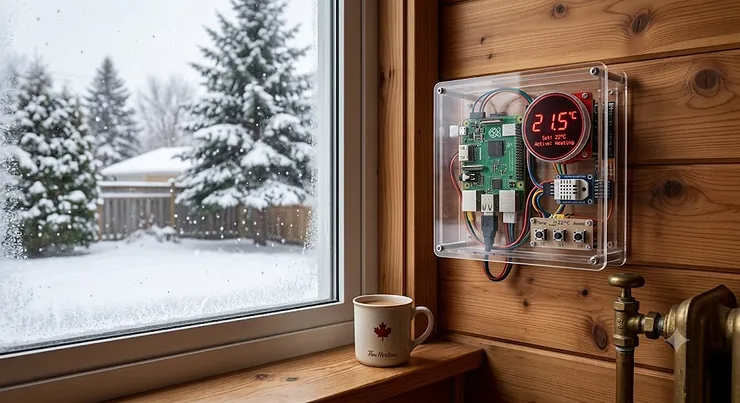
Somewhere in a spare bedroom in Kitchener right now, a credit-card-sized computer is quietly blinking an LED on and off, and someone is grinning at it like it just landed on the moon. That’s the strange magic of Raspberry Pi projects — a $45 board can turn into a weather station, a retro arcade cabinet, a self-driving toy car, or the brain of a home security system, and the only real limit is how many evenings you’re willing to lose to it. Canadian makers have taken to this hobby with particular enthusiasm, probably because our long winters practically demand an indoor project that doesn’t involve a shovel.
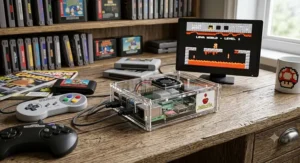
This guide skips the fluff and gets straight to what actually matters: which Raspberry Pi projects kits are worth your money in 2026, how they stack up against each other, and how to avoid the rookie mistakes that turn a fun weekend into a frustrating one. Whether you’re chasing breadboard electronics fundamentals, building your first robotics electronics rig, or just want reliable single-board computing for a home server, you’ll find a genuine, sourced recommendation below — not a repackaged spec sheet. We researched real products, cross-referenced aggregated review sentiment, and priced everything in Canadian dollars so nothing gets lost in translation at checkout.
What is a Raspberry Pi project? A Raspberry Pi project is any build — physical or digital — built around a Raspberry Pi single-board computer (or its microcontroller sibling, the Pico), typically combining the board with sensors, displays, motors, or software to create something functional, from a Pi-hole ad blocker to a full robotics platform.
Quick Comparison Table
| Kit | Best For | Price Range (CAD) | Skill Level |
|---|---|---|---|
| CanaKit Raspberry Pi 5 Starter Kit PRO | All-around single-board computing | C$180-C$220 | Beginner to intermediate |
| Vilros Raspberry Pi 5 Starter Kit MAX | Budget-conscious first-timers | C$150-C$190 | Beginner |
| Freenove Ultimate Starter Kit for Raspberry Pi | Breadboard electronics + LED programming kit | C$60-C$85 | Beginner to intermediate |
| SunFounder PiCar-X AI Robot Car Kit | Robotics electronics | C$130-C$170 | Intermediate |
| SunFounder Pico 2 W Ultimate Starter Kit | IoT projects on a microcontroller | C$55-C$75 | Beginner to intermediate |
| Seeed Studio Raspberry Pi 5 Starter Kit | Official parts + long warranty | C$170-C$210 | Beginner to advanced |
| Freenove Ultimate Starter Kit for Pico 2 | Dual-architecture IoT experimenting | C$50-C$70 | Intermediate |
A quick scan of this table tells the real story: there isn’t one “best” Raspberry Pi kit, there’s a best kit for what you’re actually trying to build. If you want a computer replacement or a home server, you need real single-board computing horsepower, which points you toward the CanaKit Raspberry Pi 5 Starter Kit PRO or the Seeed Studio Raspberry Pi 5 Starter Kit. If you’re chasing hands-on breadboard electronics and want to learn circuits from the ground up, the Freenove Ultimate Starter Kit for Raspberry Pi punches enormously above its price. And if robots are the whole point, nothing on this list touches the SunFounder PiCar-X for feature depth per dollar.
💬 Just one click — help others make better buying decisions too!😊
Top 7 Raspberry Pi Projects Kits: Expert Analysis
1. CanaKit Raspberry Pi 5 Starter Kit PRO — best all-around single-board computing bundle
The standout here is completeness: this is the kit you buy when you never want to think about compatibility again. CanaKit Raspberry Pi 5 Starter Kit PRO wraps the official Raspberry Pi 5 board (available in 4GB and 8GB RAM configurations) in a case with active cooling, bundled with a properly rated USB-C power supply and a preloaded microSD card.
Under the hood, the Pi 5 runs a quad-core 2.4GHz Arm Cortex-A76 processor with an 800MHz VideoCore VII GPU capable of dual 4K output — in practice that means smooth desktop use, real 4K video playback, and enough headroom to run Docker containers without the fan spinning up every five minutes. The 8GB RAM variant matters more than the spec sheet suggests: it’s the difference between comfortably running a handful of home-automation services and watching your Pi swap to SD card mid-task, which is agonizingly slow.
Based on the spec comparison against the previous-generation Pi 4, the Pi 5’s PCIe interface is the quiet game-changer — it opens the door to NVMe SSD storage, which eliminates the single biggest bottleneck in any Pi-based server. Reviewers consistently report that the active cooling is not optional theatre; the bare Pi 5 board throttles noticeably under sustained load, and this kit’s cooler keeps thermals in check even during long compile jobs.
Pros:
- ✅ Genuine 2-3x CPU performance jump over Pi 4
- ✅ Active cooling included and properly matched to the board
- ✅ PCIe support opens up fast NVMe storage upgrades
Cons:
- ❌ Premium pricing compared to Pi 4-based kits
- ❌ Micro-HDMI cables are fiddly for anyone new to the ecosystem
Prices for this bundle typically run in the C$180-C$220 range depending on the RAM configuration and retailer promotions at the time of research — given what’s included, it’s genuinely solid value for anyone who wants zero setup friction.

2. Vilros Raspberry Pi 5 Starter Kit MAX — best budget entry into Pi 5 single-board computing
The short version: this is nearly the same hardware experience as the CanaKit PRO kit, at a noticeably gentler price point, which is exactly why it earns its spot here. The Vilros Raspberry Pi 5 Starter Kit MAX includes the official 8GB RAM Pi 5 board, a 128GB preloaded microSD card, a case, power supply, and a cooling solution.
What most buyers overlook about “budget” kits is that the corners get cut on the power supply first — underpowered or poorly regulated PSUs cause the dreaded lightning-bolt undervoltage icon and flaky USB peripherals. Vilros avoids that trap here, shipping a properly rated supply that keeps the board stable under load. The preloaded Raspberry Pi OS is a genuine time-saver too: you skip the flashing-a-card step entirely and are typically desktop-ready within ten minutes of opening the box.
Aggregated buyer sentiment on this kit is consistently positive around setup speed and completeness, with reviewers frequently mentioning it as a low-friction first Pi 5 purchase for students and hobbyists who don’t want to hunt down individual parts.
Pros:
- ✅ Preloaded OS means near-instant first boot
- ✅ Properly rated power supply avoids common stability issues
- ✅ Strong value relative to the official CanaKit bundle
Cons:
- ❌ Case design is more utilitarian than premium-feeling
- ❌ Fewer bundled extras (no GPIO breakout, no acrylic stand)
Expect to pay in the C$150-C$190 range at the time of research — for the price, this is the kit we’d point a cash-conscious student toward first.
3. Freenove Ultimate Starter Kit for Raspberry Pi — best breadboard electronics and LED programming kit
This is the one that actually teaches you electronics, not just Raspberry Pi. The Freenove Ultimate Starter Kit for Raspberry Pi ships with 223 individual components — resistors, LEDs, sensors, a solderless breadboard, motors, and jumper wires — organized around a tutorial running past 900 pages, with 128 guided projects spanning Python, C, Java, and Scratch.
Here’s what the spec sheet won’t tell you outright: the value of this kit isn’t the parts count, it’s the sequencing. Project 1.1 is a simple LED blink; by project 24, you’re wiring an ultrasonic ranging sensor with real code behind it. That’s a deliberately paced on-ramp into breadboard electronics, and it’s exactly why this remains one of the most recommended LED programming kit options for anyone starting from zero. Note that the Raspberry Pi board itself is sold separately — this is purely the component and curriculum layer, compatible with the Pi 5, 4, 3B+, and Zero 2 W.
Reviewers consistently describe the tutorial quality as the standout feature, with the circuit diagrams and pre-tested code cited repeatedly as the reason beginners don’t get stuck at the “why doesn’t this work” stage that derails so many first electronics attempts.
Pros:
- ✅ 128 structured projects covering four programming languages
- ✅ Genuinely beginner-friendly breadboard electronics curriculum
- ✅ Free technical support included from Freenove
Cons:
- ❌ Does not include a Raspberry Pi board — buy separately
- ❌ Component quality is functional rather than premium-grade
This kit typically runs in the C$60-C$85 range, which — for the sheer volume of guided learning content — is arguably the best cost-per-hour-of-fun on this entire list.
4. SunFounder PiCar-X AI Robot Car Kit — best robotics electronics platform
If robotics electronics is the itch you’re trying to scratch, this is the kit that scratches hardest. The SunFounder PiCar-X AI Robot Car Kit is a Raspberry Pi-powered robot car (Pi not included, compatible with the 5, 4, 3B+, and Zero 2 W) built around SunFounder’s own Robot HAT, which handles motor driving, servo control, and sensor input in one board.
What makes this stand out from the sea of generic “smart car” kits on Amazon is the sensor package: a pan-tilt camera for face and colour detection, an ultrasonic module for obstacle avoidance, and a grayscale line-tracking array. Based on the spec comparison against simpler 2WD car kits, the PiCar-X’s aluminum-alloy chassis and integrated speaker (for text-to-speech feedback) put it in a different league — this isn’t a toy that drives in a straight line, it’s a platform for real computer-vision experimentation using OpenCV.
Aggregated hands-on feedback from reviewers and hobbyist testers consistently flags the assembly process as more involved than a plug-and-play kit — expect a genuine afternoon of build time — but also consistently praises how much further it can be pushed once assembled, including community projects that hook it up to large language models for voice-driven commands.
Pros:
- ✅ Full sensor suite: camera, ultrasonic, line-tracking
- ✅ Durable aluminum-alloy build quality
- ✅ Strong community support for advanced AI add-ons
Cons:
- ❌ Assembly is time-consuming for first-time builders
- ❌ Requires a compatible Raspberry Pi purchased separately
Pricing typically sits in the C$130-C$170 range — for a kit that scales from “obstacle-avoiding toy” to “AI vision platform,” that’s a genuinely fair ask.
5. SunFounder Pico 2 W Ultimate Starter Kit — best microcontroller kit for IoT projects
Not every Raspberry Pi project needs a full operating system, and that’s precisely where this kit earns its keep. The SunFounder Pico 2 W Ultimate Starter Kit is built around the Raspberry Pi Pico 2 W, a microcontroller (not a computer) running the newer RP2350 chip with dual Cortex-M33 cores plus optional RISC-V cores, doubled memory over the original Pico, and Bluetooth 5.2 alongside 2.4GHz Wi-Fi.
The practical distinction matters here: a microcontroller boots instantly, draws far less power, and runs firmware directly on the chip rather than an OS — which makes it the more sensible choice for always-on IoT projects like remote sensors or smart-home triggers than a full Raspberry Pi would be. This kit bundles more than 450 components and 96 guided projects, 16 of which are explicitly IoT-focused, alongside over 110 video lessons.
Based on aggregated reviewer sentiment, the RP2350 upgrade over the older RP2040 is the single most-cited reason to buy this kit specifically in 2026 rather than an older Pico W bundle — buyers report noticeably snappier response times on Wi-Fi-connected sensor projects.
Pros:
- ✅ Newer RP2350 chip with meaningfully more processing headroom
- ✅ Built-in Wi-Fi and Bluetooth ideal for IoT projects
- ✅ Extensive video-lesson library included
Cons:
- ❌ Not suitable for desktop-replacement or full-OS use cases
- ❌ Steeper learning curve if you’ve never worked with microcontrollers
Expect a price in the C$55-C$75 range at the time of research, which makes this one of the more accessible entry points into practical IoT projects on this list.

6. Seeed Studio Raspberry Pi 5 Starter Kit — best for official parts and warranty coverage
Some buyers care less about squeezing out every last dollar and more about knowing every component in the box is genuinely official — and that’s the audience the Seeed Studio Raspberry Pi 5 Starter Kit is built for. It bundles the official Raspberry Pi 5 board with Seeed’s own case and cooling accessories, backed by a two-year warranty that’s noticeably longer than most competing bundles.
Seeed Studio has been a recognized hardware manufacturer in the open-source electronics space for well over a decade, and that pedigree shows in build quality consistency — something that matters more than it sounds, since inconsistent cooling-fan quality is a recurring complaint across cheaper third-party Pi 5 kits. On paper this means fewer defective units and less time spent troubleshooting hardware that should just work.
Reviewers and comparison guides consistently rank this kit as the “best overall” pick specifically for buyers who want official parts without assembling a CanaKit-style bundle themselves, citing the warranty length as a meaningful differentiator versus otherwise similar kits.
Pros:
- ✅ Two-year warranty, longer than most competing kits
- ✅ Consistent build quality from an established manufacturer
- ✅ Official Raspberry Pi board with matched cooling
Cons:
- ❌ Fewer bundled learning materials than Freenove or SunFounder kits
- ❌ Premium pricing similar to CanaKit’s top-tier bundle
Pricing generally falls in the C$170-C$210 range — if warranty peace of mind matters to you more than tutorial depth, this is the safer bet.
7. Freenove Ultimate Starter Kit for Raspberry Pi Pico 2 — best dual-architecture IoT experimenting kit
Rounding out the list is a kit built specifically around the newest Pico hardware for makers who want to go deeper into embedded IoT projects than a beginner bundle allows. The Freenove Ultimate Starter Kit for Raspberry Pi Pico 2 ships with the official Pico 2 board (pre-soldered header included), 224 components, and a tutorial spanning more than 760 pages across 119 guided projects in MicroPython, C, and Java.
The standout technical detail is the RP2350 chip’s dual-architecture design — it can run either its Cortex-M33 ARM cores or its Hazard3 RISC-V cores, a flexibility that’s genuinely unusual at this price point and lets more advanced makers experiment with RISC-V development without buying separate hardware. What most buyers overlook is that this dual-core-family flexibility isn’t just a spec-sheet curiosity — it’s a real architecture choice that shows up in university embedded-systems courses, meaning skills learned here transfer directly to more advanced coursework or hobby projects later.
Based on aggregated feedback across Freenove’s kit lineup, buyers consistently praise the free technical support and the fact that project difficulty ramps gradually rather than throwing beginners into complex wiring diagrams on day one.
Pros:
- ✅ Access to both ARM and RISC-V cores on one chip
- ✅ 119 projects with gradually increasing complexity
- ✅ Free ongoing technical support from Freenove
Cons:
- ❌ Overkill for someone who only wants a single beginner project
- ❌ RISC-V documentation is thinner than the ARM-side tutorials
This kit typically runs C$50-C$70 at the time of research, making it an easy recommendation for anyone who’s already outgrown a basic Pico starter bundle.
Top 7 Products Comparison
| Product | Board Included? | Price Range (CAD) | Best For |
|---|---|---|---|
| CanaKit Raspberry Pi 5 Starter Kit PRO | Yes | C$180-C$220 | Full desktop replacement |
| Vilros Raspberry Pi 5 Starter Kit MAX | Yes | C$150-C$190 | Budget-conscious beginners |
| Freenove Ultimate Starter Kit for Raspberry Pi | No | C$60-C$85 | Learning breadboard electronics |
| SunFounder PiCar-X AI Robot Car Kit | No | C$130-C$170 | Robotics electronics builds |
| SunFounder Pico 2 W Ultimate Starter Kit | Yes (Pico 2 W) | C$55-C$75 | IoT projects |
| Seeed Studio Raspberry Pi 5 Starter Kit | Yes | C$170-C$210 | Warranty-conscious buyers |
| Freenove Ultimate Starter Kit for Pico 2 | Yes (Pico 2) | C$50-C$70 | Advanced microcontroller IoT |
Looking at this table, the split becomes obvious: four of the seven kits include a board and are ready to go, while the Freenove Ultimate Starter Kit for Raspberry Pi and SunFounder PiCar-X assume you already own (or plan to buy separately) a compatible Pi. That’s not a flaw — it’s actually the more cost-effective path for anyone upgrading an existing Pi setup rather than starting from zero. Buyers doing single-board computing for the first time should lean toward the board-included kits; buyers who already have a Pi gathering dust in a drawer should aim straight for Freenove or SunFounder.
💬 Not sure which category fits you? The decision framework further down breaks it down by situation.
Benefits vs Traditional Alternatives
| Factor | Raspberry Pi Projects | Arduino-Based Projects | Full Desktop PC |
|---|---|---|---|
| Runs a full OS | Yes (Pi models) | No | Yes |
| Learning curve | Moderate | Moderate-steep | Low (already familiar) |
| Real-time hardware control | Good (Pico) | Excellent | Poor |
| Typical cost (CAD) | C$50-C$220 | C$25-C$100 | C$600+ |
| Power draw | Low-moderate | Very low | High |
The honest comparison here favours Raspberry Pi projects for anyone who wants both software flexibility and hardware tinkering in the same ecosystem — you get a real Linux environment on Pi models, which Arduino simply can’t offer, while the Pico line closes the real-time-control gap that used to be Arduino’s exclusive advantage. Where Arduino still wins outright is ultra-low-power, deterministic timing tasks, and where a full desktop PC still wins is raw single-threaded performance for anything genuinely CPU-heavy. For the vast majority of home automation, robotics, and learning projects covered in this guide, though, the Pi ecosystem’s blend of accessibility and capability is hard to beat on cost-per-capability.
Practical Usage Guide: Setting Up Your First Raspberry Pi Project
Getting from unboxing to a working project is where most beginners either fall in love with the hobby or quietly shelve the board in a drawer, so it’s worth doing right. Start by flashing Raspberry Pi OS using the official Raspberry Pi Imager tool rather than a generic third-party flasher — it handles Wi-Fi and SSH pre-configuration automatically, which saves you from ever needing a monitor for headless projects. Once booted, run a full system update before installing anything else; skipping this step is the single most common cause of mysterious package conflicts down the line.
For your first 30 days, resist the urge to jump straight into an ambitious robotics build. Common beginner mistakes include underpowering the board with a phone charger instead of a proper 5V/5A supply (causing random reboots), forgetting to safely shut down before unplugging (which corrupts the SD card over time), and skipping heatsinks on a Pi 5 running sustained workloads. A basic maintenance habit worth building early: check df -h monthly to monitor SD card space, and keep a spare pre-flashed card on hand so a corrupted install doesn’t end your project mid-build. Once comfortable, optimization tricks like overlaying the filesystem read-only (for kiosk or always-on projects) can dramatically extend the life of your SD card.
Real-World Scenarios: Who Should Buy What
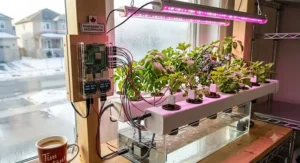
Picture three very different Canadian makers walking into this decision. First, there’s Priya, a computer science student in Waterloo living in a shared apartment who wants a quiet, low-power home server for personal file backup and a Pi-hole ad blocker — for her, the Vilros Raspberry Pi 5 Starter Kit MAX hits the sweet spot of capability and price without demanding a dedicated project room. Second, there’s Marcus, a dad in Calgary trying to get his 11-year-old genuinely excited about electronics rather than another screen — the Freenove Ultimate Starter Kit for Raspberry Pi, paired with a Pi he already owns, gives that kid 128 structured “aha” moments instead of one overwhelming afternoon.
Third, there’s Amélie, a mechanical engineering hobbyist in Montreal who’s done the basics and wants a genuine robotics electronics challenge with computer vision — the SunFounder PiCar-X is built exactly for her stage of the journey, since it rewards prior wiring experience rather than punishing beginners for lacking it. None of these three would be well served by swapping kits with each other; matching the kit to the actual use case, not just the budget, is the real decision that determines whether a Raspberry Pi project gets finished or abandoned.
How to Choose a Raspberry Pi Projects Kit
- Define the end goal first. A home server, a robot, and a beginner learning kit have almost no hardware overlap — decide the destination before shopping for parts.
- Check whether the board is included. Several excellent component kits (like Freenove’s) deliberately exclude the Pi itself; don’t be caught buying two “starter kits” by accident.
- Match RAM to workload. 4GB suffices for learning and light desktop use; 8GB is the practical sweet spot for most projects; 16GB is only worth it for heavy multitasking or AI workloads.
- Prioritize a proper power supply. An underrated PSU is the number one cause of Pi instability — never assume a spare phone charger will do the job on a Pi 5.
- Factor in cooling for Pi 5 builds. Active cooling isn’t optional marketing upsell on the Pi 5; the board genuinely throttles without it under sustained load.
- Read the tutorial quality, not just the parts count. A 900-page guided curriculum (like Freenove’s) delivers more real learning than a bigger pile of uncategorized components.
- Buy for where you’ll be in six months, not just day one. A slightly more capable kit now often costs less than replacing an outgrown budget kit later.
Common Mistakes When Buying a Raspberry Pi Kit
The single most common mistake is assuming all Raspberry Pi kits are interchangeable — buyers frequently purchase a component-only kit like Freenove’s expecting a board to be included, only to discover it at unboxing. A close second is underestimating power requirements: the Pi 5 in particular needs a genuine 27W USB-C PD supply, and using an old Pi 4 charger causes low-voltage warnings and flaky peripherals. Buyers also regularly skip cooling to save a few dollars, not realizing that thermal throttling can silently cut performance by a significant margin during anything demanding.
Another frequent misstep is buying a robotics kit like the SunFounder PiCar-X without checking Pi compatibility first — it works with the 5, 4, 3B+, and Zero 2 W, but not with a Pico, since the Pico is a microcontroller and can’t run the Python-based control software these car kits depend on. Finally, some buyers chase the cheapest possible SD card, which introduces write-speed bottlenecks that make an otherwise capable Pi 5 feel sluggish; a name-brand A2-rated card is worth the small premium every time.
Single-Board Computing vs Microcontroller Projects
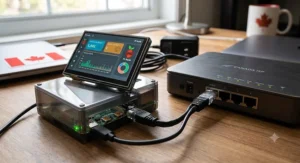
This is the distinction that trips up more beginners than any other, so it’s worth spelling out plainly. A single-board computer like the Raspberry Pi 5 runs a full Linux operating system, meaning it can multitask, run a desktop environment, host a web server, and use standard Python libraries with full OS support — that’s what makes it suitable for home servers, media centres, and general single-board computing tasks. A microcontroller like the Pico 2 W, by contrast, runs firmware directly on the chip with no operating system layer at all, which means near-instant boot times, dramatically lower power draw, and precise real-time control over pins and timing that a full OS actively gets in the way of.
In practice, this means: if your Raspberry Pi projects involve networking, file storage, or anything resembling “a computer,” reach for a Pi board. If your project is a battery-powered sensor that needs to sleep for months and wake instantly to log a temperature reading, the Pico family is the objectively better tool, not a lesser one. Plenty of advanced makers end up owning both, using a Pi as the “brain” that talks over Wi-Fi to several Pico-powered sensor nodes scattered around a home — which is, not coincidentally, one of the most popular structures for serious IoT projects.
Long-Term Cost and Maintenance
The upfront kit price is only part of the real cost of ownership, so it’s worth running the numbers honestly. A CanaKit Raspberry Pi 5 Starter Kit PRO at roughly C$200 amortized over three years of steady use works out to under C$6 a month — genuinely cheap for a always-on home server replacing what might otherwise be a C$600+ dedicated NAS box. Ongoing costs are modest: expect to replace a microSD card every 2-3 years under heavy write loads (or better, add an NVMe SSD via the Pi 5’s PCIe slot for both speed and longevity), and budget roughly C$0.50-C$1.50 per month in electricity for a Pi running 24/7, since these boards draw only a handful of watts.
Robotics kits like the SunFounder PiCar-X carry a different cost profile — expect occasional battery replacements and the possibility of a broken servo or wheel after enthusiastic testing by younger builders, typically a C$10-C$20 part rather than a full kit replacement. Component kits like Freenove’s have essentially no ongoing cost once purchased, since resistors and LEDs don’t wear out under normal hobbyist use. Across the board, the total cost of ownership for Raspberry Pi projects compares favourably against nearly any other computing or robotics hobby precisely because failure points are cheap, modular, and individually replaceable.
Safety, Regulations, and Compliance for Canadian Makers
Electrical safety isn’t just a suggestion in Canada — products connected to line voltage are legally required to carry recognized certification marks, most commonly CSA, ETL, or cULus, and this applies to the power supplies bundled with (or purchased alongside) your Raspberry Pi kit. A generic uncertified USB-C charger from an unfamiliar third-party seller is exactly the kind of product these certification requirements exist to catch, since counterfeit or poorly regulated supplies are a genuine fire and shock risk, not just a Pi-stability nuisance.
Beyond electrical certification, most Raspberry Pi projects operate at low, USB-level DC voltage after the wall adapter, which keeps the actual build itself well within hobbyist-safe territory — the real risk concentrates almost entirely in the power supply link, not the board or components themselves. When your project reaches end of life, Canada’s provincial electronics recycling programs, coordinated through organizations like the Electronic Products Recycling Association, provide free drop-off options rather than sending boards and batteries to landfill, which matters given the lithium batteries common in portable Pi and robotics builds.
Features That Actually Matter (And Those That Don’t)
Marketing copy on Raspberry Pi kits loves to lead with “component count,” but a 300-piece kit padded with duplicate resistor values teaches you less than a well-curated 150-piece kit with a genuinely structured curriculum — tutorial quality matters more than raw parts count, full stop. Active cooling, by contrast, is a feature that genuinely matters on any Pi 5 build and isn’t marketing fluff; the performance difference between a throttled and properly cooled board under load is measurable and real.
PCIe/NVMe support is a feature worth caring about if you’re building a server or NAS-style project, since it removes the single biggest bottleneck in Pi-based storage; it’s largely irrelevant if your project is a simple sensor node that barely touches storage at all. On the flip side, flashy RGB lighting on some third-party cases looks appealing in product photos but adds nothing functional, and “AI-ready” branding on basic kits is frequently just referring to compatibility with software libraries that would run fine on any recent Pi anyway — treat that specific phrase with healthy skepticism until you’ve checked the actual RAM and processor specs underneath it.
Problem → Solution Guide
Random reboots or a lightning-bolt icon almost always trace back to an underpowered supply — the fix is a genuine 5V/5A USB-C PD charger, not a phone charger borrowed from a drawer. A Pi that feels sluggish despite decent specs is frequently an SD card bottleneck; switching to an A2-rated card or, on a Pi 5, moving to an NVMe SSD over PCIe usually resolves it immediately. If your robot kit’s motors respond erratically, the culprit is almost always a battery that can’t sustain current under load — a fresh, properly rated battery pack fixes the vast majority of these reports across community forums.
For Wi-Fi projects that keep dropping connection, the fix is often as simple as disabling power-saving mode on the wireless interface, which many boards enable by default and which quietly kills IoT projects that need to stay connected 24/7. And if a beginner’s first breadboard circuit simply doesn’t light up, the overwhelming majority of the time it’s a reversed LED polarity or a missing ground connection — checking those two things first saves hours of unnecessary troubleshooting.
Buyer’s Decision Framework
If you want a computer replacement or home server, choose a board-included Pi 5 kit like CanaKit or Seeed Studio, because you need genuine multitasking and networking capability that only a full OS provides. If you’re teaching a beginner (or yourself) electronics fundamentals, choose the Freenove Ultimate Starter Kit for Raspberry Pi, because structured, sequential projects build real understanding faster than an unguided pile of parts. If robotics and computer vision are the goal, choose the SunFounder PiCar-X, because its integrated Robot HAT and sensor suite exist specifically for that use case.
If your project needs to run on battery for weeks and just occasionally report a sensor reading, choose a Pico-based kit like the SunFounder Pico 2 W Ultimate Starter Kit, because a microcontroller’s power efficiency dramatically outperforms any full Pi board for that job. And if budget is the single deciding constraint and you already own compatible hardware, choose Freenove’s component kits over any board-included bundle, since you’re not paying twice for a Pi you don’t need.
Frequently Asked Questions
❓ Do I need to know how to code to start Raspberry Pi projects?
❓ What is the difference between a Raspberry Pi and a Raspberry Pi Pico?
❓ How much does a full Raspberry Pi projects setup cost in Canada?
❓ Can Raspberry Pi projects run without internet access?
❓ Is a Raspberry Pi 5 worth it over a Raspberry Pi 4 for beginners in 2026?
Conclusion
The right Raspberry Pi projects kit really does come down to matching hardware to intent rather than chasing the single “best” option on paper. For pure single-board computing power and a genuine desktop-replacement experience, the CanaKit Raspberry Pi 5 Starter Kit PRO remains the safest, most complete pick, while the Vilros Raspberry Pi 5 Starter Kit MAX delivers nearly the same experience for meaningfully less money. If your goal is learning breadboard electronics and LED programming from the ground up, nothing on this list beats the guided, 900-page depth of the Freenove Ultimate Starter Kit for Raspberry Pi, and if robotics electronics is the draw, the SunFounder PiCar-X rewards the extra assembly effort with a genuinely capable AI vision platform.
For makers drawn to IoT projects specifically, the SunFounder Pico 2 W Ultimate Starter Kit and Freenove’s Pico 2 kit both offer the low-power, always-on capability that a full Pi board simply isn’t built for — and for anyone who wants official parts backed by a longer warranty, the Seeed Studio Raspberry Pi 5 Starter Kit closes out this list as a dependable, if pricier, choice. Whichever you choose, this hobby rewards patience far more than it rewards spending — the Raspberry Pi Foundation itself was built on the idea that low-cost, accessible computing could open doors, and a huge, active maker community — visible in library makerspaces popping up across Canadian cities — means you’re never far from someone who’s solved the exact problem you’re stuck on today.
Recommended for You
- 7 Best Beginner DSLR Cameras for Teens in 2026 (Real Picks)
- Arduino Advanced Kit: 7 Top Picks Tested for Canada in 2026
- RC Plane Building Kit: 7 Best Canadian Picks for 2026
Disclaimer: This article contains affiliate links. As an Amazon Associate, I earn from qualifying purchases. If you purchase products through these links, we may earn a small commission at no additional cost to you.
✨ Found this helpful? Share it with your friends! 💬🤗
