
In This Article
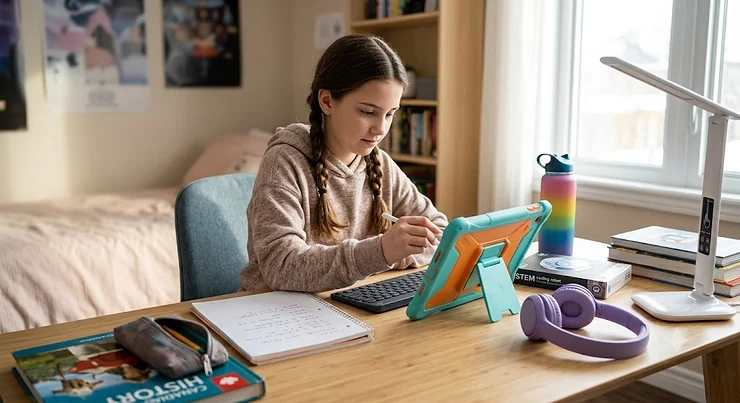
Somewhere between the LEGO years and the “please stop embarrassing me at the mall” years sits the tween stretch — roughly ages nine to twelve — and it is a genuinely strange age to shop for. Tech gadgets tweens actually reach for aren’t the flashing, beeping toys from a few years back, and they aren’t full smartphones either, at least not yet in most Canadian households. They sit in a specific middle lane: independence-building, safety-conscious, and just cool enough that a kid won’t quietly bury it in a drawer by March.

What is a tech gadget for tweens? It’s any connected device — a smartwatch, drone, tablet, headset, or headphones — built for kids roughly aged 8 to 12, balancing real functionality with parental controls, durability, and an age-appropriate learning curve. The best ones teach a skill, build confidence, or simply make family logistics easier, without handing a nine-year-old unsupervised internet access.
We dug into real specs, verified availability, and aggregated genuine review sentiment from parents and testers across Canada and the U.S. to land on seven products worth your attention in 2026 — spanning kids smartwatch options, a beginner drone with camera, a VR headset kids Canada families can actually buy, and a couple of connected devices that round out a tween’s first real tech kit. The Canadian Paediatric Society’s guidance on digital media makes the point well: screens are now deeply woven into the daily lives of children and adolescents, carrying both real benefits and real risks for learning, health, and social development — which is exactly why picking the right device (and using it thoughtfully) matters more than picking the flashiest one.
Below, you’ll find honest analysis, transparent pros and cons, and price ranges in Canadian dollars — no inflated claims, no invented reviews, and no pretending a C$500 VR headset is the only path to a happy tween.
Quick Comparison Table
| Product | Category | Price Range (CAD) | Best For |
|---|---|---|---|
| Xplora X6Play | Kids smartwatch | C$180–C$230 + monthly plan | Full-featured daily communication |
| Gabb Watch 3e | Kids smartwatch | C$130–C$170 + monthly plan | Distraction-free first device |
| Ryze Tello | Beginner drone with camera | C$140–C$180 (limited stock) | Learning to fly and code indoors |
| DJI Neo 2 | Beginner drone with camera | C$300–C$360 | Real 4K footage, still beginner-safe |
| Meta Quest 3S | VR headset kids Canada | C$470–C$520 | Older tweens (10+) exploring VR |
| Amazon Fire HD 10 Kids Pro | Connected tablet | C$230–C$280 | All-around media and homework tablet |
| JLab JBuddies Studio 2 Wireless | Connected audio | C$45–C$65 | Volume-safe headphones for daily use |
Look at that spread for a second: three products land under C$200, two sit in the C$230–C$360 mid-range, and only the Meta Quest 3S pushes past C$450. That’s not an accident — it mirrors how most Canadian families actually build a tween’s tech kit, starting with a kids smartwatch or headphones and working up to bigger-ticket items like a VR headset only once the smaller gadgets have proven the kid can handle the responsibility. Notice, too, that the two cheapest items — the Gabb Watch 3e and the JLab JBuddies Studio 2 Wireless — are also the two with the fewest features, which is a deliberate trade-off rather than a corner being cut.
💬 Just one click — help others make better buying decisions too!😊
Top 7 Tech Gadgets for Tweens: Expert Analysis
Every product below made the cut for a specific reason — not because it’s the newest thing on a shelf, but because it solves a real problem tweens and their parents run into. We’ve grouped budget, mid-range, and premium picks across five categories so there’s a legitimate option no matter your household’s starting point.
1. Xplora X6Play — best all-rounder kids smartwatch
The Xplora X6Play is the watch to buy if you want one device that does almost everything a tween needs before they’re ready for a full smartphone. It runs on genuine 4G/LTE, which is the detail that separates it from the toy-store watches that only work over Wi-Fi at home.
Specs-wise, you’re looking at a 1.5-inch colour touchscreen, a 5MP camera for photos and video calls, GPS plus Wi-Fi and GSM triangulation for location tracking, and an IP68 water-resistance rating that survives sink splashes and sudden rainstorms. In practice, that triangulation setup means the watch can still get a rough location fix indoors or in a parking garage, where GPS alone often struggles — something the cheaper single-GPS watches in this category simply can’t match.
Who should buy it: families with kids aged 7 to 12 who want real calling, texting, and a School Mode that silences notifications during class, without opening the door to social media or app stores. Reviewers consistently note that the battery holds up through a full school day with normal use, though heavy calling and GPS tracking together will drain it faster, so a nightly charging routine is non-negotiable. A recurring theme in aggregated feedback is that indoor location pings can lag by a minute or two — annoying if you’re anxiously refreshing the parent app, less of an issue for casual check-ins.
Pros:
- ✅ Genuine 4G calling and video calls, not just Wi-Fi messaging
- ✅ School Mode locks down distractions during class hours
- ✅ IP68 water resistance handles daily kid chaos
Cons:
- ❌ Indoor GPS accuracy lags behind outdoor tracking
- ❌ Requires an ongoing monthly data plan to function fully
Expect to pay in the C$180–C$230 range for the watch itself, plus a modest monthly cellular plan — check current pricing on Amazon.ca, since plan costs and hardware pricing shift independently of each other. For a family wanting one watch to last through the entire tween stretch, the value case is strong.

2. Gabb Watch 3e — best distraction-free first device
If the Xplora X6Play is the “does everything” option, the Gabb Watch 3e is the deliberate opposite: no camera, no games, no app store, no internet browser. Just GPS tracking, calling, texting, and an SOS button.
That minimalism is the entire pitch, and it’s a genuinely different design philosophy rather than a stripped-down budget compromise. The 3e added wireless charging over the previous generation, which sounds minor until you’re the parent nagging a nine-year-old to plug in a proprietary cable every single night — a charging pad kids can just drop the watch onto is a meaningfully lower-friction habit to build. Gabb’s whole brand thesis is that a first connected device shouldn’t ask a developing brain to manage notifications, feeds, or in-app purchases, and the hardware backs that up.
Who it’s for: parents of younger tweens (roughly 7 to 10) who want the safety net of GPS and calling without introducing any of the attention-hijacking mechanics that come standard on more feature-rich watches. Aggregated reviewer sentiment is genuinely split here — some families love the total lack of distraction, while others, including testers at Forbes Vetted, reported battery life that didn’t reliably last a full school day and a step counter that ran noticeably inaccurate. That’s worth flagging honestly rather than glossing over, because it’s the kind of real-world friction a spec sheet won’t show you.
Pros:
- ✅ Zero internet, apps, or social media — nothing to moderate
- ✅ Wireless charging removes a daily cable hassle
- ✅ SOS button and parent-approved contacts only
Cons:
- ❌ Battery life inconsistent across daily-use reviews
- ❌ No camera or games, which can feel limiting by age 11–12
Pricing typically runs C$130–C$170 for the watch, with a required monthly Gabb plan on top — prices may vary, so check current listings before buying. For families prioritizing “as little tech as possible, but still safe,” the Gabb Watch 3e is hard to beat.
3. Ryze Tello — best beginner drone with camera for learning to fly
The Ryze Tello has been the go-to entry point into drones for almost a decade, and there’s a good reason it still comes up constantly in beginner drone with camera roundups: DJI’s flight-stabilization technology and an Intel processor are packed into an 80-gram toy-category shell that costs a fraction of a “real” drone.
The 720p camera and five-megapixel stills won’t win any photography awards — this is a trainer, not a content-creation tool — but the flight characteristics are what matter here. Built-in propeller guards, a 13-minute flight time per battery, and preprogrammed stunt modes like flips and bounce mode mean a first-time nine-year-old pilot can crash it into a couch cushion without tears (from the kid or the parent). What most buyers overlook about the Ryze Tello is its education angle: it’s compatible with MIT’s Scratch programming language and Python through the Tello SDK, so a curious tween can genuinely learn the basics of coding by writing simple flight-path commands.
Who should buy it: families who want their tween to build fundamental drone-piloting skills — and possibly a coding interest — before graduating to a camera-focused model. One caveat worth being upfront about: DJI discontinued new production of the Tello in early 2024, so stock has become inconsistent at Canadian retailers; if it’s unavailable, a comparably priced Holy Stone or Potensic sub-C$150 model with GPS hover assist is the honest fallback.
Pros:
- ✅ DJI flight stability in an ultra-affordable, kid-safe shell
- ✅ Scratch and Python coding support builds real STEM skills
- ✅ Prop guards and bounce mode forgive beginner mistakes
Cons:
- ❌ 720p camera is a trainer, not a real content-creation tool
- ❌ New stock is increasingly scarce since discontinuation
When available, expect the Ryze Tello in the C$140–C$180 range — prices may vary given limited supply, so check current availability before planning around it specifically.
4. DJI Neo 2 — best beginner drone with camera for real footage
Step up in budget and you land on the DJI Neo 2, which solves the Ryze Tello‘s biggest weakness — the camera — while staying genuinely approachable for a beginner. At 151 grams with full propeller protection, it launches straight from an open palm and returns to your hand on command, no controller required for the basics.
The headline spec is the 12MP camera shooting 4K at 60fps, with 4K at 100fps for slow motion — a real generational leap over the Tello‘s 720p sensor. Reviewers consistently praise the omnidirectional obstacle sensing and forward-facing LiDAR, which matters enormously for a tween pilot who hasn’t yet developed the spatial awareness to avoid a low-hanging tree branch. Because it can be flown by gesture, voice, phone screen, or an optional controller, a tween can start with the simplest input method and graduate to more advanced controls as their confidence builds, which is exactly the kind of “grows with the kid” design that justifies the higher price tag.
Who it’s for: tweens who’ve already shown interest and reasonable care with a cheaper trainer drone, or families who want to skip the trainer step entirely and go straight to something that produces footage worth sharing. The trade-off is complexity and cost — this is not the C$150 impulse buy the Tello was, and the extra features mean a slightly steeper first-week learning curve.
Pros:
- ✅ 4K/60fps camera with genuine obstacle-avoidance sensing
- ✅ Palm launch and Return to Palm need zero controller skill
- ✅ Multiple control modes let skill grow over time
Cons:
- ❌ Meaningfully pricier than trainer-tier drones like the Ryze Tello
- ❌ No official weatherproofing, so indoor or calm-day flying only
Expect to pay roughly C$300–C$360, check current price for exact CAD figures given ongoing cross-border pricing shifts. For a tween ready to move past the toy-drone stage, the value here is legitimate rather than aspirational.
5. Meta Quest 3S — best VR headset kids Canada families can buy standalone
Virtual reality for tweens is a genuinely more complicated purchase than the other categories on this list, and the Meta Quest 3S deserves an honest, unvarnished look rather than a breezy recommendation. It’s a standalone headset — no PC or console required — running the same chipset and game library as its pricier sibling, the Quest 3.
Meta has introduced parent-managed accounts that add parental controls and additional protections for children between 10 and 12 years old, and Meta’s official minimum age guidance sits at 10, a figure driven by physical head size and comfort rather than an arbitrary cutoff. That’s the real-world meaning behind the spec sheet: the headset’s weight and default strap were engineered for adult heads, and multiple family reviewers report the stock strap causing discomfort in kids under that threshold even with supervision. Practically, that means a tween aged 8 or 9 is a genuinely poor fit here, while an 11- or 12-year-old with a padded aftermarket strap tends to do fine in supervised, time-limited sessions.
Who should buy it: families with a tween aged 10 or older who’ve discussed screen-time expectations already, and who plan to actively manage the parent-supervision tools rather than hand the headset over and walk away. Aggregated advocacy research, including testing from the U.S. PIRG Education Fund, found that even Meta’s parent-managed accounts for ages 10 to 12 don’t fully close gaps around inappropriate content exposure — a genuinely important caveat that belongs in any honest recommendation, not a footnote.
Pros:
- ✅ Standalone design — no PC, console, or wires needed
- ✅ Parent-managed accounts add app approval and time limits
- ✅ Same chipset as the pricier Quest 3, so games run identically
Cons:
- ❌ Minimum age guidance of 10 due to headset weight and fit
- ❌ Parental content controls still have documented gaps
Pricing sits around C$470–C$520 in Canada — at the time of research, and prices may vary by retailer and bundle. This is the premium pick on this list, and it should be treated as one: a considered purchase, not an impulse gift.

6. Amazon Fire HD 10 Kids Pro — best all-around connected tablet
Rounding out the digital native tools category, the Amazon Fire HD 10 Kids Pro is built specifically for the 6-to-12 age range, with a 10.1-inch Full HD display, a slimmer “less childish” case than Amazon’s younger-kid tablets, and genuinely comprehensive parental controls through the Amazon Parent Dashboard.
Under the hood you get an octa-core processor, 3GB of RAM, and 32GB of expandable storage — modest by adult-tablet standards, but perfectly adequate for streaming, reading, homework apps, and casual gaming, which is realistically 90% of what a tween tablet gets used for. The one-year included subscription to Amazon Kids+ unlocks a curated, ad-free library rather than the open app-store free-for-all a hand-me-down adult tablet would expose a kid to. What the spec sheet won’t tell you, but reviewer consensus consistently confirms, is that battery life is a genuine strength here — Tom’s Guide clocked over 14 hours of continuous use, which comfortably outlasts a school day plus evening screen time.
Who it’s for: parents who want one device to cover reading, streaming, light gaming, and school-adjacent apps, backed by a worry-free two-year damage warranty that’s genuinely useful given how tweens treat electronics. The trade-offs are real, though: the Amazon Appstore has a noticeably smaller library than Google Play or Apple’s App Store, and audio quality is middling compared with dedicated media devices.
Pros:
- ✅ Genuinely all-day battery life, verified across reviews
- ✅ Robust parental dashboard and content curation
- ✅ Two-year worry-free warranty covers accidental damage
Cons:
- ❌ Smaller app library than Google Play or Apple’s App Store
- ❌ Speaker audio quality lags behind dedicated media tablets
Expect a price in the C$230–C$280 range, in the mid-C$200s at the time of research — check current pricing, since Amazon runs frequent promotions on this exact model.
7. JLab JBuddies Studio 2 Wireless — best volume-safe connected audio
The cheapest item on this list by a wide margin, the JLab JBuddies Studio 2 Wireless earns its spot because hearing protection is one of those connected devices categories parents consistently underrate until a pediatrician brings it up.
The core feature is a hardware volume limiter, adjustable between an 85dB and a 95dB ceiling, that physically caps how loud audio can get regardless of what the source device is set to — a meaningfully different (and more reliable) safeguard than the software volume limits built into most phones and tablets, which a tech-savvy tween can occasionally work around. Battery life is rated at over 65 hours wireless, which in practice means charging maybe once a week rather than nightly, and Wireless Share mode lets two pairs pair to one source so siblings can watch the same movie without a tangle of cords.
Who it’s for: parents of any tween with a smartwatch, tablet, or laptop already in rotation who want a genuinely safe audio companion rather than a repurposed pair of adult earbuds. Aggregated reviews are mostly positive on comfort and durability, though a recurring complaint is that the 85dB setting feels genuinely too quiet for some kids in louder environments like a moving car or a noisy classroom — which is precisely why the adjustable 95dB mode exists, and it’s worth showing your kid how to toggle it rather than assuming the default setting will always suffice.
Pros:
- ✅ Hardware volume limiter can’t be bypassed like a software one
- ✅ 65+ hours of battery life means charging roughly weekly
- ✅ Wireless Share lets two headsets pair to one device
Cons:
- ❌ Default 85dB setting feels too quiet for some kids
- ❌ Mic quality is a known weak point across the JBuddies line
Pricing runs C$45–C$65 depending on colour and bundle, an easy add-on to any of the six pricier picks above.
How to Choose Tech Gadgets for Tweens
Shopping this category gets easier once you break it into a short checklist rather than comparing specs in a vacuum. Here’s the framework we’d actually use ourselves:
- Start with the job, not the device. Decide whether you need communication (a kids smartwatch), creative play (a beginner drone with camera), immersive entertainment (a VR headset), or everyday media (a tablet or headphones) — the category matters more than the brand.
- Match age to the manufacturer’s own guidance. A device rated for 10+ isn’t being cautious for no reason; comfort, judgment, and physical fit genuinely differ between an 8-year-old and a 12-year-old.
- Check what happens without Wi-Fi or cellular. Some “smart” devices become nearly useless offline — know that before a road trip exposes the gap.
- Read the ongoing cost, not just the sticker price. Cellular watches and some tablet subscriptions carry recurring monthly fees that can double the first-year cost.
- Prioritize hardware safety features over software promises. A hardware volume limiter or a drone’s physical prop guard can’t be toggled off by an eleven-year-old; a software parental control sometimes can.
- Weigh durability against your specific kid. If previous devices have come home cracked, spend the extra C$20–C$40 on a case or the ruggedized model rather than replacing a delicate one twice.
- Confirm return and warranty policies before opening the box. Amazon.ca’s return window and manufacturer warranties vary meaningfully between these seven products, and it’s easier to check before setup than after.
Practical Usage Guide: Setting Up Tech Gadgets for Tweens the Right Way
Getting a new device out of the box is the easy part — the first 30 days set the habits that stick. Start every setup with the parent-side app first, before your tween even sees the hardware: on a Xplora X6Play or Gabb Watch 3e, that means building the approved-contacts list before the watch is ever powered on near your kid, since retrofitting restrictions after a device already feels “theirs” creates far more pushback than starting locked-down.
For the Ryze Tello or DJI Neo 2, the first flight should happen in an empty room or open backyard, not a living room full of furniture and pets — ten minutes of “just hovering in place” builds more control than an ambitious first flight ever will. With the Meta Quest 3S, resist the urge to hand over the headset and walk away; the first session should be spent together, adjusting the IPD (lens spacing) dial to your child’s actual eyes, since a mismatched fit is the single most common cause of the “VR gave me a headache” complaint. A common first-month mistake with the Amazon Fire HD 10 Kids Pro is skipping the Parent Dashboard entirely because the tablet “already has parental controls built in” — the default settings are permissive, and dialing in specific app time limits in week one saves arguments in week four. Finally, build a charging routine immediately: designate one shelf or drawer as “device home base” so the JLab JBuddies Studio 2 Wireless and the watch charge overnight in the same predictable spot, rather than becoming a nightly scavenger hunt.
Real-World Scenarios: Matching Tech Gadgets for Tweens to Your Kid
The newly-independent walker-to-school kid (age 8–9). Budget C$150–C$250, environment includes a daily unsupervised walk or bus ride. The Gabb Watch 3e is the clear fit here — GPS tracking and calling without any of the distraction risk that comes with a camera or games, paired with the JLab JBuddies Studio 2 Wireless for the bus ride itself.
The aspiring content creator (age 10–12). Budget C$300–C$400, frequency of use is near-daily, environment is mostly backyard and local parks. The DJI Neo 2 fits best — real 4K footage worth editing and sharing (with supervision), obstacle sensing that forgives a still-developing sense of spatial awareness, and enough camera quality to keep a genuinely creative kid engaged past the novelty phase.
✨ Don’t Miss These Exclusive Deals!
🔍 Take your family’s next tech upgrade to the next level with these carefully selected products. Click on any highlighted item to check current pricing and availability. These picks will help create authentic tween independence your whole household will appreciate!
The screen-curious homebody with an older sibling already gaming (age 11–12). Budget C$450–C$550, frequency is weekend-heavy, environment is supervised living-room use. The Meta Quest 3S paired with the Amazon Fire HD 10 Kids Pro for weekday, lower-commitment screen time covers both ends of that spectrum without overspending on a device that will sit unused most weeknights.
Problem → Solution: Fixing Common Tween Tech Headaches
Problem: The watch battery dies before pickup time. Solution — build a lunchtime charging habit using a portable charging puck in the backpack, or switch to a model like the Xplora X6Play with stronger reported battery consistency than the Gabb Watch 3e.
Problem: The drone keeps drifting indoors. Solution — this is almost always a GPS confusion issue; switch the DJI Neo 2 or Ryze Tello into an indoor or ATTI flight mode, since GPS hold-position features genuinely need a clear satellite signal to work properly.
Problem: VR sessions end in complaints of dizziness. Solution — shorten sessions to 15–20 minutes with mandatory breaks, and double-check the Meta Quest 3S IPD adjustment; mismatched lens spacing is the leading cause of reported discomfort, not the technology itself.
Problem: Tablet time balloons past agreed limits. Solution — use the Amazon Fire HD 10 Kids Pro‘s built-in Parent Dashboard time-limit tools rather than relying on verbal reminders, and set the limit slightly stricter than your actual target, since kids will negotiate the difference.
Problem: Headphone volume complaints from both directions — “too quiet” and “too loud.” Solution — toggle the JLab JBuddies Studio 2 Wireless between its 85dB and 95dB hearing-protection settings depending on environment, rather than assuming one setting fits every situation.
Kids Smartwatch vs Smartphone for Tweens
This is the comparison almost every parent eventually has, usually prompted by a tween pointing out that “literally everyone else has a phone.” Here’s the honest breakdown.
| Factor | Kids smartwatch | Smartphone |
|---|---|---|
| Internet/app access | None or heavily restricted | Full, even with controls enabled |
| Social media risk | Effectively zero | Requires active, ongoing management |
| Typical monthly cost | C$10–C$20 | C$40–C$90 |
| Screen size for texting | Small, limited typing | Full keyboard, easier communication |
| Best For | Xplora X6Play or Gabb Watch 3e — safety-first first device | Older teens ready for full connectivity |
A kids smartwatch solves the actual problem most parents are trying to solve at this age — “I need to reach my kid and know where they are” — without importing the social-media and open-internet risks that a full smartphone carries. A smartphone wins on raw communication flexibility and is arguably the more future-proof purchase, but for the 8-to-12 range specifically, the smartwatch’s built-in restrictions aren’t a limitation so much as the entire point. Most family tech guides, ours included, treat a device like the Xplora X6Play as a genuine bridge step rather than a lesser substitute, with a full smartphone typically entering the picture closer to age 13.
What to Expect: Real-World Performance from a Beginner Drone with Camera
Marketing photos make every drone look like it’s shooting cinematic aerial footage on day one. Real-world performance looks different, and it’s worth setting expectations honestly before your tween’s first flight.
With a true beginner drone with camera like the Ryze Tello, expect the first several flights to be almost entirely about control — takeoff, hover, gentle turns — with the camera essentially an afterthought until week two or three. Wind is the biggest hidden variable: even a light breeze that feels unnoticeable at ground level will visibly push a sub-100-gram drone off course, which is exactly why indoor practice matters before an ambitious backyard session. Stepping up to the DJI Neo 2, the obstacle-sensing genuinely changes the experience — instead of a frustrating string of crashes into low branches or fence posts, the drone gently deflects and self-corrects, which keeps a still-learning pilot’s confidence intact through the frustrating early weeks. According to Transport Canada’s drone operation rules, microdrones weighing less than 250 grams do not require registration, though the weight of anything attached or carried, such as an optional camera or safety cage, counts toward that total weight — worth double-checking on a kitchen scale before assuming a lightweight model is automatically exempt.
By the one-month mark, most tween pilots on either drone are comfortable with basic manoeuvres and are starting to actually frame shots rather than just avoiding crashes — which is when the camera quality gap between these two models becomes genuinely noticeable.
VR Headset Kids Canada: Safety, Age Ratings and Regulations Parents Should Know
Buying a VR headset kids Canada families can actually use safely starts with age guidance that most parents skim past. Meta’s own minimum is 10, PSVR2 sits at 12+, and Apple’s Vision Pro at 13+ — these aren’t arbitrary marketing numbers, they reflect genuine physical and developmental considerations around eye strain, vestibular development, and headset weight relative to a still-growing skull and neck.
Beyond age, three practical factors determine whether a session goes well: IPD (lens spacing) fit, since a mismatch causes the blurriness and headaches most commonly blamed on “VR making kids sick”; session length, with most paediatric guidance pointing toward 15-to-20-minute blocks with breaks rather than marathon sessions; and active supervision, since even parent-managed accounts have documented content-moderation gaps. On the privacy side specifically, the Office of the Privacy Commissioner of Canada’s youth privacy resources note that its goal for youth is raising awareness of privacy issues and rights among children and young people, and providing guidance to help them reduce privacy risks — a genuinely relevant consideration given how much data a headset with built-in cameras and microphones can collect about both a child and their surroundings. Practically, that means reviewing what a device like the Meta Quest 3S collects, and walking your tween through what “don’t share your real name or school in a multiplayer app” actually means, the same conversation you’d have before handing over any internet-connected device.
Common Mistakes When Buying Tech Gadgets for Tweens
The single most common mistake is buying for the gadget’s ceiling rather than your specific kid’s current stage — a Meta Quest 3S sitting unused because an 8-year-old genuinely can’t wear it comfortably is a far worse outcome than a “boring” Gabb Watch 3e that actually gets used daily. A close second is ignoring recurring costs: a kids smartwatch’s C$180 sticker price is only half the story once a year of monthly cellular plans is factored in, and that math changes which option is genuinely cheaper over 12 months. Parents also frequently skip reading age ratings from the manufacturer itself, relying instead on a store listing’s generic “ages 6+” sticker that doesn’t reflect the specific physical or content considerations a headset or drone actually carries. On the drone side, a surprisingly common mistake is assuming any sub-250-gram model is entirely unregulated — Transport Canada’s exemption covers registration and certification, not basic safe-operation rules like keeping the drone in sight and away from crowds. Finally, don’t underestimate durability needs: buying the delicate, feature-rich option for a genuinely rough-and-tumble kid usually ends in a second purchase within six months, so matching build quality to your actual child (not the idealized version) saves money in the long run.
Connected Devices and Digital Native Tools: Features That Actually Matter (And Those That Don’t)
Not every spec on a connected devices box translates into a real-world benefit for a tween. Here’s an honest filter for what’s genuinely worth paying for versus what’s marketing noise.
Actually matters: hardware-level parental controls (not just software toggles a curious kid can find their way around), verified battery life under real daily use rather than lab conditions, and genuine water or drop resistance given how tweens actually treat their belongings. Cellular connectivity on a watch matters enormously if your family’s whole point is “reach my kid anywhere” — it matters far less if the device mostly lives within Wi-Fi range of home and school.
Doesn’t matter much: headline camera megapixel counts on devices where the camera is secondary (a smartwatch’s 5MP camera is for quick video calls, not photography), flashy RGB lighting or “gamer aesthetic” styling that adds cost without function, and bundled app ecosystems your family won’t actually use — paying extra for a proprietary content library is only worthwhile if your kid will genuinely use it. The pattern across all of these digital native tools, from the Amazon Fire HD 10 Kids Pro to the Xplora X6Play, is that the features worth paying for are almost always the ones protecting your kid or your data, not the ones making the marketing photo look more exciting.
Buyer’s Decision Framework: Choosing Tech Gadgets for Tweens Fast
Use this quick priority checklist when you’re standing in an aisle or scrolling a product page and need to decide fast:
- If your top priority is location safety on a budget, choose the Gabb Watch 3e because it delivers GPS and calling without recurring feature bloat.
- If your top priority is one device that does everything, choose the Xplora X6Play because its 4G, camera, and School Mode cover the widest range of daily needs.
- If your kid wants hands-on building and coding skills, choose the Ryze Tello because its Scratch and Python compatibility turns flight time into genuine STEM practice.
- If your kid wants shareable footage and creative expression, choose the DJI Neo 2 because obstacle sensing and 4K video support a real creative hobby.
- If your household is ready for immersive entertainment with supervision, choose the Meta Quest 3S, but only for tweens 10 and up who can comfortably wear the headset.
- If you need an all-purpose media and homework device, choose the Amazon Fire HD 10 Kids Pro for its battery life and parental dashboard.
- If you’re topping up an existing kit with safe daily audio, choose the JLab JBuddies Studio 2 Wireless as a low-cost, high-value add-on.

FAQ
❓ What age is appropriate for a kids smartwatch?
❓ Is a beginner drone with camera safe for a 9-year-old to fly?
❓ Do I need to register my tween's drone in Canada?
❓ What's the minimum age for the Meta Quest 3S?
❓ How much should I budget for a full tween tech kit?
Conclusion
The honest takeaway from all seven of these tech gadgets tweens might ask for is that the “best” one depends entirely on which specific problem you’re solving — safety and communication, creative skill-building, or shared family entertainment — rather than which product has the flashiest spec sheet. A Gabb Watch 3e and a DJI Neo 2 are both genuinely excellent purchases; they’re just excellent for completely different kids and completely different reasons. Start with the age guidance manufacturers actually publish, be honest with yourself about your specific child’s habits and responsibility level, and factor recurring costs like cellular plans into your real budget rather than just the sticker price. Whichever of these seven you land on — whether it’s the safety-first Gabb Watch 3e, the do-everything Xplora X6Play, the STEM-friendly Ryze Tello, the creative-hobby DJI Neo 2, the immersive Meta Quest 3S, the all-day Amazon Fire HD 10 Kids Pro, or the budget-friendly JLab JBuddies Studio 2 Wireless — pairing it with a genuine conversation about how and when to use it will matter more than any spec on this page. According to CBC’s coverage of updated Canadian screen-time guidance, the focus for school-aged kids has shifted toward how and when devices are used rather than fixed hourly limits, which is exactly the mindset worth carrying into whichever purchase you make.
Recommended for Yo
- Tamiya Model Kits: 7 Best Picks for 2026 (Canada Guide)
- 7 Best Scale Model Kits Kids Will Actually Finish (2026)
- 7 Best Chess Set Tournament Picks for Canadian Players in 2026
Disclaimer: This article contains affiliate links. As an Amazon Associate, I earn from qualifying purchases. If you purchase products through these links, we may earn a small commission at no additional cost to you.
✨ Found this helpful? Share it with your friends! 💬🤗
