
In This Article
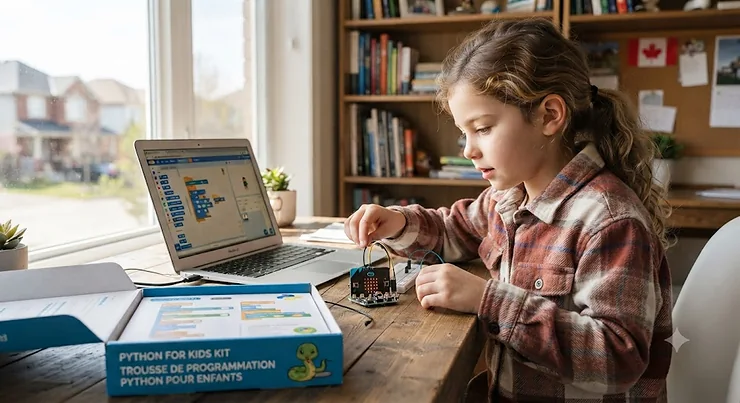
Somewhere between a Scratch tutorial and a computer science degree sits a strange, wonderful gap — and a python for kids kit is usually what fills it. So what is a python for kids kit? It’s any product — a book, a microcontroller board, or a guided software course — that teaches a child real, text-based Python syntax instead of drag-and-drop blocks, using structured projects, games, or hardware as the vehicle. If your kid has already “graduated” from Scratch and keeps asking why the blocks look nothing like the code their older cousin writes, you’re in the right place.
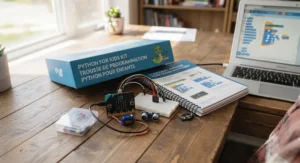
Here’s the honest version of this search, before the marketing spin kicks in: not every python for kids kit is created equal, and the “best” one depends heavily on whether your child prefers screens, wires, or paper. Some kits hand a child a real computer and let Python run natively. Others use MicroPython on a tiny board that fits in a pocket. A few skip hardware entirely and lean on a well-structured workbook. Part of why this language keeps showing up in kids’ products specifically is its readability — Python was designed with an emphasis on code that reads almost like plain English, which is exactly why kids as young as eight can start picking it up faster than they can with denser languages.
This guide compares seven real, currently available options — budget, mid-range, and premium — with honest analysis of what each one is actually good at, where reviewers say it falls short, and which kid fits which kit. We’ll also walk through set-up realities, common buying mistakes, and Canadian-specific safety and regulatory notes. No invented reviews, no inflated claims — just a straight comparison so you can make a call that fits your household and your kid’s attention span.
Quick Comparison Table
| Kit | Type | Price Range (CAD) | Best For |
|---|---|---|---|
| CanaKit Raspberry Pi 5 Starter Kit | Full computer | C$150–C$220 | Kids ready for a real, standalone Python machine |
| BBC micro:bit Go Bundle | Pocket microcontroller | C$25–C$40 | Absolute beginners, ages 8+ |
| SparkFun Inventor’s Kit for micro:bit | Electronics + code | C$90–C$130 | Hands-on tinkerers who like wiring things up |
| Adafruit Circuit Playground Express | Wearable microcontroller | C$35–C$50 | Kids who like sensors, lights, and sound |
| Python for Kids (Jason Briggs, No Starch Press) | Book | C$30–C$40 | Screen-averse learners who like working from a page |
| Coding Projects in Python (DK) | Book | C$20–C$30 | Younger beginners (age 10+) wanting quick wins |
| CodaKid Python for Kids | Guided software course | C$220–C$320 | Families wanting structure and mentor support |
Reading this table left to right, a pattern emerges fast: price roughly tracks how much hand-holding is built in, not how “advanced” the Python content is. The BBC micro:bit Go Bundle sits at the affordable end because it’s a bare board with a companion app, while CodaKid Python for Kids costs more specifically because it wraps the same underlying language in structured quests, progress tracking, and human mentoring. Neither approach is objectively better — a self-directed reader might thrive with the Python for Kids book at a third of the price, while a kid who needs external accountability will get more mileage from a guided course even at the premium tier.
💬 Just one click — help others make better buying decisions too!😊
Top 7 Python for Kids Kits: Expert Analysis
1. CanaKit Raspberry Pi 5 Starter Kit — a real computer that happens to fit in your palm
The CanaKit Raspberry Pi 5 Starter Kit bundles a Raspberry Pi 5 board with a case, power supply, microSD card preloaded with Raspberry Pi OS, heatsinks, and cabling — everything except a monitor, keyboard, and mouse. What that means in practice is your child boots into a full Linux desktop and writes actual CPython in an IDE like Thonny, not a simplified subset. Based on the spec comparison with microcontroller boards, the Pi 5’s quad-core processor and multiple gigabytes of RAM mean a kid can run graphical projects, small games, and even basic AI experiments without hitting a performance wall the way they would on a micro:bit. Reviewers consistently note that the included heatsinks matter more than they expect, since the Pi 5 runs noticeably warmer than earlier Pi generations under sustained load. This kit is best suited to a kid around age 11 and up who has outgrown block coding and wants the “I built this on a real computer” feeling — not a first-timer who needs instant gratification.
Pros:
- ✅ Full desktop Python environment, not a limited subset
- ✅ Scales into robotics, AI, and Linux projects later
- ✅ Strong community documentation and free official tutorials
Cons:
- ❌ Requires a separate monitor, keyboard, and mouse
- ❌ Steeper initial setup than a plug-and-play board
Priced in the C$150–C$220 range depending on bundle contents, the CanaKit Raspberry Pi 5 Starter Kit earns its premium tag through sheer longevity — this is a “grows with the kid for years” purchase rather than a toy they’ll outgrow by next summer.
2. BBC micro:bit Go Bundle — the cheapest real on-ramp to MicroPython
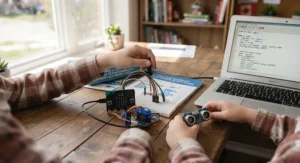
The BBC micro:bit Go Bundle includes the micro:bit board itself, a battery pack, and a USB cable, and it’s designed by the BBC specifically as a schoolkid’s first programmable computer. The board’s 25-LED display, two buttons, accelerometer, and Bluetooth radio mean it does something visible the moment code runs, which matters enormously for a distractible eight-year-old. What most buyers overlook is that the micro:bit isn’t locked to block coding — it ships with a browser-based Python editor, so a child can start with drag-and-drop MakeCode blocks and toggle straight into MicroPython syntax view without buying anything new. On paper this means one board covers two learning stages. Reviewers consistently describe the transition from blocks to text as smoother than expected precisely because the block and Python views sit side by side.
Pros:
- ✅ Genuinely the lowest-cost real MicroPython entry point
- ✅ Built-in LED display gives instant visual feedback
- ✅ Browser editor needs zero software installation
Cons:
- ❌ Limited processing power for anything graphically complex
- ❌ Battery pack and USB cable often need separate purchase for portability
At around C$25–C$40, the BBC micro:bit Go Bundle is the easiest recommendation on this list for a first purchase, especially if you’re not sure yet whether your kid will stick with coding.
3. SparkFun Inventor’s Kit for micro:bit — turns a micro:bit into a hands-on electronics bench
The SparkFun Inventor’s Kit for micro:bit pairs a micro:bit board with a breadboard, LEDs, buttons, a servo motor, sensors, and a full set of guided circuit-building experiments. Instead of just writing code that reads an on-board sensor, kids wire up potentiometers, switches, and motors themselves, then write the MicroPython that reads and reacts to that hardware. Based on the spec comparison with the plain micro:bit Go Bundle, the extra components mean the same 25 KB of on-board program space now controls physical outputs a kid can touch and rebuild — a meaningfully different experience from staring at a screen. What the spec sheet won’t tell you, but reviewers note, is that the guided experiment booklet is what makes this kit work; kids who skip straight to free-form wiring tend to get stuck faster than those who follow the sequence.
Pros:
- ✅ Combines real Python syntax with physical circuit-building
- ✅ Step-by-step experiment guide reduces frustration
- ✅ Reusable components support original projects after the guide ends
Cons:
- ❌ More assembly required than screen-only kits
- ❌ Small parts need supervision with younger siblings around
In the C$90–C$130 range, the SparkFun Inventor’s Kit for micro:bit suits a kid who gets bored writing code that only changes numbers on a screen and wants to see a motor spin because of a loop they wrote.
4. Adafruit Circuit Playground Express — sensors, lights, and sound in one round board
The Adafruit Circuit Playground Express is a coin-sized circular board packed with ten RGB LEDs, a speaker, a microphone, a motion sensor, temperature sensing, and touch pads, programmable in CircuitPython — a kid-friendly dialect of Python built specifically for this kind of hardware. Because CircuitPython was built specifically so kids don’t need to install any desktop software before experimenting, a child can plug the board in, drag a Python file onto it like a USB drive, and see it run immediately — no compiler, no build step. Honestly, that near-zero friction is the single biggest reason reviewers recommend this board for kids who get discouraged by setup errors before they’ve even written a line of logic. It’s best for a kid who likes making noise and light more than solving abstract logic puzzles, at least at first.
Pros:
- ✅ Drag-and-drop code deployment with no compiling
- ✅ On-board sensors cover sound, light, motion, and touch in one unit
- ✅ Large, active online project community
Cons:
- ❌ CircuitPython is a subset, so some advanced Python features are missing
- ❌ Alligator-clip project extensions sold separately
Priced around C$35–C$50, the Adafruit Circuit Playground Express is arguably the best value board here for a kid who wants tangible, sensory feedback from every program they write.
5. Python for Kids (Jason Briggs, No Starch Press) — the book that treats kids like real programmers
The Python for Kids book by Jason Briggs is a project-based print guide that walks through installing Python, core syntax, turtle graphics, and small games, using a tone that neither talks down to kids nor drowns them in jargon. Based on the spec comparison with hardware kits, a book obviously can’t light up an LED — but it also can’t break, run out of battery, or need a firmware update, which matters for households that want a low-friction, screen-adjacent option. Reviewers consistently report that the turtle-graphics chapters (drawing shapes and patterns with code) are the sections kids return to most, since visual output from typed code is still satisfying without any extra hardware purchase. A common complaint in user reviews is that a few later exercises assume a bit more troubleshooting patience than some 9-year-olds have on their own.
Pros:
- ✅ No hardware, software licence, or subscription required
- ✅ Turtle graphics chapters give visual payoff early
- ✅ Reusable for siblings with zero ongoing cost
Cons:
- ❌ Requires a parent-supplied laptop or desktop to actually run the code
- ❌ Later chapters can be challenging without adult support nearby
At roughly C$30–C$40, Python for Kids is the most cost-effective way to get a genuinely well-structured Python curriculum into a household that already owns a computer.
6. Coding Projects in Python (DK) — bite-sized wins for the youngest beginners
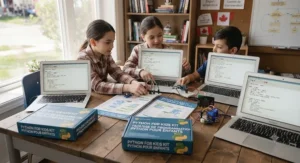
Coding Projects in Python from DK’s Help Your Kids series is a highly visual, colour-coded workbook built around 14 short, complete projects — a code-cracking script, a matching game, a quiz — aimed at kids around age 10 and up who’ve just finished with Scratch. What most buyers overlook is how deliberately this book paces difficulty: each project introduces exactly one or two new concepts (a loop here, a conditional there) rather than stacking several unfamiliar ideas at once. On paper this means slower overall progress through “real” Python fluency compared to a denser book, but in practice it means fewer moments where a kid quits out of frustration. Reviewers consistently praise the heavy use of screenshots and diagrams, which matters for a child who finds solid blocks of text intimidating.
Pros:
- ✅ Highly visual layout reduces intimidation for first-timers
- ✅ 14 complete, confidence-building mini projects
- ✅ Clear progression from Scratch-level thinking into text code
Cons:
- ❌ Covers less ground overall than denser Python guides
- ❌ Some projects assume Python 3 is already installed correctly
Priced around C$20–C$30, Coding Projects in Python works best as a gentle first book rather than a comprehensive one — pair it with a follow-up resource once the 14 projects are done.
7. CodaKid Python for Kids — structured quests with a human mentor behind the curtain
CodaKid Python for Kids is a subscription-style software course built around modules, quests, and challenges, aimed at kids age 10 and up, with online mentoring assistance included rather than left to a parent to supervise. Based on the spec comparison with the self-paced books and boards above, the built-in progress tracking and quest structure are what justify the price gap — a working parent gets a system that nudges a kid forward without requiring nightly troubleshooting sessions. What the marketing won’t tell you outright is that the mentoring is asynchronous rather than live tutoring, so it functions more like a help-desk safety net than a private teacher. Reviewers consistently describe the game-like quest framing as the reason kids come back on their own, which is arguably the hardest thing to engineer in any of the other six products.
Pros:
- ✅ Built-in mentor support reduces parental troubleshooting load
- ✅ Game-like quest structure encourages independent return visits
- ✅ Clear module progression tracks measurable skill growth
Cons:
- ❌ Highest ongoing cost of any option on this list
- ❌ Requires a reasonably capable PC or Mac to run smoothly
At roughly C$220–C$320, CodaKid Python for Kids suits a busy household that wants Python fluency without becoming the household’s unofficial coding tutor.
Top 7 Kits: Specs, Pricing & Ratings at a Glance
| Kit | Format | Age Range | Setup Effort | Price Range (CAD) |
|---|---|---|---|---|
| CanaKit Raspberry Pi 5 Starter Kit | Hardware (full PC) | 11+ | High | C$150–C$220 |
| BBC micro:bit Go Bundle | Hardware (micro) | 8+ | Low | C$25–C$40 |
| SparkFun Inventor’s Kit for micro:bit | Hardware + electronics | 10+ | Medium-High | C$90–C$130 |
| Adafruit Circuit Playground Express | Hardware (micro) | 9+ | Low | C$35–C$50 |
| Python for Kids (book) | Print book | 10+ | Low | C$30–C$40 |
| Coding Projects in Python (DK) | Print book | 10+ | Low | C$20–C$30 |
| CodaKid Python for Kids | Software course | 10+ | Low | C$220–C$320 |
The setup-effort column is the one parents underestimate most: a BBC micro:bit Go Bundle can be coding within ten minutes of opening the box, while the CanaKit Raspberry Pi 5 Starter Kit may need thirty to sixty minutes of first-boot configuration before a single line of Python runs. If your evenings are already tight, that gap matters as much as price does — a technically “better” kit that sits unopened for a week because setup felt daunting delivers zero learning value.
✨ Ready to Pick the Right Kit for Your Kid?
🔍 Compare current availability on the options above before deciding — stock and bundle contents shift often. Whichever kit matches your child’s learning style, the sooner they start typing real code, the sooner those “aha” moments arrive.
Getting Started: Your First 30 Days With a Python for Kids Kit
The first month makes or breaks whether a python for kids kit becomes a shelf ornament or a genuine habit. Start by setting up the environment together on day one — whether that’s installing Python on a laptop for the Python for Kids book or flashing MicroPython onto a BBC micro:bit Go Bundle — because a confusing first boot is the single biggest reason these kits get abandoned. In week one, aim for short 15–20 minute sessions rather than one long weekend marathon; Python’s forgiving, English-like syntax means kids retain more from frequent short exposure than from cramming.
By week two, introduce a simple maintenance habit: back up any code files to a second location (a USB drive or cloud folder) before experimenting with changes, since kids will inevitably break something while exploring. A common first-30-days mistake is letting a child copy code verbatim from a book or tutorial without typing it themselves — typing every character, typos included, is what actually builds muscle memory for syntax. By week three or four, encourage one small original project, even a five-line script that prints a birthday countdown, since building something self-directed is what separates “did an exercise” from “learned to code.”
Real-World Scenarios: Which Kit Fits Which Kid
Picture three different households. First, a family with an 8-year-old who’s finished every Scratch tutorial on the library computer and is bored — the BBC micro:bit Go Bundle fits here because the block-to-Python toggle lets the transition happen gradually, at whatever pace that specific kid needs, with a budget under C$40.
Second, a family with an 11-year-old who’s been begging for “a real computer of my own” and has shown sustained interest over several months — the CanaKit Raspberry Pi 5 Starter Kit matches that ambition, since it’s genuinely a full machine rather than a toy, and the higher price reflects years of runway rather than a quick phase.
Third, consider two working parents with a 10-year-old who needs structure more than novelty, and limited time to sit alongside them troubleshooting errors — CodaKid Python for Kids solves that specific problem, since the built-in mentoring and quest tracking replace some of the parental supervision that a book or bare board would otherwise require.
Problem → Solution: Fixing Common Coding Kit Headaches
Three problems come up constantly with a python for kids kit, and each has a specific fix. Problem one: the child gets a syntax error and gives up immediately. Solution — normalize errors early by pointing out that even experienced developers see error messages constantly; the Python for Kids book’s early chapters are built around this exact expectation-setting. Problem two: a hardware board like the Adafruit Circuit Playground Express or SparkFun Inventor’s Kit for micro:bit won’t connect to the computer. Solution — check the USB cable itself first, since charge-only cables (common in junk drawers) look identical to data cables but won’t transfer code. Problem three: the child finishes a book’s projects but has no idea what to build next. Solution — pivot to a hardware kit at that point, since physical output (lights, sound, motors) tends to reignite interest that a second book cannot.
How to Choose a Python for Kids Kit
- Match the format to your kid’s attention style. A child who needs instant visual feedback usually does better with a board like the Adafruit Circuit Playground Express than a text-only book.
- Check what’s actually included before assuming plug-and-play. The CanaKit Raspberry Pi 5 Starter Kit needs a monitor, keyboard, and mouse you likely already own — confirm that before budgeting.
- Consider how much supervision you can realistically provide. Households with limited free evenings often do better with a guided option like CodaKid Python for Kids than a self-directed book.
- Weigh true Python versus a subset. MicroPython and CircuitPython cover most beginner needs, but a kid aiming at more advanced projects eventually benefits from full CPython on something like the Raspberry Pi.
- Factor in durability with younger siblings around. Small components in kits like the SparkFun Inventor’s Kit for micro:bit need a supervised workspace.
- Don’t overspend on the first purchase. Starting around C$25–C$40 with the BBC micro:bit Go Bundle lets you test interest before committing to a premium option.
- Plan for what comes after the kit is “finished.” The best kits connect naturally into broader digital-skills learning rather than being a dead end once the included projects run out — free options like the University of Waterloo’s CS Circles Python course are a solid next step once a kit’s built-in projects are exhausted.
Common Mistakes When Buying a Python for Kids Kit
The single most common mistake is buying the most advanced-looking kit as a first purchase, assuming “more powerful” means “better for beginners” — in reality, a CanaKit Raspberry Pi 5 Starter Kit can overwhelm a first-time coder who would have thrived with a BBC micro:bit Go Bundle instead. A second mistake is ignoring what’s excluded from the box; several hardware kits don’t include a monitor, keyboard, batteries, or in some cases even a USB cable, and discovering that after the wrapping paper is already in the recycling bin kills momentum fast. A third mistake is choosing purely on price and skipping the format question entirely — a bargain book is a poor fit for a kid who genuinely needs the tactile feedback of wiring up a SparkFun Inventor’s Kit for micro:bit. Finally, many parents assume Python kits are interchangeable with block-coding toys — the kind of Scratch-based classroom tools CBC has reported on as Canadian schools slowly work coding into curricula — but the skill transfer exists more at the logic level than the syntax level, so expectations should be reset accordingly before typed code enters the picture.
Python for Kids Kit vs Block-Coding Toys
| Factor | Python for Kids Kit | Block-Coding Toy |
|---|---|---|
| Learning curve | Steeper at first | Gentler for very young kids |
| Real-world transferability | Directly usable syntax | Concepts transfer, syntax doesn’t |
| Typical starting age | 8–10+ | 5–8 |
| Error messages | Real Python errors | Simplified or none |
| Best For | Kids ready for typed syntax and real error-handling | Kids under 8 or brand-new to logic concepts |
The core trade-off here is patience versus payoff. Block-coding toys minimize frustration by hiding syntax errors almost entirely, which suits very young kids well, but that same simplification means none of the typed skills transfer directly to real programming later. A python for kids kit accepts a rockier first week or two of typos and missing colons in exchange for skills that map onto genuine software development from day one — a trade most kids over roughly age nine handle better than parents expect.
Python for Kids Kit for Different Ages and Audiences
A python for kids kit isn’t one-size-fits-all, and audience matters as much as the product itself. For ages 8–9, stick to boards with immediate visual feedback like the BBC micro:bit Go Bundle, since abstract, screen-only exercises tend to lose kids this young within a few sessions. For ages 10–12, the sweet spot widens considerably — the Coding Projects in Python (DK) book, the Adafruit Circuit Playground Express, and CodaKid Python for Kids all land well here, and the deciding factor becomes learning style rather than raw ability. For ages 13 and up, a genuinely full Python environment like the CanaKit Raspberry Pi 5 Starter Kit starts to make more sense, since teens are more likely to attempt projects — simple web scrapers, basic games, small automation scripts — that benefit from a full desktop rather than a microcontroller’s limited memory.
Long-Term Cost & Maintenance
Total cost of ownership varies more than sticker price alone suggests. A book like Python for Kids has effectively zero ongoing cost once purchased — no subscription, no replacement parts — while CodaKid Python for Kids, being a course-style product, carries an ongoing cost tied to continued access. Hardware kits sit in between: a BBC micro:bit Go Bundle rarely needs anything beyond an occasional replacement battery or cable, while the CanaKit Raspberry Pi 5 Starter Kit may eventually justify an upgraded microSD card as projects grow larger. Value-for-money calculations should include how many kids in the household will use the kit — a durable hardware board that outlasts one child and gets handed down to a younger sibling stretches its per-use cost considerably further than a single-use software seat.
Safety, Regulations & Compliance in Canada
For any kit involving electronics — the BBC micro:bit Go Bundle, SparkFun Inventor’s Kit for micro:bit, Adafruit Circuit Playground Express, or CanaKit Raspberry Pi 5 Starter Kit — check for CSA-recognized or equivalent safety certification on any included power adapters, particularly if you’re sourcing components separately rather than as a bundled kit. Small parts (jumper wires, connectors, batteries) warrant the same supervision guidance as any small-parts toy around younger siblings. On the education side, it’s worth knowing that federal support for this kind of learning already exists in Canada: the Government of Canada’s CanCode program funds not-for-profit organizations that deliver free digital-skills and coding training to K-12 students, and many public libraries and community centres run free coding sessions that pair well with a kit purchased at home.
Price Range & Value Analysis
| Kit | Price Range (CAD) | Cost Per Hour of Use (Est.) | Value Verdict |
|---|---|---|---|
| BBC micro:bit Go Bundle | C$25–C$40 | Lowest | Best entry-level value |
| Coding Projects in Python (DK) | C$20–C$30 | Low | Great for a short, focused course |
| Adafruit Circuit Playground Express | C$35–C$50 | Low-Medium | Strong value for sensor-based projects |
| Python for Kids (book) | C$30–C$40 | Low-Medium | Best if a computer is already owned |
| SparkFun Inventor’s Kit for micro:bit | C$90–C$130 | Medium | Good for sustained tinkering interest |
| CanaKit Raspberry Pi 5 Starter Kit | C$150–C$220 | Medium-High upfront, low long-term | Best long-term value for committed learners |
| CodaKid Python for Kids | C$220–C$320 | Highest ongoing | Justified only if mentoring is genuinely needed |
Read as a whole, the cheapest options aren’t automatically the best value — a C$25 board that sits untouched after week one delivers worse cost-per-hour than a C$220 kit a kid uses for three years. The CanaKit Raspberry Pi 5 Starter Kit looks expensive on the shelf but often wins on long-term value specifically because it doesn’t get outgrown the way smaller boards eventually do.
Frequently Asked Questions
❓ What age should a kid start with a python for kids kit?
❓ Do you need a computer for every python for kids kit?
❓ Is MicroPython the same as regular Python?
❓ How long does it take a kid to learn basic Python?
❓ Are Python coding kits worth it compared to free online resources?
Conclusion
There’s no single best python for kids kit — there’s only the best fit for the specific kid sitting in front of you. A distractible eight-year-old who needs instant lights-and-sound feedback will do better with the Adafruit Circuit Playground Express or BBC micro:bit Go Bundle than with any book, no matter how well-written. A patient, screen-averse reader might get further with Python for Kids than with any piece of hardware at all. And a committed almost-teenager ready to treat this as a real hobby is the one who’ll get full value out of the CanaKit Raspberry Pi 5 Starter Kit.
What ties all seven picks together is that none of them fake the learning — they hand a kid real, typed Python (or a close, honest subset of it) and let the small frustrations of missing colons and misspelled variable names do what they’ve always done: teach precision. That’s worth more than any drag-and-drop shortcut, even when it takes a little longer to click.
✨ Ready to Start the Coding Journey?
🔍 Take the next step toward real programming skills with the pick that matches your kid’s style best. Check current pricing and availability before deciding — options shift, and the right kit sitting in front of an interested kid is worth more than the “perfect” one still in its box.
Recommended for You
- 7 Best Coding Toys for Kids 9-12 in 2026: The Honest Buyer’s Guide
- Electric Scooter Kids: 7 Top Picks Parents Trust in 2026
- Arduino Starter Kit Kids: 7 Proven Picks for 2026
Disclaimer: This article contains affiliate links. As an Amazon Associate, I earn from qualifying purchases. If you purchase products through these links, we may earn a small commission at no additional cost to you.
✨ Found this helpful? Share it with your friends! 💬🤗
