
In This Article
Mechanical engineering kits teens can build at home are hands-on sets that turn physics into machines that move: a water-powered hydraulic hand, an air-driven pneumatic glove, a gear-and-pulley workshop, or an Arduino robot car. They reward planning, patience and troubleshooting, which is the whole point.
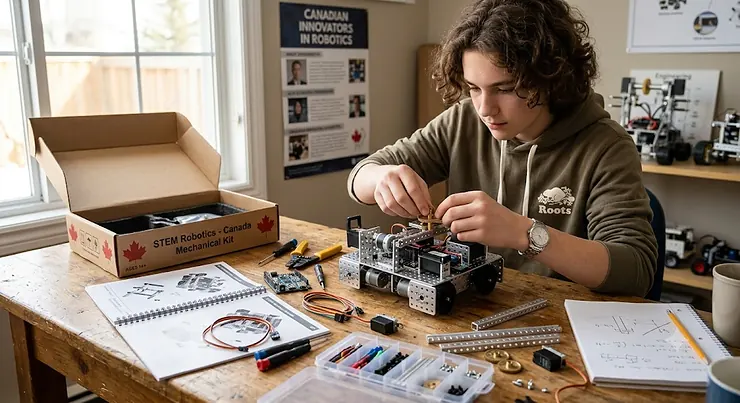
Picture a February evening somewhere between Halifax and Victoria. It’s dark by five, the snow is doing its thing, and a 14-year-old has put the phone down because a plastic finger just curled on command. That small moment is what a good kit sells.
It also has real professional roots. The Government of Canada’s occupational profile for mechanical engineers describes people who design machinery and systems for power generation, manufacturing and transportation, then evaluate, install and maintain them. Much of that job description already shows up in a weekend build.
This guide compares seven real kits sold on amazon.ca: two hydraulic hands, a pneumatic glove, a 22-model workshop, two 3D pens and a programmable robot car. One caveat up front. I haven’t built these kits myself. Everything below comes from manufacturer specifications, listing details and published reviews, and I flag it whenever I couldn’t verify something. Along the way we’ll dig into hydraulic kit engineering, pneumatic engineering, 3D printing pen Canada buying rules, mechanical systems, industrial design and applied engineering.
Quick Comparison: Mechanical Engineering Kits Teens Can Order in Canada
| Kit | Power system | Skill level | Best For |
|---|---|---|---|
| CIC Kits Hydraulic Cyborg Hand | Water hydraulics | Beginner | First hydraulic build on a tight budget |
| Thames & Kosmos Mega Cyborg Hand | Water hydraulics | Intermediate | A multi-evening project with a working payoff |
| Thames & Kosmos Ultra Bionic Blaster | Compressed air | Intermediate | Teens who want pneumatics with a payoff |
| Thames & Kosmos Big Engineering Makerspace | Gears, water, air | Beginner to intermediate | Long-term, multi-topic learning |
| SCRIB3D P1 | Heated PLA/ABS extrusion | Beginner | Prototyping and design mock-ups |
| MYNT3D Professional | Heated extrusion, stepless speed | Beginner to intermediate | Detail work and mixed filaments |
| ELEGOO UNO R3 Smart Robot Car Kit V4 | Electronics and Arduino code | Intermediate | Teens who want to code what they build |
The table shows a spread rather than seven rivals. The CIC Kits Hydraulic Cyborg Hand and the Thames & Kosmos Mega Cyborg Hand are the closest pair, and the difference is build depth. The two pens are tools rather than kits, so they pair well with the others instead of replacing them. If you can only buy one thing, the Thames & Kosmos Big Engineering Makerspace covers the most ground, while the ELEGOO UNO R3 Smart Robot Car Kit V4 suits teens who already lean toward code.
💬 Just one click — help others make better buying decisions too!😊
Top 7 Mechanical Engineering Kits Teens Can Buy in Canada: Expert Analysis
1. CIC Kits Hydraulic Cyborg Hand — battery-free water power on a budget
Push a piston, and a finger obeys. That simplicity is the appeal of the CIC Kits Hydraulic Cyborg Hand. The listing describes a 203-piece kit that runs on water alone, with no batteries and no motors, and works for left- or right-handed wearers. The manual is bilingual (English and French), which is handy for French-immersion households.
Those 203 pieces mean a genuine build rather than a snap-together toy. The water-filled pistons also demonstrate hydraulics directly: fluid can’t be squeezed, so pressure at one piston must move another. Based on the spec sheet, this is the lowest-risk entry into hydraulic kit engineering. It’s cheap enough that a botched first attempt doesn’t sting, yet a 13-year-old will still learn why one stubborn air bubble ruins the response.
I couldn’t verify a deep body of written reviews for this listing, so I won’t characterize sentiment. Check the current review section for fit and leak reports before ordering.
Pros:
- ✅ Battery-free, water-powered operation
- ✅ Bilingual English and French manual
- ✅ Low cost for a full hydraulic build
Cons:
- ❌ May feel simple for a 16-year-old
- ❌ Single-model kit with limited open-ended design room
Expect roughly C$25-C$40 at the time of research; check current price. Verdict: strong value as a starter.
2. Thames & Kosmos Mega Cyborg Hand — award-winning hydraulics that feels like a real project
The Thames & Kosmos Mega Cyborg Hand is the “grown-up” version of the same idea. It won the Toy Association’s 2021 STEAM Toy of the Year award and swaps quick gratification for a project you return to across several evenings.
You get 200-plus plastic pieces and piston tubes that you fill with water. The finished hand slips on like a glove, with adjustable joints and three configurations (right, left or claw). The maker recommends ages 7 and up with help, and 10 and up for independent builders. One published review estimates four to six hours of assembly across multiple sessions, and it flags the tubing connections as the step that needs precision.
For a teenager, that slog is a feature. Careful tubing work teaches quality control, and a leak forces real diagnosis. Reviewers also praise the comic-style manual for making the science approachable, while the maker’s own store has shown it sold out at times, so plan ahead.
Pros:
- ✅ Multi-evening build with a genuine engineering payoff
- ✅ Adjustable for different hand sizes
- ✅ Manual connects the kit to industrial hydraulics and pneumatics
Cons:
- ❌ Tubing steps demand patience and dry hands
- ❌ Stock can be patchy
Budget roughly C$55-C$80; check current price. Verdict: the best hydraulic pick for teens who like a challenge.
3. Thames & Kosmos Ultra Bionic Blaster — air-powered glove for pneumatic engineering
Compressed air, a scissor arm and a foam dart launcher: the Thames & Kosmos Ultra Bionic Blaster is pneumatic engineering with a trigger. Per the listing, you build a wearable 28 cm (11 inch) glove from 139 pieces. It runs on air pressure alone, with no motors or batteries, and it launches foam darts. The 20-page manual includes QR codes to assembly and troubleshooting videos, and the kit is rated 10+ with help or 12+ for independent play.
Why does that matter? Air compresses and water doesn’t, so this kit feels springier and more forgiving than a hydraulic hand. Build both and your teen can feel the difference between the two systems. Teens who lose interest in “just build it” projects often stay engaged when the finished object does something.
I could confirm this listing on Amazon’s US store but not a live amazon.ca page during research, so verify Canadian availability. I also couldn’t verify detailed review sentiment.
Pros:
- ✅ Clear pneumatic principles in a wearable format
- ✅ Video-linked manual for troubleshooting
- ✅ High replay value after the build
Cons:
- ❌ Canadian availability needs checking
- ❌ Foam darts call for house rules about aim
Expect roughly C$45-C$75; check current price. Verdict: great value if you can find it in stock.
4. Thames & Kosmos Big Engineering Makerspace — 22 models in one box
Breadth is the selling point of the Thames & Kosmos Big Engineering Makerspace. It packs 258 pieces, including gears, pulley wheels of different sizes, air-and-water tanks and a pneumatic piston, into five chapters and 22 models. Those include a hydraulic arm, scissor lift, forklift, submarine, jet boat, dragster and tower crane. A retailer listing cites a 128-page manual, and the parts are compatible with other Thames & Kosmos construction kits. Replacement parts are available through the company, per the amazon.ca listing.
Here’s the honest take: this is the best mechanical systems classroom in the lineup. The same parts become a lift, a brake and a suspension, so your teen sees that a handful of mechanisms recur everywhere. At age 8-plus, early chapters will feel easy to a 15-year-old, but the later ones add depth, and the expandability keeps it useful.
I didn’t verify detailed reviews here. The listing notes it was a Toy of the Year Award finalist.
Pros:
- ✅ Covers gears, hydraulics, pneumatics and statics
- ✅ Expandable with other kits from the same maker
- ✅ Replacement parts available
Cons:
- ❌ Early chapters may feel young to older teens
- ❌ Plastic parts limit heavy-load experiments
Expect roughly C$90-C$140; check current price. Verdict: the smartest long-term buy.
5. SCRIB3D P1 — beginner pen with temperature control
The standout feature of the SCRIB3D P1 is its temperature control. It handles PLA (160-210°C) or ABS (210-235°C), and a display shows what the pen is doing. The amazon.ca listing lists three starter PLA colours, a stencil book with project guide, and a power adapter.
That display teaches something unexpected. Melt temperature is a real manufacturing variable, and watching a teen learn why a colder PLA setting behaves differently from ABS is engineering education by stealth. Use it for brackets, grips and rough prototypes rather than precision parts, because freehand extrusion won’t hold tight tolerances.
I couldn’t verify detailed review sentiment for this listing. Shoppers should read recent reviews on nozzle clogs and filament feed.
Pros:
- ✅ Adjustable temperature for PLA or ABS
- ✅ Starter kit includes stencils and a project guide
- ✅ Display makes settings visible
Cons:
- ❌ Freehand work isn’t dimensionally precise
- ❌ Hot nozzle needs supervision for younger teens
Expect roughly C$35-C$60; check current price. Verdict: a good, low-cost entry to 3D printing pen Canada shopping.
6. MYNT3D Professional — stepless speed for finer detail
Fine control is the differentiator for the MYNT3D Professional. The listing describes an OLED display, an ergonomic stylus, three ABS colours and a 100-240 V adapter drawing 10 watts. It accepts 1.75 mm filament that melts between roughly 140°C and 230°C. Its stepless speed slider lets you crawl through intricate details and speed up for larger fills.
In practice, that speed control matters more than it sounds: extrusion rate versus hand speed decides whether a line is clean or a blob. Wide filament compatibility also lowers running costs, since you’re not locked into a proprietary refill. One caution: starter ABS calls for good ventilation, so open a window or use a fan.
Detailed review sentiment wasn’t verifiable in my research, so read current buyer feedback on nozzle durability.
Pros:
- ✅ Works with many 1.75 mm filaments
- ✅ OLED shows temperature
- ✅ Stepless speed control
Cons:
- ❌ ABS starter colours need ventilation
- ❌ Costs more than entry pens
Expect roughly C$40-C$75; check current price. Verdict: better for teens who’ll push the tool.
7. ELEGOO UNO R3 Smart Robot Car Kit V4 — coding meets chassis mechanics
The ELEGOO UNO R3 Smart Robot Car Kit V4 is where mechanics meets code. The Canadian listing describes 24 modules, including ultrasonic obstacle avoidance, line tracking, IR remote, Wi-Fi app control and a camera, plus a nod to Grades 7-12 (a marketing claim, so treat it as such). The kit includes an ESP32-based camera module, a 2000 mAh rechargeable lithium-ion battery, and keyed connectors that reduce wiring mistakes. Maker guidance points to ages 12 and up.
What does that mean in practice? Your teen learns sensors, motors and the code that ties them together, so it’s a mechatronics kit rather than a purely mechanical one. One detailed reviewer noted the default motor speed can feel twitchy, that library installation needs care, and that support was responsive. Budget an afternoon of debugging.
Pros:
- ✅ Teaches Arduino coding with real hardware
- ✅ Keyed connectors reduce wiring errors
- ✅ Rechargeable battery included
Cons:
- ❌ Software setup can frustrate beginners
- ❌ More electronics than pure mechanics
Expect roughly C$90-C$130; check current price. Verdict: excellent for coders, weaker as a pure mechanical pick.
Top 7 at a Glance
| Kit | Key spec | Price range | Age guidance (maker/listing) | Best For |
|---|---|---|---|---|
| CIC Kits Hydraulic Cyborg Hand | 203 pieces, water-powered | C$25-C$40 | Kids and teens | Budget hydraulics |
| Thames & Kosmos Mega Cyborg Hand | 200+ pieces, adjustable joints | C$55-C$80 | 7+ (10+ independent) | Deeper hydraulic builds |
| Thames & Kosmos Ultra Bionic Blaster | 139 pieces, pneumatic glove | C$45-C$75 | 10+ (12+ independent) | Pneumatic play |
| Thames & Kosmos Big Engineering Makerspace | 258 pieces, 22 models | C$90-C$140 | 8+ | Broad mechanical systems |
| SCRIB3D P1 | PLA 160-210°C, ABS 210-235°C | C$35-C$60 | Not specified | Beginners |
| MYNT3D Professional | 140-230°C, stepless speed | C$40-C$75 | Not specified | Detail work |
| ELEGOO UNO R3 Smart Robot Car Kit V4 | 24 modules, ESP32 camera | C$90-C$130 | 12+ | Coding fans |
I’ve skipped star ratings on purpose, since they shift constantly. Price ranges are approximate and current at the time of research. The real split in this table is between kits that teach one concept deeply (both cyborg hands, the blaster) and those that teach many (the Thames & Kosmos Big Engineering Makerspace). For most households, one deep kit plus one tool, such as the SCRIB3D P1, beats three similar kits.
✨ Ready to Build Something That Actually Moves?
🔍 Pick the kit that matches your teen’s curiosity, then click any highlighted product name to check current pricing and availability. A few evenings from now, the dining table becomes a workshop and the phone stays face-down.
How to Choose Mechanical Engineering Kits Teens Will Finish
Buying the wrong kit is the number one reason boxes end up in closets. Use these seven checks.
- Match the system to the curiosity. A teen who loves games may prefer the ELEGOO UNO R3 Smart Robot Car Kit V4; a hands-on tinkerer may prefer hydraulics.
- Read the real age band. “8+” kits like the Thames & Kosmos Big Engineering Makerspace suit teens best when you treat them as a launch pad.
- Count build hours, not pieces. Piece counts flatter; hours of engagement matter.
- Check expandability. Kits that connect to other sets extend the value.
- Confirm heat and safety details. For any 3D printing pen Canada purchase, note operating temperatures and look for recognized certification marks.
- Check manual language and support. A bilingual manual helps in many Canadian homes.
- Budget for consumables. Filament, batteries and spare parts add up.
Hydraulic Kit Engineering: What a Water-Filled Piston Really Teaches
Hydraulic kit engineering is the friendliest doorway into fluid power. Push one piston and the pressure travels through the fluid to another piston, moving a finger. Because liquids barely compress, the response is direct and precise.
Here’s the analysis teens rarely get from a box: piston size matters. A larger-area output piston trades distance for force, which is exactly how a real excavator arm multiplies a small pump’s effort. The CIC Kits Hydraulic Cyborg Hand and the Thames & Kosmos Mega Cyborg Hand both let a teen feel that trade-off in their own fingers.
Practical tips: build over a towel, seat every tube connection fully, and bleed air bubbles patiently. If a finger feels spongy, suspect trapped air or a loose fitting before blaming the kit. Treat each fix as a diagnostic exercise, and hydraulic kit engineering turns into troubleshooting practice as well as a build project.
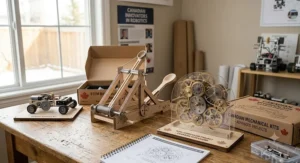
Pneumatic Engineering: Why Compressed Air Feels So Different
If hydraulics is crisp, pneumatic engineering is springy. Air compresses, so systems store energy like a squeezed balloon, which gives a slight delay and a bouncy feel. Factories still choose air for many fast, light-duty actions because it’s clean and simple.
Two kits in our lineup put that idea in your hands. The Thames & Kosmos Ultra Bionic Blaster turns air pressure into a dart launch, while the Thames & Kosmos Big Engineering Makerspace includes a pneumatic piston for experiments. A great teen challenge is to build the hydraulic hand and the pneumatic glove, then compare how each responds. Ask: which feels more precise, and which feels more forgiving?
Set house rules for foam darts (no faces, eye protection during tests), and keep pneumatic engineering experiments to the low pressures the kit was designed for. Never pump anything beyond the manual’s guidance.
3D Printing Pen Canada: Where a Pen Fits in a Teen Engineering Stack
A pen doesn’t replace a printer, and it won’t replace a kit. What it does is close the gap between sketch and object. The technology was popularized by 3Doodler, and Wikipedia notes rivals such as MYNT3D, TecBoss and Scribbler, so the category is crowded and worth shopping carefully.
For a 3D printing pen Canada shopper, three practical checks matter:
- Filament compatibility. Some 1.75 mm PLA refills advertise compatibility with SCRIB3D P1 and MYNT3D Professional, while notes on several listings say they do not fit 3Doodler’s Start+ pen.
- Temperature and safety. Nozzles run at roughly 140-235°C, hot enough to burn. Look for CSA or cUL marks on powered products, and ventilate when using ABS.
- Voltage. Canadian 120 V outlets suit standard adapters; check the label.
In practice, pair a pen with a kit: print a custom grip for the hydraulic hand, sketch a bumper for the ELEGOO UNO R3 Smart Robot Car Kit V4, or mock up a bracket before committing to a final design.
Mechanical Systems Teens Learn to See: Features That Actually Matter
Mechanical systems are everywhere once you know how to look: gears in a bike, linkages in a car door, pulleys in a gym. A good kit teaches recognition, not memorization.
Features that matter: expandable parts, a manual that explains why (not just how), and models that build on one another. The Thames & Kosmos Big Engineering Makerspace wins here because a scissor lift, a forklift and a hydraulic arm reuse similar mechanisms. Features that don’t matter: inflated piece counts, glowing LEDs and “STEM” badges on the box.
A simple test for mechanical systems learning: after the build, ask your teen to explain what happens between input and output. Where does the force go? What’s lost as friction? If they can sketch it, the kit worked. Note that the ELEGOO UNO R3 Smart Robot Car Kit V4 adds an electronic layer to the same questions, since motors, sensors and code join the mechanical system.
From Sketch to Prototype: An Industrial Design Workflow
Industrial design is engineering’s creative cousin: it asks how a product should look, feel and function for a human. Teens can practise it at the kitchen table.
- Define a problem. “My hydraulic hand slips off my wrist” is a design brief.
- Sketch three ideas. Fast, ugly and numerous beats one careful drawing.
- Mock up in low-fidelity. Use cardboard or a pen such as the SCRIB3D P1.
- Attach and test. Fit the mock-up to the Thames & Kosmos Mega Cyborg Hand or the CIC Kits Hydraulic Cyborg Hand.
- Iterate. Change one variable, retest, and record what happened.
The hidden lesson is that industrial design rewards restraint. Teens learn that a simpler bracket often outperforms a fancy one. Pair this workflow with the MYNT3D Professional when you want cleaner detail work, and you’ve turned a hobby purchase into a real design process.
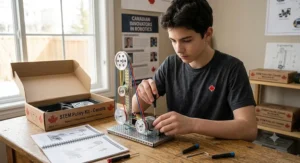
Applied Engineering: From Kit Table to Career Path
Applied engineering means using science to solve practical problems, and it’s the bridge between a kit and a career. In Canada, Engineers Canada is the national organization for the 12 provincial and territorial associations that regulate engineering practice. The federal occupational profile states that practising as a Professional Engineer requires provincial or territorial licensing, following an accredited degree and supervised work experience.
So where do kits fit? They don’t replace a degree, but they build the habits that university programs reward: documenting work, iterating and explaining trade-offs. A teen who keeps a build log for the Thames & Kosmos Big Engineering Makerspace or the ELEGOO UNO R3 Smart Robot Car Kit V4 has portfolio material and interview stories. Whether it helps an application depends on each program, so check individual requirements.
Kits do reveal preferences, though. If your teen loves the fluid mechanics of the Thames & Kosmos Mega Cyborg Hand, that’s a clue. If they gravitate to sensors, that’s another. Applied engineering is broad, and early experimentation helps teens choose a direction.
Your First 30 Days: Setup, Workspace and Maintenance Guide
Week 1: set up the workspace. Pick a table you can leave undisturbed, add good lighting, and lay down a towel for water-based builds. Sort parts into labelled containers, and photograph each step so a dropped piece doesn’t wreck a session.
Week 2: build in short sessions. Aim for 45-90 minute blocks. Fatigue causes leaks and wiring errors, especially with the Thames & Kosmos Mega Cyborg Hand and the ELEGOO UNO R3 Smart Robot Car Kit V4.
Week 3: test and troubleshoot. Keep notes on changes. For 3D pens, cool the nozzle before storage and never leave a hot pen unattended.
Week 4: maintain. Drain and dry hydraulic kits such as the CIC Kits Hydraulic Cyborg Hand after use, recharge batteries, and check for updated software libraries.
Common first-month mistakes: rushing tubing connections, skipping the manual, mixing incompatible filament, and forgetting ventilation with ABS.
Real-World Scenarios: Three Canadian Teens, Three Budgets
These are illustrative profiles, not real customers.
Maya, 13, Halifax, budget around C$50. She wants something finished this month. The CIC Kits Hydraulic Cyborg Hand fits the price; if she wants more challenge, stretch to the Thames & Kosmos Mega Cyborg Hand.
Jordan, 15, Calgary, budget around C$130, likes coding. The ELEGOO UNO R3 Smart Robot Car Kit V4 is the obvious pick. He’ll learn Arduino while debugging a real machine, though he should expect a rough software setup.
Priya, 16, Toronto, budget C$150-C$200 over a few months, considering an engineering degree. Start with the Thames & Kosmos Big Engineering Makerspace for breadth, then add the MYNT3D Professional for prototyping. She keeps a build journal for her portfolio.
Notice the pattern: budget and motivation, not age alone, decide the right match. Frequency matters too. A weekly builder can justify a bigger kit, while an occasional hobbyist is better served by a compact one.
Mechanical Engineering Kits Teens vs Traditional Alternatives
| Approach | Hands-on depth | Cost | Best For |
|---|---|---|---|
| Guided kits | High | Low to medium | Thames & Kosmos Mega Cyborg Hand builders |
| Open-ended building sets | High, less structure | Medium to high | Self-directed teens using the Thames & Kosmos Big Engineering Makerspace |
| Screen-only CAD or simulation | Medium, no physical feedback | Low | Teens exploring design before buying a SCRIB3D P1 |
| Textbook-only study | Low | Low | Exam prep, not building skills |
Mechanical engineering kits teens build are not a replacement for school; they complement it. A kit adds tactile feedback that screens can’t, such as friction, leaks and fit. Screens win on cost and undo buttons, so the best approach mixes both: prototype in software, then build.
Price Range and Value Analysis
| Tier | Kit | What you pay for |
|---|---|---|
| Budget (under C$60) | CIC Kits Hydraulic Cyborg Hand, SCRIB3D P1 | Single-concept learning or a first tool |
| Mid (C$60-C$100) | Thames & Kosmos Mega Cyborg Hand, Thames & Kosmos Ultra Bionic Blaster, MYNT3D Professional | Deeper builds and flexible tools |
| Premium (C$90+) | Thames & Kosmos Big Engineering Makerspace, ELEGOO UNO R3 Smart Robot Car Kit V4 | Breadth or coding depth |
Value depends on hours of engagement. A kit that keeps a teen busy for several evenings and gets rebuilt later costs less per hour than a cheaper set abandoned after one. Watch total ownership costs, too: filament refills for the pens, batteries and spare parts add up. The Thames & Kosmos Big Engineering Makerspace earns its premium through reuse, since the parts become new models.
Safety, Regulations and Compliance in Canada
Health Canada’s toy safety guidance explains that toys sold in Canada are regulated for safety, with particular attention to small parts and magnets. There is a wrinkle for older teens: the Toys Regulations define a toy as a product intended for children under 14, so many teen-oriented kits fall partly outside that definition. The general Canada Consumer Product Safety Act ban on dangerous consumer products still applies to what’s sold in Canada.
What should families do? Read the maker’s age guidance, supervise heated tools, and use safety glasses for anything that launches or snaps. For powered items, look for CSA or cUL certification marks. If a listing claims a certification, verify it on the product or packaging.
And a reminder about small parts: if younger siblings share the house, store loose pieces securely, since kits like the Thames & Kosmos Big Engineering Makerspace contain hundreds of them.
FAQ
❓ Which mechanical engineering kits teens finish most often?
❓ Is a 3D printing pen Canada teens can use safe at 14?
❓ Do I need tools for hydraulic kit engineering builds?
❓ Is pneumatic engineering too advanced for a 13-year-old?
❓ Can applied engineering projects support a university application?
Conclusion
The best mechanical engineering kits teens will actually use share one trait: they turn curiosity into something that works. For a low-risk start, choose the CIC Kits Hydraulic Cyborg Hand. For a deeper, multi-evening challenge, pick the Thames & Kosmos Mega Cyborg Hand. If pneumatic engineering intrigues your teen, the Thames & Kosmos Ultra Bionic Blaster delivers, provided you can confirm Canadian stock.
For breadth across mechanical systems, the Thames & Kosmos Big Engineering Makerspace is the long-term winner. Teens who want to code should look at the ELEGOO UNO R3 Smart Robot Car Kit V4, and future designers will get plenty out of the SCRIB3D P1 or MYNT3D Professional for prototyping. Combine the pen with any kit and you’ve got a simple industrial design and applied engineering studio.
Whatever you choose, prioritize your teen’s interests over the box’s promises. One kit that gets rebuilt beats five that get finished once.
✨ Ready to get building?
🔧 Click any highlighted product name to check current pricing and availability, and give your teen a project worth putting the phone down for. The next great engineer might be sitting at your kitchen table right now! 🚀
Recommended for You
- Streaming Equipment Teens: 7 Best Smart Picks For 2026
- 7 Best Gaming Keyboard Mechanical Picks For 2026 (Ranked; Worth It)
- 7 Best Podcast Microphone Kits In Canada For 2026
Disclaimer: This article contains affiliate links. As an Amazon Associate, I earn from qualifying purchases. If you purchase products through these links, we may earn a small commission at no additional cost to you.
✨ Found this helpful? Share it with your friends! 💬🤗
