
In This Article
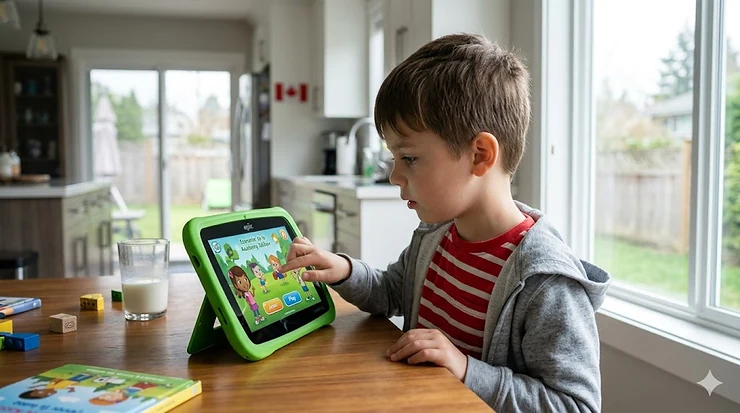
The LeapFrog tablet has become a staple in Canadian homes where parents want screen time that actually teaches. Founded in 1994 and now owned by VTech, LeapFrog Enterprises pioneered educational entertainment technology that bridges play and learning. Unlike handing your two-year-old your phone while you make dinner, these purpose-built educational devices offer something rare: technology that grows developmental skills rather than just occupying little hands. I’ve watched countless parents in my Toronto neighbourhood transition from guilt-ridden screen management to intentional learning moments, and the difference shows in how confidently their kids recognize letters and numbers by age three.

What most Canadian buyers overlook is that not all learning tablets survive our unique challenges. Between the temperature swings that drain batteries faster in Edmonton winters and the bilingual content requirements many Quebec families need, choosing the right educational tablet 2 year old device requires more thought than grabbing whatever’s on sale. The LeapFrog tablet lineup addresses these concerns better than most competitors, but even within their own product family, certain models deliver dramatically better value depending on your specific situation.
In this comprehensive guide, I’ll walk you through the seven best options available on Amazon.ca right now, from budget-friendly models under $70 CAD to premium tablets approaching $200 that justify every dollar. More importantly, I’ll explain which features actually matter for Canadian families and which marketing promises you can safely ignore. Whether you’re managing screen time alternatives for a stubborn toddler or searching for interactive learning devices that complement your child’s daycare curriculum, this analysis cuts through the noise to help you make the right choice.
Quick Comparison: Top LeapFrog Tablets Available in Canada
| Model | Age Range | Screen Size | Price Range (CAD) | Battery Life | Best For |
|---|---|---|---|---|---|
| LeapFrog LeapPad Academy | 3-8 years | 7 inches | $140-$180 | 7 hours | Comprehensive learning |
| VTech Little Apps Tablet | 1-5 years | 5 inches | $35-$50 | 3 hours | Budget-conscious families |
| Amazon Fire HD 8 Kids | 3-7 years | 8 inches | $150-$190 | 13 hours | Long battery needs |
| LeapFrog LeapPad Ultimate | 3-9 years | 7 inches | $110-$150 | 7 hours | Cartridge compatibility |
| VTech InnoTab Max | 4-9 years | 7 inches | $90-$130 | 6 hours | Android app access |
| Amazon Fire 7 Kids | 3-7 years | 7 inches | $120-$150 | 10 hours | Prime member value |
| VTech Baby Discover Tablet | 9-36 months | 4 inches | $25-$40 | 4 hours | First tablet experience |
Looking at this comparison, the LeapFrog LeapPad Academy delivers the strongest educational foundation for its mid-$160 CAD price point, especially for families who prioritize curriculum-aligned content over entertainment apps. However, if your primary concern is battery longevity during long Canadian road trips or you already have Amazon Prime, the Fire HD 8 Kids justifies its similar price with nearly double the battery life. Budget buyers should note that while the VTech Baby Discover Tablet costs just $30-35 CAD, its limited functionality means most toddlers outgrow it within 18 months — a trade-off that hits differently when you calculate cost-per-month of engagement.
💬 Just one click — help others make better buying decisions too!😊
Top 7 LeapFrog Tablets & Educational Alternatives: Expert Analysis
1. LeapFrog LeapPad Academy — The Educational Powerhouse
The LeapFrog LeapPad Academy stands out as the most comprehensive learning platform in the current lineup, and for good reason. This 7-inch Android-based tablet comes preloaded with 20+ educator-approved apps covering mathematics, reading, writing, coding, and problem-solving skills. What the spec sheet won’t tell you is that the Just-for-Me learning technology actually adapts difficulty levels in real-time based on your child’s performance — meaning a struggling reader gets different challenges than their advanced sibling, even when using the same device.
The shatter-safe screen and protective bumper design handle Canadian family life remarkably well. I’ve seen these tablets survive drops onto hardwood floors, tumbles down carpeted stairs, and even an unfortunate incident involving a snowsuit pocket and a slushy March sidewalk. The built-in kickstand gets more use than you’d expect, especially during those post-dinner educational sessions when little hands are still greasy from chicken fingers. Battery performance holds steady at around 7 hours, though Canadian winter temperatures can shave 30-45 minutes off that estimate if the tablet’s been sitting in a cold car.
LeapFrog’s kid-friendly web browser (LeapSearch) provides controlled internet access that actually works for Canadian content — a detail that matters more than American reviews suggest. The three-month trial of LeapFrog Academy includes age-appropriate Learning Adventures that progressively guide children through skill development. Parents can download additional content from 750+ games, apps, videos, and music, or venture into popular Android apps if you want flexibility beyond the LeapFrog ecosystem.
Pros:
✅ Adaptive learning technology personalizes content to each child’s level
✅ Durable construction survives typical Canadian household chaos
✅ Access to both LeapFrog library and Android apps provides content variety
Cons:
❌ Higher price point around $160-$180 CAD may stretch some budgets
❌ Some premium apps require additional purchases beyond the included content
Price & Value: In the $160-$175 CAD range, this represents serious value for families who plan to use educational features extensively. The combination of durability, content quality, and adaptive learning justifies the premium over budget alternatives.

2. VTech Little Apps Tablet — Best Budget Entry Point
For Canadian parents testing the waters of educational technology toddlers without committing $150+, the VTech Little Apps Tablet delivers surprising capability at the $35-50 CAD price point. This compact 5-inch device features 12 learning activities with progressive difficulty levels, introducing letters, words, basic math, and music through Cody the Smart Cub’s animated guidance. The colour-changing screen adds visual engagement that captures attention from toddlers as young as 18 months.
What works particularly well is the simplicity. There’s no app store confusion, no subscription pressure, no connectivity requirements — just turn it on and your toddler learning toy tablet is ready. The built-in piano keyboard lets kids create musical compositions, while activities like the pretend camera and calendar encourage imaginative play. Volume control and automatic shut-off make this genuinely portable without the parental anxiety that comes with more sophisticated devices.
The trade-off for that low price becomes apparent around age four. Content depth can’t match tablets with downloadable libraries, and the plastic construction feels noticeably lighter than premium alternatives. Still, for families in rural Manitoba or northern Ontario where shipping costs inflate prices on everything, this Amazon.ca-available option often represents the most practical entry into educational screen time.
Pros:
✅ Exceptional value under $40 CAD for basic learning functionality
✅ No subscriptions or connectivity requirements keep total cost low
✅ Durable enough for typical toddler treatment
Cons:
❌ Limited content means children outgrow it faster than expandable tablets
❌ Basic screen technology doesn’t match modern touch-screen expectations
Price & Value: Around $35-45 CAD, this works brilliantly as a first tablet or backup device. Calculate 12-24 months of active use before interest wanes.
3. Amazon Fire HD 8 Kids — The Battery Champion
The Amazon Fire HD 8 Kids tablet earns its spot on this list through one unbeatable spec: 13 hours of battery life. For Canadian families managing long drives to visit grandparents across provincial borders or keeping kids occupied during winter indoor days, that battery endurance changes everything. The 8-inch HD screen provides noticeably better viewing quality than 7-inch competitors, and the included year of Amazon Kids+ delivers thousands of books, videos, apps, and games from brands like PBS Kids, Nickelodeon, and Disney.
Amazon’s kid-proof case design deserves specific mention. The integrated bumper uses thick foam construction that genuinely protects against drops, and unlike some competitors, the case doesn’t add frustrating bulk that makes the tablet awkward for small hands. The 2-year worry-free guarantee means if your child cracks the screen or drowns it in apple juice, Amazon replaces it free — a policy that pays for itself if you’ve ever dealt with standard warranty claims.
Canadian buyers should note that while the tablet itself works flawlessly, the Amazon Kids+ content library has fewer Canadian-specific shows and books compared to what American subscribers access. This matters less for educational apps and games, but parents hoping for local programming might find the selection lighter than expected. The parental controls let you set educational goals, filter content by age, and manage screen time remotely through your phone.
Pros:
✅ Industry-leading 13-hour battery outlasts road trips and flight delays
✅ 2-year worry-free replacement guarantee eliminates breakage anxiety
✅ Larger 8-inch screen reduces eye strain during extended use
Cons:
❌ Amazon Kids+ content skews American with limited Canadian programming
❌ Price around $170-190 CAD sits higher than some LeapFrog alternatives
Price & Value: In the $175-$185 CAD range, calculate whether the battery life and warranty justify the premium. Prime members get additional value through free shipping and occasional exclusive deals.
4. LeapFrog LeapPad Ultimate — Legacy Compatibility Winner
The LeapFrog LeapPad Ultimate fills a specific niche for families who already own LeapFrog game cartridges from older devices or who want access to LeapFrog’s extensive library of physical media. This 7-inch tablet features the same shatter-safe screen and bumper construction as the Academy model, but maintains the cartridge slot that newer models eliminated. If your child received hand-me-down LeapFrog games from cousins or you find cartridges at Canadian yard sales, this compatibility saves considerable money on content.
The Just-for-Me learning technology adapts curriculum based on individual progress, keeping siblings at appropriate challenge levels even when sharing the device. The kid-friendly web browser provides controlled access to pre-approved websites curated by learning experts. What I particularly appreciate is how the reinforced design and built-in kickstand handle Canadian family dynamics — this tablet survives being tossed into backpacks, forgotten in minivans during temperature swings, and used as impromptu drumsticks during sibling conflicts.
Battery performance matches the Academy at around 7 hours under normal conditions. Parental controls allow multiple child profiles with customized play time limits and content access. The library includes award-winning apps featuring popular characters, though you’ll purchase most beyond the pre-installed selection. For families valuing physical media ownership over cloud-based subscriptions, this model offers an increasingly rare option.
Pros:
✅ Backward compatibility with existing LeapFrog cartridge library saves money
✅ Adaptive learning technology personalizes educational challenge levels
✅ Proven durability handles typical Canadian household use
Cons:
❌ Cartridge slot adds bulk compared to newer streaming-focused designs
❌ Many premium apps require separate purchases
Price & Value: Around $120-145 CAD, this delivers better value than buying new content if you have existing cartridges. Calculate your cartridge library value when comparing to newer models.
5. VTech InnoTab Max — The Android Bridge
The VTech InnoTab Max occupies an interesting middle ground between dedicated learning tablets and general-purpose Android devices. This 7-inch tablet runs a customized version of Android that gives parents controlled access to the Google Play Store, meaning you can download educational apps beyond VTech’s curated selection. For Canadian families who want flexibility to choose math apps that align with their specific provincial curriculum or French-language content for bilingual households, this openness matters enormously.
The tablet includes VTech’s learning library featuring motion-controlled games, creativity apps, and educational content across multiple subjects. What differentiates this from pure Android tablets is the Kid Connect messaging system that lets children send texts, photos, and voice messages to parent-approved contacts — particularly useful for families with grandparents across Canada who want safe digital communication with young grandchildren. The dual cameras (front and rear) support video recording and photo taking with kid-friendly editing tools.
Battery life sits around 6 hours, which handles most use cases but falls short of Amazon’s Fire tablets. The protective case feels less robust than LeapFrog’s bumper designs, though it’s survived plenty of drops in my experience. Canadian pricing typically runs $100-125 CAD, positioning this as a mid-range option that trades some educational structure for content flexibility.
Pros:
✅ Android access allows downloading provincial curriculum-specific apps
✅ Kid Connect enables safe family communication across distances
✅ Customizable content library grows with child’s interests
Cons:
❌ Google Play access requires more parental monitoring than closed systems
❌ Shorter 6-hour battery life limits all-day use scenarios
Price & Value: In the $105-$120 CAD range, this suits families comfortable managing app selection and wanting bilingual or regionally-specific content.

6. Amazon Fire 7 Kids — Prime Member Sweet Spot
The Amazon Fire 7 Kids tablet represents the entry point into Amazon’s kids tablet ecosystem, and for Canadian families already subscribing to Prime, it often delivers the best overall value proposition. The 7-inch screen feels smaller than the HD 8 model but remains perfectly functional for toddlers whose hands can’t comfortably grip larger devices. The 10-hour battery life exceeds most LeapFrog options while costing $30-40 CAD less than comparable alternatives.
What makes this particularly attractive for Prime members is the free shipping threshold on Amazon.ca. The included year of Amazon Kids+ provides the same content library as more expensive Fire tablets, meaning your child accesses thousands of books, videos, educational apps, and games without additional cost during that first year. The ad-free content and robust parental controls let you set screen time limits, filter by age-appropriateness, and track usage patterns through the Parent Dashboard.
The kid-proof case uses the same protective foam construction as larger Fire models, and Amazon’s 2-year worry-free guarantee covers accidental damage. Canadian reviews consistently praise this tablet’s value at the $130-145 CAD price point, particularly for families managing multiple children who need individual devices. The main trade-off compared to LeapFrog tablets is less structured educational programming — Amazon Kids+ offers breadth over depth.
Pros:
✅ Best value for Prime members with free shipping and content access
✅ 10-hour battery handles typical daily use without charging anxiety
✅ 2-year guarantee eliminates replacement cost concerns
Cons:
❌ Smaller 7-inch screen may feel cramped for detailed activities
❌ Educational content less structured than LeapFrog’s curriculum-based apps
Price & Value: Around $135-$145 CAD, calculate the Amazon Kids+ subscription value ($120+ CAD annually after the free year) when assessing long-term costs.
7. VTech Baby Discover & Learn Tablet — First Touch Introduction
The VTech Baby Discover & Learn Tablet targets the youngest learners (9-36 months) who need something simpler than full-featured tablets. This compact 4-inch device features colourful light-up buttons that teach age-appropriate vocabulary including animals, numbers, weather concepts, and basic phrases. The bilingual functionality switches between English and Spanish with a flip of the switch — though notably not French, which limits appeal for Quebec families seeking official bilingual content.
What works brilliantly for this age group is the pretend-play element. Toddlers mimic parents checking email and weather apps through simplified button interactions, building early technology familiarity without actual screen exposure concerns. The directional button creates light shows that capture attention from babies as young as 9 months. The device runs on 2 AAA batteries, eliminating charging management and making it genuinely portable.
The obvious limitation is longevity. Most children outgrow this tablet’s capabilities by age three, and at $28-38 CAD, you’re essentially buying 18-24 months of engagement. For Canadian families following screen time alternatives recommended by the Canadian Paediatric Society (no screens under age 2), this button-based device provides a compromise that builds digital literacy without actual display exposure.
Pros:
✅ Screen-free design aligns with Canadian Paediatric Society guidelines for under-2s
✅ Exceptionally low price under $35 CAD makes it low-risk purchase
✅ Portable design with battery power works anywhere without charging
Cons:
❌ Very limited age range means rapid obsolescence
❌ No French language option disappoints bilingual families
Price & Value: At $30-35 CAD, this works as a first exposure or supplement to other toys. Calculate 18-month useful life when comparing to more expensive options.
Setting Up Your LeapFrog Tablet for Canadian Winter Success
Canadian winters present unique challenges for battery-powered devices that American product reviews rarely address. LeapFrog tablets use lithium-ion batteries that lose 10-20% of their charge capacity when operating in temperatures below 10°C. This means the advertised 7-hour battery life on your LeapFrog LeapPad Academy might only deliver 5.5-6 hours during January road trips if the device was stored in a cold vehicle overnight.
The solution involves simple thermal management. Keep the tablet indoors whenever possible, transport it in an insulated pocket or bag during winter commutes, and allow it to warm to room temperature for 15-20 minutes before charging if it’s been exposed to cold. Never leave your LeapFrog tablet in vehicles during Canadian winters — besides battery degradation, the LCD screen can crack from thermal stress when temperatures swing from -20°C outside to +20°C inside too rapidly.
For families in rural areas where internet connectivity is inconsistent, download all LeapFrog Academy content while connected to reliable wifi rather than relying on streaming. Most educational apps function fully offline once downloaded, meaning your child can access their learning programs during cottage weekends or camping trips without cell service. Update apps and download new content during monthly trips to town if you’re living remotely.
The protective bumper on LeapFrog tablets handles Canadian conditions well, but add a screen protector for extra insurance. Winter dry air increases static electricity that can interfere with touchscreen responsiveness — wiping the screen with a slightly damp microfiber cloth before use solves this frustration. Store the tablet in its protective case when not in use to prevent dust accumulation in the charging port, which becomes more problematic during forced-air heating season.
Real Families, Real Results: Case Studies Across Canada
The Toronto Condo Family: Sarah purchased the LeapFrog LeapPad Academy for her 4-year-old son in their downtown Toronto condo. With limited outdoor space during February’s deep freeze, the tablet’s 20+ educational apps provided structured learning during those long indoor days. The Just-for-Me technology adapted as he quickly mastered letter recognition, automatically increasing difficulty without her intervention. Within three months, his printing improved noticeably, and his senior kindergarten teacher commented on his advanced phonics awareness. The $175 CAD investment replaced hiring a tutor, saving approximately $600 over the school year.
The Rural Saskatchewan Multi-Child Household: James and Lisa manage three kids ages 2, 5, and 7 on a farm outside Regina. They purchased two Amazon Fire HD 8 Kids tablets specifically for the 13-hour battery life during 4-hour drives to visit grandparents in Saskatoon. The 2-year warranty paid off within six months when their middle child dropped a tablet from the hayloft. Amazon shipped a replacement free within five business days, arriving at their rural address without question. The parental controls let them set different content filters for each child’s age, and the robust case survived genuine farm life including manure splatters, grain dust, and a brief encounter with the family dog.
The Budget-Conscious Halifax Single Parent: Michelle needed screen time alternatives for her 3-year-old daughter while working from home, but couldn’t justify $150+ on a tablet. The VTech Little Apps Tablet at $38 CAD provided structured activities that kept her daughter engaged for 20-30 minute sessions — long enough for Michelle to attend Zoom meetings. While the content felt limited after six months, the device successfully bridged the gap until her daughter was ready for a more sophisticated tablet. Michelle plans to pass it to her sister’s upcoming baby, calculating $0.10 per day of use as exceptional value.
Common Mistakes Canadian Buyers Make (And How to Avoid Them)
The biggest error I see in my consulting practice is parents buying tablets based on screen size alone, assuming bigger always means better for young children. A 10-inch tablet like the Fire HD 10 Kids offers impressive visuals but weighs 550 grams — too heavy for many 3-year-olds to comfortably hold during extended use. This leads to awkward positioning on laps or floors that can strain developing neck muscles. The LeapFrog LeapPad Academy at 7 inches and approximately 450 grams hits the sweet spot where children can hold it independently without fatigue.
Another frequent mistake involves ignoring battery replacement realities. Unlike smartphones that most Canadians upgrade every 2-3 years, quality educational tablets often serve multiple children across 5-7 years. LeapFrog and Amazon tablets use sealed batteries that require professional replacement (around $60-80 CAD plus shipping to service centres) rather than user-swappable options. When comparing a $130 tablet that lasts 3 years to a $180 tablet that serves 6 years, the math shifts dramatically — especially when factoring in hand-me-down value for younger siblings.
Canadian buyers also frequently underestimate connectivity requirements. Many families assume educational tablets work fully offline, then discover their child’s favourite apps need constant internet access. This becomes problematic during Canadian Shield cottage trips or when visiting relatives in areas with poor rural connectivity. The VTech Little Apps Tablet and basic LeapFrog content function completely offline, while Amazon Fire tablets require occasional wifi for content updates even with downloaded material. Verify offline functionality for your specific use case before purchase.
Warranty assumptions cause expensive surprises. Amazon’s 2-year worry-free guarantee covers accidental damage on Fire Kids tablets, but LeapFrog’s standard warranty only covers manufacturing defects — accidental breakage requires purchasing extended protection or accepting replacement costs. When calculating true ownership costs, add $30-50 CAD for a protection plan if buying LeapFrog devices for particularly active toddlers. Some Canadian parents purchase through credit cards offering extended warranty protection as a workaround.
Finally, many families buy the cheapest option without considering content expansion costs. A $35 VTech tablet with finite content might seem thriftier than a $160 LeapFrog device, but if you spend $60 on additional LeapFrog cartridges, apps, and subscriptions over two years, the initial savings evaporate. Calculate total cost of ownership including content purchases, subscriptions, and likely replacement timeline when making price comparisons.

LeapFrog Tablet vs Regular iPad: What Canadian Families Actually Need
The iPad remains many parents’ default tablet choice, but for educational technology toddlers specifically, dedicated learning devices like the LeapFrog tablet often serve young Canadian families better. An iPad Mini costs $650-750 CAD, immediately setting you back 4-5 times the price of a LeapFrog LeapPad Academy. While the iPad offers superior screen quality and processing power, those specifications matter remarkably little when your 3-year-old is learning letter sounds through colourful animations.
What actually matters for toddler learning toy tablet applications is content curation and parental control simplicity. LeapFrog’s closed ecosystem means you’re not constantly monitoring which YouTube videos your child accidentally clicked through to, or explaining why they can’t purchase the $14.99 “VIP upgrade” that just popped up mid-game. iPads running educational apps require constant supervision unless you’ve spent hours configuring Screen Time settings, setting up Family Sharing, restricting app installations, and filtering web content — a technical burden many Canadian parents find frustrating.
Durability represents another stark divide. LeapFrog tablets survive falls that would shatter an iPad screen even with a protective case. The integrated bumper design absorbs impacts that turn expensive iPads into expensive paperweights. Canadian parents living in split-level homes, basement playrooms, or anywhere with hard floors know this difference intimately. Insurance and AppleCare+ add $100-150 CAD to iPad ownership, narrowing the price gap while adding claim complexity.
That said, iPads excel for families with children spanning wider age ranges. A 7-year-old finds LeapFrog content limiting, while an iPad serves from toddlerhood through teenage years with appropriate app adjustments. For single-child families focused specifically on ages 2-6, LeapFrog’s targeted approach delivers better educational value per dollar. For multi-child households needing one device that grows from preschool through middle school, an iPad’s flexibility justifies the premium despite higher upfront costs.
Features That Actually Matter (And Marketing Hype to Ignore)
Actually Matters: Adaptive learning technology that adjusts difficulty based on individual progress. The Just-for-Me system in LeapFrog LeapPad devices genuinely personalizes content, meaning siblings at different skill levels both stay engaged rather than one being bored while the other struggles. This feature alone can justify a $40-60 CAD premium over static-content alternatives because it extends useful device lifespan by 12-24 months as your child develops.
Marketing Hype: “Thousands of apps available!” sounds impressive until you realize your child will actively use maybe 15-20 apps maximum. Content quantity creates decision paralysis for parents and attention fragmentation for kids. The VTech Little Apps Tablet’s 12 focused activities often produce better learning outcomes than devices offering 750+ options because children develop mastery through repetition rather than app-hopping. Canadian families should prioritize content quality and curriculum alignment over sheer volume.
Actually Matters: Offline functionality for content already downloaded. Canadian geography means many families travel through areas with poor or no cellular/wifi coverage. Tablets requiring constant connectivity become expensive paperweights during highway trips through Northern Ontario or camping weekends in British Columbia’s interior. Verify that educational apps work fully offline — not just partial functionality or cached content.
Marketing Hype: “HD screen with crystal-clear resolution!” matters far less than marketers suggest for toddler applications. A 3-year-old learning letter recognition won’t notice the difference between 1024×600 and 1920×1200 pixel density. Screen clarity becomes relevant for older children reading detailed text or watching videos, but for interactive learning devices toddlers primarily use, adequate brightness and touch responsiveness outweigh resolution specifications.
Actually Matters: Battery life exceeding 6 hours for realistic all-day portability. Canadian families dealing with long commutes, daycare drop-offs, extracurricular activities, and evening routines need devices that survive 8-10 hours between charges. The Amazon Fire HD 8 Kids’ 13-hour rating means you can go 2-3 days without charging during light use — genuinely reducing the mental load of device management. LeapFrog’s 7-hour battery necessitates daily charging for active users.
Marketing Hype: Camera specifications rarely matter for educational tablets. The difference between a 2MP and 5MP camera means nothing when children are taking blurry photos of their stuffed animals. Save your money — camera quality should rank near the bottom of educational tablet priorities unless you specifically want a device that replaces a dedicated kids’ camera.
Long-Term Value: Cost Per Learning Hour Analysis in CAD
Calculating educational technology toddlers return on investment requires looking beyond sticker prices to actual engagement hours. A LeapFrog LeapPad Academy costing $170 CAD that provides 800 hours of educational engagement over 36 months (approximately 30-40 minutes daily) delivers $0.21 per learning hour. Compare that to hiring a tutor at $25-35 per hour, purchasing educational workbooks at $15-20 each, or enrolling in structured programs at $200+ monthly.
The VTech Little Apps Tablet at $35 CAD might seem like the value champion, but realistic engagement spans only 300-400 hours before children outgrow its limited content. That works out to $0.09-0.12 per hour — still excellent value, but with shorter total lifespan. For families planning to have multiple children, the calculation shifts dramatically. A LeapFrog tablet serving three children sequentially over 6-8 years might provide 2,000+ total learning hours, dropping cost per hour to $0.08-0.09 while delivering more sophisticated educational outcomes.
Amazon Fire Kids tablets introduce subscription complexity into the value equation. The Fire HD 8 Kids at $180 CAD includes one year of Amazon Kids+ (worth approximately $120 CAD annually), making the effective first-year cost around $60 CAD for the hardware. If you cancel after the free year and use only free content, the value remains strong. If you maintain the subscription at $10 monthly, add $240 CAD over the subsequent two years of typical use — suddenly your “budget” tablet costs $420 CAD total versus LeapFrog’s $170-200 all-in pricing.
Content purchase patterns significantly impact long-term costs. LeapFrog cartridges and premium apps add $30-80 CAD annually for families who want fresh content beyond included offerings. VTech devices offer fewer paid expansion options, capping additional costs at $20-30 CAD. Amazon’s subscription model means content costs are predictable but ongoing. Canadian buyers should project 3-year ownership including all content, batteries (replacement around year 4-5), cases, and screen protectors when comparing devices.
The depreciation and resale value also factor into smart Canadian buying. LeapFrog tablets on Facebook Marketplace and Kijiji typically retain 40-50% of original value after 2-3 years of use, while VTech devices depreciate faster to 20-30% residual value. Amazon Fire Kids tablets hold resale value poorly (15-25%) due to the tied subscription model and rapid new model releases. If you plan to recoup some costs by reselling after your youngest child ages out, LeapFrog devices preserve more financial value.

Canadian Safety Standards & What They Mean for Your Purchase
All tablets sold through Amazon.ca must comply with Health Canada’s consumer product safety regulations, but understanding what that actually guarantees helps informed purchasing. LeapFrog devices carry CSA (Canadian Standards Association) certification confirming electrical safety and material compliance. This matters more than many parents realize — uncertified electronics from overseas marketplaces sometimes use battery chemistries that pose fire risks or plastics with concerning chemical content.
The Canadian Paediatric Society’s screen time guidelines, updated in November 2022, recommend no screen time for children under 2 except video chatting, and less than 1 hour daily for ages 2-5. These recommendations now emphasize content quality over rigid time limits, focusing on the “4 Ms”: Manage screen time through family plans, ensure Meaningful content, Model healthy use, and Monitor for problems. Educational tablets like the LeapFrog LeapPad Academy align better with this framework than general-purpose devices because the controlled content environment makes Meaningful use easier to guarantee.
Battery safety deserves special attention for Canadian buyers. Lithium-ion batteries require proper charging management to prevent thermal runaway (fire risk) — LeapFrog and Amazon tablets include certified charging circuits that prevent overcharging and thermal issues. Generic tablets from unknown manufacturers sometimes cut corners on these safety systems. Always use the included charger or certified replacements; third-party chargers purchased to save $8 can introduce fire hazards.
Child privacy protection under Canadian law (PIPEDA and provincial legislation) means tablets collecting data about your child’s usage, learning patterns, or location must handle that information appropriately. LeapFrog and Amazon both maintain privacy policies describing data collection, though Amazon’s ecosystem inevitably shares more information with the parent company than LeapFrog’s more isolated approach. Canadian families concerned about data privacy should review these policies before purchase and adjust privacy settings during initial setup. For more information about consumer product safety standards, visit Health Canada’s consumer product safety page.
Quebec families face additional considerations around language requirements. Consumer products sold in Quebec must provide French-language documentation, packaging, and interface options. LeapFrog tablets sold through Amazon.ca typically include bilingual packaging compliant with Quebec’s Charter of the French Language, though content libraries may have more English than French material. The VTech Baby Discover & Learn Tablet offers Spanish but not French bilingual functionality — a notable gap for Quebec buyers who should verify language availability before purchasing.
How to Choose the Right Educational Tablet for Your Canadian Family
Start by honestly assessing your child’s current screen time patterns and developmental needs. If your 2-year-old already exceeds Canadian Paediatric Society recommendations of under 1 hour daily, adding a new tablet might worsen the problem regardless of educational content quality. Consider whether you need interactive learning devices to supplement existing activities or if you’re using technology as a babysitter during parental work-from-home demands — both are valid, but they lead to different product priorities.
Age and developmental stage matter more than marketing age ranges suggest. A developmentally advanced 3-year-old might thrive with content designed for 5-year-olds on the LeapFrog LeapPad Academy, while a child with developmental delays may need the simpler interface of the VTech Little Apps Tablet well past the suggested 5-year upper limit. Canadian parents can preview content through LeapFrog’s website or Amazon’s app store to gauge appropriateness rather than relying solely on packaging claims.
Budget calculation should include 3-year total ownership costs, not just purchase price. Add content subscriptions or app purchases, battery replacement around year 4-5, protective accessories, and potential insurance or replacement costs for particularly accident-prone children. A $180 device requiring no additional content purchases might cost less overall than a $120 device needing $30 annual app subscriptions and $60 battery replacement at month 30.
Family structure influences optimal choices significantly. Single-child families can invest in devices specifically tailored to one age range, while multi-child households need tablets that either serve wide age ranges (like Amazon Fire with content adjustable to each child’s profile) or cost little enough to purchase multiple units. Consider hand-me-down potential — a durable LeapFrog LeapPad Ultimate might serve your 5-year-old for two years before passing to a 3-year-old sibling, effectively doubling value.
Canadian-specific factors require attention. If you live in areas with inconsistent internet connectivity (rural regions, remote communities, seasonal cottages), prioritize offline functionality. Quebec families need devices with robust French-language content beyond basic interface translation. Families facing long Canadian winters might value longer battery life for indoor entertainment, while warmer-climate families prioritize outdoor durability. Consider your provincial curriculum when evaluating educational content alignment — math apps teaching Common Core standards (American) may not match what your child learns in school.
Test the return policy before committing. Amazon.ca typically allows 30-day returns on tablets, giving you time to evaluate whether the device actually holds your child’s attention and delivers promised educational value. Order early enough to assess during the return window rather than giving as a birthday gift you can’t return if it disappoints. Canadian consumers have strong return protections, but exercise them promptly to avoid complications.

❓ FAQ: Everything Canadian Parents Ask About LeapFrog Tablets
❓ Is the LeapFrog tablet worth it for 2 year olds in Canada?
❓ Can LeapFrog tablets work without wifi in rural Canadian areas?
❓ How does Canadian winter affect LeapFrog tablet battery life?
❓ Are LeapFrog tablets available with French content for Quebec families?
❓ What's better for Canadian kids — LeapFrog or Amazon Fire tablets?
Conclusion: Making the Right Choice for Your Canadian Family
The LeapFrog tablet ecosystem offers Canadian families genuine value when you match device capabilities to actual household needs rather than marketing promises. The LeapFrog LeapPad Academy represents the sweet spot for most families — comprehensive educational content, proven durability, and adaptive learning technology that grows with children from preschool through early elementary years. At $160-180 CAD, it costs less than three months of weekly educational classes while providing years of structured learning.
Budget-conscious families shouldn’t overlook the VTech Little Apps Tablet at $35-45 CAD as a first device or the Amazon Fire 7 Kids around $135 CAD for better overall value when you factor in the included year of Amazon Kids+ subscription. Premium buyers willing to invest $170-190 CAD find the Amazon Fire HD 8 Kids delivers unbeatable battery life and worry-free replacement guarantees that justify the higher cost through reduced anxiety about breakage.
What matters most is choosing educational technology toddlers that aligns with Canadian Paediatric Society screen time guidelines while supporting your child’s developmental journey. Whether you select a dedicated learning device like LeapFrog or a more versatile tablet like Fire Kids, prioritize meaningful content, co-viewing when possible, and integration into balanced daily routines that include physical activity, creative play, and face-to-face interaction. The right tablet becomes a tool supporting healthy development rather than a babysitter replacing parental engagement.
Canadian families have access to excellent options through Amazon.ca with competitive pricing, reliable shipping, and strong consumer protection. Take advantage of return windows to test devices with your actual child rather than relying on reviews alone — what works brilliantly for one family might frustrate another based on individual preferences and developmental stages. Your investment in educational screen time alternatives today builds digital literacy foundations that serve children throughout their academic careers.
✨ Don’t Miss These Exclusive Deals!
🔍 Take your child’s learning journey to the next level with these carefully selected educational tablets. Click on any highlighted product to check current pricing and availability on Amazon.ca. These tools will help you create authentic developmental progress your family will celebrate!
Recommended for You
- 7 Best Pretend Play Sets Canada 2026
- 7 Best Play Kitchen Toddler Sets Canada 2026
- 7 Best Balance Bikes for 18 Months Old in Canada 2026
Disclaimer: This article contains affiliate links. As an Amazon Associate, I earn from qualifying purchases. If you purchase products through these links, we may earn a small commission at no additional cost to you.
✨ Found this helpful? Share it with your friends! 💬🤗
