
In This Article
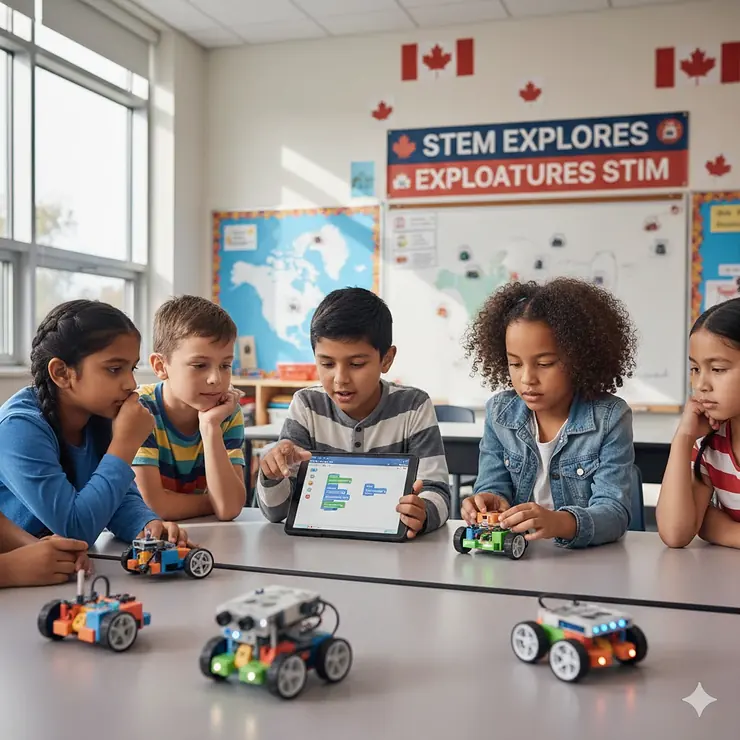
Have you ever watched a child’s eyes light up when they successfully program their robot to complete a task? That magical moment isn’t just about fun—it’s about building the foundation for critical 21st-century skills. Coding plays a pivotal role in STEM education, encouraging logical thinking and problem-solving while providing practical applications for mathematical and scientific concepts.
Coding robots for kids have transformed from simple toys into powerful educational tools that combine hands-on learning with computational thinking. In Canada’s increasingly tech-focused landscape, parents and educators are recognising that early exposure to robotics and programming can shape children’s future success. Whether your child is 5 or 15, there’s a perfect coding robot waiting to unlock their potential.
The Canadian market offers fantastic options for educational robotics, with products ranging from screen-free programmable toys for kindergarteners to advanced Python-capable robots for teenagers. According to industry projections, coding-related employment is expected to comprise two-thirds of all STEM jobs in the near term. This makes investing in coding robots for kids not just educational—it’s preparing them for tomorrow’s workforce.
In this comprehensive guide, you’ll discover the top 7 coding robots available on Amazon.ca in 2026, complete with Canadian pricing, detailed specifications, and honest reviews from Canadian families. Let’s explore which robot will best suit your young programmer’s journey.
Quick Comparison Table
| Robot Name | Age Range | Programming Language | Price (CAD) | Screen Required | Best For |
|---|---|---|---|---|---|
| Learning Resources Botley 2.0 | 5+ | Screen-free coding | $95-120 | ❌ No | Young beginners |
| Wonder Workshop Dash | 6+ | Blockly, Wonder | $250-300 | ✅ Yes | Elementary students |
| Makeblock mBot2 (Neo) | 8-12 | Scratch, Python | $150-180 | ✅ Yes | DIY enthusiasts |
| Sphero BOLT+ | 8+ | Draw, Blocks, JavaScript, Python | $280-310 | ✅ Yes | Advanced learners |
| LEGO Mindstorms Robot Inventor | 10+ | Scratch-based | $480-530 | ✅ Yes | LEGO lovers |
| LEGO SPIKE Prime | 10-14 | Scratch, Python | $450-500 | ✅ Yes | Classroom use |
| Makeblock Codey Rocky | 6+ | Scratch, Python | $110-140 | ✅ Yes | AI & IoT projects |
💬 Just one click – help others make better buying decisions too!😊
Top 7 Coding Robots for Kids: Expert Analysis
1. Learning Resources Botley 2.0 – Best Screen-Free Coding Robot
Price: $95-120 CAD | Ages: 5+ | Canadian Availability:
✅ In Stock
The Learning Resources Botley 2.0 wins our top spot for young coders who are just beginning their programming journey. This clever little robot teaches fundamental coding concepts without requiring tablets or smartphones—a huge plus for Canadian parents concerned about screen time.
Key Features:
- Programs up to 150 steps in 6 directions
- 16 interactive transformations (train, police car, ghost)
- Object detection and light sensors
- 78-piece activity set with obstacle course
Canadian families rave about Botley 2.0’s durability and educational value. One Toronto parent shared: “My 6-year-old learned sequencing and loops within the first week. The screen-free aspect means no arguments about device time!”
✅ Pros: No screen needed, immediate engagement, grows with child
❌ Cons: Requires 5 AAA batteries, limited to block-based logic
Available at Amazon.ca and Toys R Us Canada for approximately $120 CAD with free shipping on orders over $75.
2. Wonder Workshop Dash – Most Interactive Classroom Favourite
Price: $250-300 CAD | Ages: 6+ | Canadian Availability:
✅ In Stock
Dash has earned its reputation in over 40,000 schools globally, including thousands across Canada. This blue explorer robot brings personality and advanced sensors together in one engaging package.
Key Features:
- Voice-activated responses
- Compatible with LEGO building bricks
- 5 free programming apps (Blockly, Wonder, Path)
- Built-in rechargeable battery (5 hours playtime)
British Columbia educators particularly appreciate Dash’s progression from simple draw-and-move commands to complex JavaScript programming. The robot’s ability to detect sounds, navigate obstacles, and respond to voice commands makes coding tangible for visual learners.
✅ Pros: Excellent app ecosystem, durable design, long battery life
❌ Cons: Higher price point, accessories sold separately
Canadian buyers should note that Dash ships quickly within Canada from Amazon.ca fulfillment centres, typically arriving within 2-3 business days in urban areas.
3. Makeblock mBot2 (Neo) – Best DIY Build-Your-Own Robot
Price: $150-180 CAD | Ages: 8-12 | Canadian Availability:
✅ In Stock
The Makeblock mBot2 (also marketed as mBot Neo) offers something unique: kids build their robot from scratch. This hands-on assembly process teaches mechanical engineering before a single line of code is written.
Key Features:
- CyberPi controller with 128×128 LED matrix
- Wi-Fi connectivity for multi-robot projects
- Voice control capabilities
- Supports Scratch and Python programming
Alberta homeschooling families particularly love mBot2 for its comprehensive learning approach. The aluminium frame construction ensures longevity, and the included rechargeable battery eliminates ongoing battery costs—an eco-friendly choice for Canadian households.
✅ Pros: Hands-on building, dual programming languages, IoT projects
❌ Cons: Assembly required (60+ minutes), app needed for full features
4. Sphero BOLT+ – Most Advanced Sensor Technology
Price: $280-310 CAD | Ages: 8+ | Canadian Availability:
✅ In Stock
Sphero BOLT+ represents the cutting edge of educational robotics. This spherical robot combines an advanced LCD screen with sophisticated sensors that teach real-world programming applications.
Key Features:
- Vivid LCD display (650+ animations)
- Infrared communication between multiple robots
- Qi wireless charging
- Waterproof, durable shell
Quebec educators use Sphero BOLT+ for cross-curricular learning, from physics experiments to creative storytelling. The robot’s ability to display data in real-time on its 8×8 LED matrix helps students visualise how their code affects physical outputs.
✅ Pros: Advanced sensors, wireless charging, waterproof design
❌ Cons: Premium pricing, ball shape limits some activities
Canadian schools often purchase the BOLT+ Power Pack (15 robots) for approximately $4,600 CAD through educational suppliers like Canadian Classroom.
5. LEGO Mindstorms Robot Inventor – Best for LEGO Enthusiasts
Price: $480-530 CAD | Ages: 10+ | Canadian Availability:
✅ In Stock
LEGO Mindstorms Robot Inventor brings the beloved LEGO system into advanced robotics territory. With nearly 1,000 pieces, this set offers unlimited creative possibilities for budding engineers.
Key Features:
- Build 5 unique robot models
- Intelligent Hub with 6-axis gyro
- 4 medium motors, colour sensor, distance sensor
- Scratch-based programming environment
Ontario families appreciate that Robot Inventor seamlessly integrates with existing LEGO collections. The ability to design custom robots and share creations on LEGO Life creates a community learning experience that extends beyond individual play.
✅ Pros: Endless building options, compatible with LEGO bricks, robust community
❌ Cons: Highest price point, requires significant storage space
6. LEGO SPIKE Prime – Best for Competitive Robotics
Price: $450-500 CAD | Ages: 10-14 | Canadian Availability:
✅ Through LEGO Education
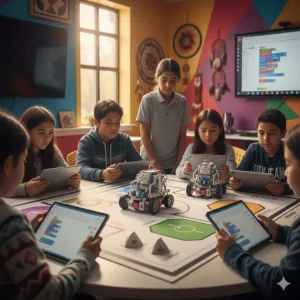
LEGO SPIKE Prime specifically targets middle school classrooms and competitive robotics teams. Educational robotics like SPIKE products allow students to design, build and program robotic creations, making abstract concepts tangible.
Key Features:
- 528 LEGO Technic elements
- Programmable Hub with multiple ports
- Scratch and Python coding
- Designed for FIRST LEGO League competitions
Manitoba robotics clubs favour SPIKE Prime for its structured curriculum and competition-ready design. The set includes 40+ guided lessons that align with Canadian provincial STEM standards.
✅ Pros: Competition-ready, comprehensive curriculum, durable storage box
❌ Cons: Primarily available through education channels, requires compatible device
7. Makeblock Codey Rocky – Best AI & IoT Introduction
Price: $110-140 CAD | Ages: 6+ | Canadian Availability:
✅ In Stock
Codey Rocky combines an adorable panda-like design with serious AI and Internet of Things capabilities. This robot introduces children to emerging technologies in an accessible format.
Key Features:
- AI and IoT sensors built-in
- Voice recognition and speech synthesis
- Wireless connectivity
- Compatible with Scratch and Python
Canadian tech-savvy families use Codey Rocky to teach concepts like machine learning and smart home integration. The robot’s ability to recognise faces and respond to voice commands demonstrates practical AI applications.
✅ Pros: Affordable, AI features, rechargeable battery
❌ Cons: Smaller size, limited expansion options
✨ Don’t Miss These Exclusive Deals!
🔍 Take your child’s STEM education to the next level with these carefully selected coding robots for kids available in Canada. Click on any highlighted product to check current pricing and availability on Amazon.ca. These tools will help you create authentic learning experiences your family will love!
Understanding Coding Robots for Kids: What Parents Need to Know
What Is a Coding Robot?
A coding robot is an interactive educational tool that teaches programming concepts through hands-on play. Children create sequences of commands that control the robot’s movements, lights, sounds, and sensors. This tangible approach makes abstract computational thinking concrete and engaging.
Why Screen-Free vs Screen-Based Programming?
Screen-Free Robots (like Botley 2.0):
- Perfect for ages 5-8
- Eliminates screen time concerns
- Develops sequencing skills without digital distraction
- Uses physical coding cards or buttons
Screen-Based Robots (like Dash, mBot2):
- Suitable for ages 8+
- Offers more complex programming options
- Visual feedback enhances learning
- Progression to text-based languages
Canadian parents often start with screen-free options for younger children, transitioning to app-based coding as kids mature and require more advanced challenges.
How to Choose Coding Robots for Kids in Canada
Step 1: Determine your child’s age and current skill level. Younger children (5-7) benefit from screen-free robots, while older kids (8+) can handle app-based programming.
Step 2: Consider your budget. Entry-level robots start around $95 CAD, while advanced sets reach $530 CAD. Factor in shipping times across Canada’s vast geography.
Step 3: Assess programming language compatibility. Students need opportunities to use a variety of developmentally appropriate programming languages as they grow.
Step 4: Check device compatibility for app-based robots. Ensure your tablet or smartphone meets system requirements.
Step 5: Read Canadian customer reviews on Amazon.ca. Local feedback provides insights about shipping, customer service, and real-world performance.
Step 6: Verify warranty and support availability in Canada. Some manufacturers offer limited support outside the US.
Step 7: Consider expansion possibilities. Many robots offer add-on packs that extend learning as skills develop.
Programming Languages Supported: From Blocks to Python
Visual Block-Based Coding
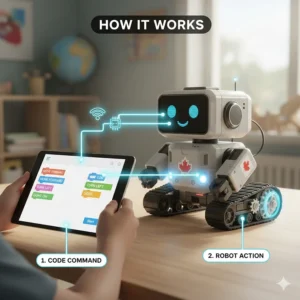
Most coding robots for kids start with drag-and-drop block programming similar to Scratch. This approach teaches fundamental concepts:
- Sequencing: Commands execute in order
- Loops: Repeat actions efficiently
- Conditionals: If-then logic
- Variables: Store and manipulate data
Canadian educators align block-based coding with provincial curriculum outcomes for digital literacy and computational thinking.
Text-Based Programming
Advanced robots like mBot2 and Sphero BOLT+ support Python and JavaScript. These text-based languages prepare students for:
- High school computer science courses
- University programming requirements
- Professional software development
- Robotics competitions
Age-Appropriate Recommendations for Canadian Families
Ages 5-7: Foundation Building
- Learning Resources Botley 2.0 ($95-120 CAD)
- Makeblock Codey Rocky ($110-140 CAD)
- Focus: Screen-free coding, basic sequences, problem-solving
Ages 8-10: Skill Development
- Wonder Workshop Dash ($250-300 CAD)
- Makeblock mBot2 ($150-180 CAD)
- Focus: Block-based programming, sensor integration, creative projects
Ages 11-14: Advanced Learning
- Sphero BOLT+ ($280-310 CAD)
- LEGO SPIKE Prime ($450-500 CAD)
- Focus: Python coding, competitive robotics, STEM integration
Ages 15+: Pre-Professional
- LEGO Mindstorms Robot Inventor ($480-530 CAD)
- Focus: Advanced algorithms, custom designs, competition-level programming
Benefits Comparison: Coding Robots vs Traditional Learning
| Aspect | Coding Robots | Traditional Learning |
|---|---|---|
| Engagement Level | High (hands-on, immediate feedback) | Variable (lecture-based) |
| Skill Development | Computational thinking, problem-solving | Knowledge retention |
| Cost | $95-530 CAD (one-time) | Ongoing tutoring costs |
| Learning Pace | Self-paced, iterative | Fixed curriculum |
| Creativity | Unlimited exploration | Structured assignments |
| Real-World Application | Direct (build and program) | Abstract concepts |
Price Range & Value Analysis in Canada
| Price Tier | Range (CAD) | Typical Features | Best For |
|---|---|---|---|
| Budget | $95-150 | Screen-free, basic sensors | Ages 5-8, beginners |
| Mid-Range | $150-280 | App-based, multiple languages | Ages 8-12, enthusiasts |
| Premium | $280-530 | Advanced sensors, competition-ready | Ages 10+, serious learners |
Value Considerations
When evaluating price, Canadian families should factor in:
- Longevity: Will the robot grow with your child?
- Battery costs: Rechargeable vs disposable batteries
- App ecosystem: Are updates and content free?
- Resale value: Premium robots retain value in Canadian market
- GST/HST: Varies by province (5-15% additional)
Educational Benefits: Beyond Just Coding
Coding develops computational thinking skills crucial for breaking down complex problems into smaller, manageable tasks. But the benefits extend far beyond programming:
Cognitive Development
- Logical reasoning: Step-by-step problem decomposition
- Spatial awareness: Understanding movement and positioning
- Pattern recognition: Identifying sequences and relationships
- Debugging skills: Analysing and fixing errors
Social-Emotional Growth
- Persistence: Troubleshooting failed code builds resilience
- Collaboration: Many robots support multi-player projects
- Creative expression: Unique solutions to open-ended challenges
- Confidence: Mastery of technology empowers children
Academic Integration
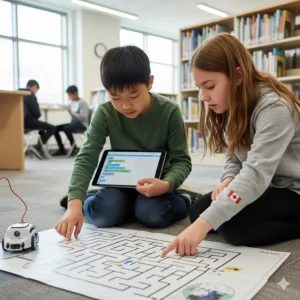
Coding and computational thinking experiences demonstrated opportunities to exercise agency, self-direction, motivation, and to be actively engaged in the learning process.
Canadian teachers integrate coding robots across subjects:
- Mathematics: Geometry, measurement, probability
- Science: Physics, engineering design process
- Language Arts: Sequencing stories, following instructions
- Social Studies: Problem-solving real-world challenges
Canadian Shopping Tips: Where to Buy & What to Watch For
Recommended Canadian Retailers
- Amazon.ca: Widest selection, Prime shipping in urban centres
- Toys R Us Canada: In-store demonstrations, seasonal sales
- Canadian Classroom: Educational focus, bulk pricing for schools
- Best Buy Canada: Tech support, extended warranties available
Shipping Considerations
Urban centres (Toronto, Vancouver, Montreal): 2-3 day delivery
Rural areas: 5-10 days standard shipping
Northern territories: Extended shipping, possible duty fees
Watch for Canadian Deals
- Back-to-school sales (August-September): 15-25% discounts
- Boxing Day (December 26): Clearance pricing on previous models
- Prime Day (July): Amazon.ca exclusive deals
- Black Friday (November): Cross-border price matching
Warranty & Support in Canada
Always verify Canadian warranty coverage. Some manufacturers offer limited support outside the US. Look for:
- Toll-free Canadian customer service
- French language support (bilingual requirement)
- Replacement parts availability
- Return policies (many retailers offer 30-90 days)
Common Questions from Canadian Parents
Setup & Technical Support
Q: Do I need technical knowledge to help my child?
Not at all. Modern coding robots are designed for complete beginners. Most include video tutorials, parent guides, and active online communities. Canadian Facebook groups like “STEM Education Canada” offer peer support.
Q: What if the robot breaks?
Reputable brands offer 1-2 year warranties. Keep your Amazon.ca order confirmation for warranty claims. Many manufacturers ship replacement parts to Canada, though international shipping may add 7-10 days.
Learning & Development
Q: How long before my child loses interest?
Quality coding robots grow with children. Start with simple challenges, gradually increasing complexity. Rotate between different projects to maintain engagement. Canadian educators recommend 20-30 minute sessions for optimal learning.
Q: Can siblings share one robot?
Absolutely! Many families find that collaborative coding strengthens problem-solving skills. Robots like Dash and Botley 2.0 work excellently for multi-child households.
❓ FAQ
❓ What is the best coding robot for complete beginners in Canada?
❓ Do coding robots work with French language settings in Canada?
❓ What is the price range for coding robots for kids in Canada?
❓ Can coding robots be used in Canadian classrooms?
❓ Which programming languages should my child learn first?
Conclusion: Investing in Your Child’s Digital Future
Coding robots for kids represent more than just toys—they’re gateways to essential 21st-century skills. Whether you choose the budget-friendly Botley 2.0 for your kindergartener or invest in the advanced LEGO Mindstorms Robot Inventor for your teenager, you’re providing tools that build confidence, creativity, and computational thinking.
Canadian families have excellent access to quality coding robots through Amazon.ca and local retailers, with most products shipping quickly to urban centres and reaching rural areas within a week. The investment—ranging from $95 to $530 CAD—pays dividends through years of engaging STEM education that grows with your child.
Remember, the best coding robot is the one that matches your child’s current interests and skill level while offering room for growth. Start with hands-on exploration, encourage experimentation, and celebrate the inevitable mistakes that come with learning. These robots don’t just teach coding; they teach resilience, problem-solving, and the joy of bringing ideas to life.
Ready to launch your child’s coding adventure? Browse the highlighted products above to check current Canadian pricing and availability. Your future programmer is waiting to begin their journey.
✨ Don’t Miss These Exclusive Deals!
🔍 Take your child’s STEM education to the next level with these carefully selected coding robots for kids available in Canada. Click on any highlighted product to check current pricing and availability on Amazon.ca. These robots will help your child develop critical thinking skills while having fun!
Recommended for You
- Montessori Toys vs Traditional Learning Toys: 7 Key Differences (2026)
- 7 Best Phonics Learning Toys Canada 2026
- 7 Best Math Manipulatives Homeschool Canada 2026
Disclaimer: This article contains affiliate links to Amazon.ca. If you purchase products through these links, we may earn a small commission at no additional cost to you.
✨ Found this helpful? Share it with your friends! 💬🤗
