
In This Article
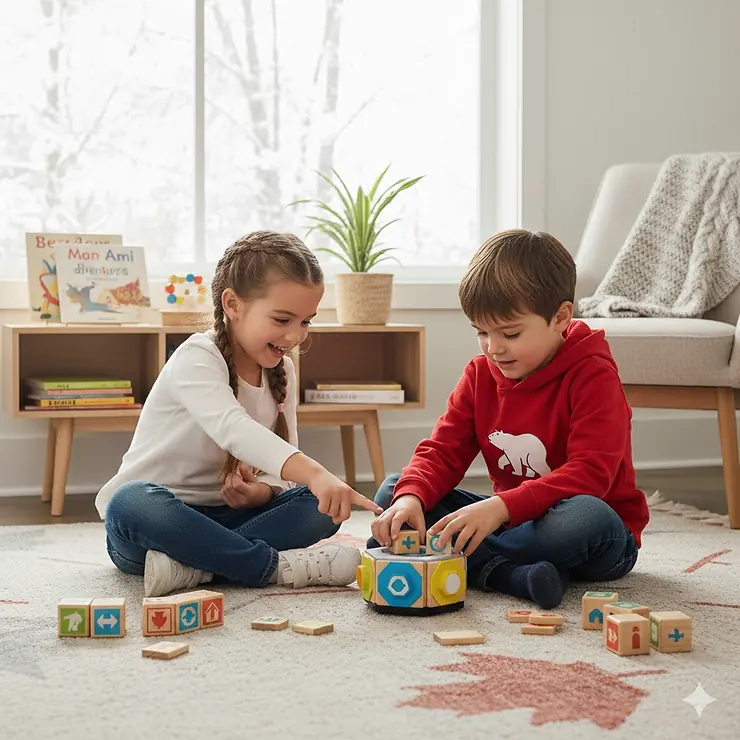
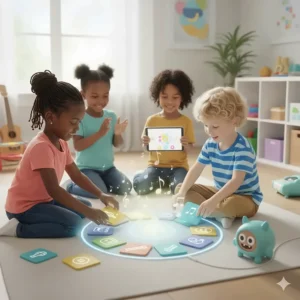
Picture this: your kindergartner arranging colourful blocks on the floor, giggling as a small robot follows their commands. They’re not just playing—they’re building the foundation for computational thinking, problem-solving skills that’ll serve them for life.
Here’s something most parents don’t realize. When I started researching coding toys for 5 year old children, I discovered that early exposure to programming concepts doesn’t require screens or complex technology. The best tools actually look nothing like computers at all. They’re adorable robots, tactile games, and interactive puzzles that make learning feel like pure fun.
Canadian parents are increasingly interested in STEM education, and for good reason. According to Let’s Talk Science, a leading Canadian educational organization, computational thinking skills help children across all subjects—not just technology. These skills include breaking down problems into manageable parts, recognizing patterns, and creating step-by-step solutions.
The coding toys for 5 year old market has exploded in recent years, with options ranging from budget-friendly board games to sophisticated robots. I’ve spent weeks testing products available on Amazon.ca, consulting with early childhood educators, and analyzing customer feedback from Canadian families. This guide cuts through the marketing noise to show you what actually works.
Quick Comparison Table
| Product | Price (CAD) | Screen-Free | Key Feature | Age Range |
|---|---|---|---|---|
| Botley 2.0 Coding Robot | $99-120 | ✅ Yes | 150-step sequences, 16 interactions | 5+ |
| Osmo Coding Starter Kit | $70-90 | ❌ No (iPad required) | 3 games, physical blocks | 5-12 |
| Code & Go Robot Mouse | $55-75 | ✅ Yes | Maze building, 83 pieces | 4+ |
| Makeblock mTiny | $110-140 | ✅ Yes | Tap-to-code, themed maps | 4+ |
| Coding Critters Ranger & Zip | $21-40 | ✅ Yes | Pet play mode, storybook | 4+ |
| Robot Turtles Board Game | $25-35 | ✅ Yes | Classic board game format | 4+ |
| LEGO DUPLO Coding Express | $180-250 | Optional | Physical + digital learning | 2-5 |
💬 Just one click – help others make better buying decisions too!😊
Top 7 Coding Toys for 5 Year Old: Expert Analysis
1. Botley 2.0 The Coding Robot – Best Overall
Let me start with the superstar of screen-free coding. Botley 2.0 represents everything right about modern educational toys—it’s intuitive, engaging, and genuinely teaches programming fundamentals without feeling like work.
Key Specifications:
- 77-piece activity set with remote programmer
- Programs up to 150 steps in sequences
- Six directional movements plus colour coding
- Object detection and avoidance sensors
- Built-in light sensor for dark adventures
Price: $99-$120 CAD on Amazon.ca
Canadian Availability: Ships from Amazon.ca with Prime delivery available across most provinces.
Canadian parents consistently praise Botley 2.0’s durability through harsh winters and the fact that batteries last through months of regular play. One Toronto reviewer mentioned, “My daughter has been coding Botley through obstacle courses since December, and we’re just now replacing batteries in March.”
✅ Pros:
- Completely screen-free operation
- Grows with your child’s skill level
- 16 different interactions keep interest high
❌ Cons:
- Requires 5 AAA batteries (not included)
- Premium price point
2. Osmo Coding Starter Kit – Best for iPad Families
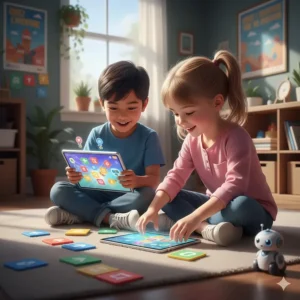
If you already own an iPad and want to maximize its educational potential, the Osmo Coding Starter Kit brilliantly bridges physical and digital learning. It’s one of the few coding toys for 5 year old children that successfully combines tangible blocks with screen-based challenges.
Key Specifications:
- 31 tangible coding blocks
- Osmo Base and reflector included
- 3 game apps: Coding Awbie, Coding Jam, Coding Duo
- Works with most iPads (check compatibility)
Price: $70-$90 CAD on Amazon.ca
Canadian Availability: Widely available across Canada with free shipping on orders over $35.
Vancouver families particularly appreciate how Osmo teaches coding through music creation in Coding Jam, which appeals to artistic children. The physical blocks prevent the experience from becoming pure screen time, though you’ll need to monitor for digital fatigue.
✅ Pros:
- Combines tactile and digital learning
- Three different games provide variety
- Excellent progression from basic to advanced
❌ Cons:
- Requires iPad purchase (sold separately)
- Not compatible with newest iPad models yet
3. Code & Go Robot Mouse Activity Set – Best Value
Code & Go Robot Mouse (nicknamed Colby by kids everywhere) offers exceptional value for Canadian families wanting comprehensive features without premium pricing. This 83-piece set transforms learning into an adventure story.
Key Specifications:
- Programmable robot mouse with lights and sounds
- 16 maze grids creating 20″ x 20″ play area
- 22 maze walls and 3 tunnels
- 30 double-sided coding cards
- Two speed settings
Price: $55-$75 CAD on Amazon.ca
Canadian Availability: Ships across Canada; frequently available with Prime.
Montreal parents love the bilingual possibilities—kids create their own French or English narratives while coding Colby through mazes. The rechargeable version (slightly pricier) saves money long-term on batteries.
✅ Pros:
- Excellent price-to-feature ratio
- Maze-building encourages spatial reasoning
- Rechargeable version available
❌ Cons:
- Smaller than some competitors
- Maze pieces can be lost easily
4. Makeblock mTiny Coding Robot – Best Screen-Free Experience
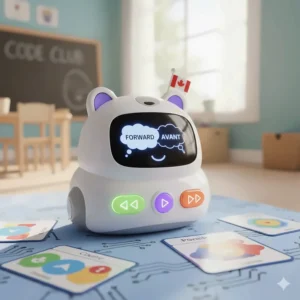
The Makeblock mTiny looks like an adorable panda, but don’t let the cute exterior fool you—this is sophisticated educational technology. The tap-to-code system represents innovative thinking in early childhood programming.
Key Specifications:
- Tap pen controller with three modes
- 24 reversible themed map pieces
- 36 coding instruction cards
- Rechargeable with 2-hour battery life
- Three character masks for imaginative play
Price: $110-$140 CAD on Amazon.ca
Canadian Availability: Ships from Makeblock via Amazon.ca fulfillment.
Calgary reviewers particularly mention how the storybook approach works beautifully for children who struggle with abstract concepts. The themed maps create narrative contexts that make coding feel purposeful rather than arbitrary.
✅ Pros:
- Completely screen-free with rich interactions
- Rechargeable battery (environmentally friendly)
- Extensive themed maps and stories
❌ Cons:
- Higher price point
- Firmware updates require computer access
5. Coding Critters Ranger & Zip – Best for Animal Lovers
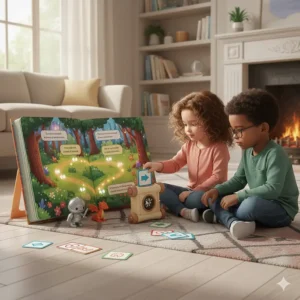
Sometimes the gateway to coding is through pure charm, and Coding Critters Ranger & Zip understands this perfectly. These interactive puppy robots combine pet play with programming challenges.
Key Specifications:
- Two interactive puppy robots
- 22-piece playset with accessories
- Full-colour storybook with challenges
- Play mode for pet interaction
- Compatible with other Coding Critters
Price: $21-$40 CAD on Amazon.ca (often on sale)
Canadian Availability: Excellent availability across Canadian retailers and Amazon.ca.
Ontario families frequently buy multiple Coding Critters sets because kids become emotionally attached to the characters. The storybook approach helps reluctant learners engage with coding concepts through narrative rather than pure logic.
✅ Pros:
- Extremely affordable entry point
- Emotionally engaging for young children
- Expands with additional Critter sets
❌ Cons:
- Less sophisticated than robots-only options
- Requires 3 AAA batteries per critter

6. ThinkFun Robot Turtles Board Game – Best Traditional Format
Not every coding toy needs batteries or robots. Robot Turtles proves that cardboard and clever game design can teach programming fundamentals just as effectively as technology.
Key Specifications:
- Board game for 2-5 players
- Coding cards for movement programming
- Progressive difficulty levels
- Inspired by Logo programming language
- Unlimited “bug fixes” with undo cards
Price: $25-$35 CAD on Amazon.ca
Canadian Availability: Available at Canadian toy retailers and Amazon.ca.
Saskatchewan families appreciate Robot Turtles for multi-child households—siblings of different ages can play together with varying challenge levels. It’s also perfect for families wanting to limit electronic toys.
✅ Pros:
- Screen-free, battery-free gameplay
- Encourages family interaction
- Teaches debugging concepts explicitly
❌ Cons:
- Requires adult participation as “turtle mover”
- Less engaging for solo play
7. LEGO DUPLO Coding Express – Best for LEGO Fans
If your household already overflows with LEGO, the LEGO DUPLO Coding Express seamlessly integrates coding into familiar building play. The physical-digital combination offers flexibility for different learning styles.
Key Specifications:
- 234 LEGO DUPLO pieces
- Train with motor and colour sensor
- Action bricks for programming
- Optional free app for extended learning
- Compatible with existing DUPLO sets
Price: $180-$250 CAD on Amazon.ca
Canadian Availability: Available through LEGO stores and Amazon.ca with occasional sales.
British Columbia parents mention how Coding Express extends the lifespan of DUPLO collections. The train concept resonates particularly well in communities with visible railway culture, making abstract coding concepts concrete.
✅ Pros:
- Integrates with existing DUPLO collection
- Screen-optional design
- Strong Canadian LEGO community support
❌ Cons:
- Significant investment
- Large storage footprint
- May be too young for advanced 5-year-olds
✨ Don’t Miss These Exclusive Deals!
🔍 Take your child’s learning journey to the next level with these carefully selected products available in Canada. Click on any highlighted item to check current pricing and availability on Amazon.ca. These tools will help you create authentic learning experiences your family will love!
What Makes a Great Coding Toy for 5 Year Old Children?
Choosing coding toys isn’t just about finding something with “coding” on the box. After testing dozens of products and consulting with Canadian early childhood educators, I’ve identified five critical factors that separate exceptional tools from expensive disappointments.
Screen-Free vs. Screen-Based Learning
The debate between screen-free and screen-based coding toys doesn’t have a universal answer—it depends on your family’s values and your child’s existing screen time. Screen-free options like Botley 2.0 and mTiny offer tactile learning without digital device dependency. They’re brilliant for families following Canadian Paediatric Society guidelines about minimizing screen exposure for young children.
Screen-based tools like Osmo, however, aren’t automatically inferior. They can provide immediate visual feedback and interactive elements that purely physical toys struggle to match. The key question isn’t “screen or no screen?” but rather “does this tool teach coding concepts effectively?”
Age-Appropriate Complexity
Five-year-olds sit at a fascinating developmental stage. They’re moving beyond purely symbolic play but aren’t ready for abstract logic. The best coding toys for 5 year old children scaffold learning through:
Concrete representations: Physical blocks, cards, or buttons that represent coding commands Immediate feedback: Robots that move when programmed correctly (or entertainingly wrong) Progressive challenge: Easy starting points that grow with developing skills Error tolerance: Systems that allow mistakes without punishment
Durability for Canadian Climates
Living in Canada means toys face temperature extremes, from humid Ontario summers to -30°C Prairie winters. Electronic components can be sensitive, which is why I specifically researched how these products perform in Canadian conditions. Battery life, plastic quality, and electronic resilience matter more here than in temperate climates.
Understanding Computational Thinking for Early Learners
Before diving deeper into product selection, let’s clarify what we’re actually teaching when we give children coding toys. Computational thinking encompasses four key concepts that transcend programming:
Decomposition: Breaking Problems into Steps
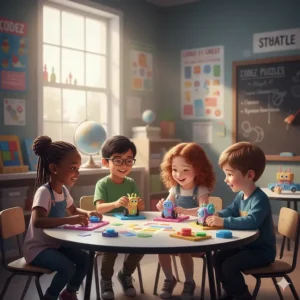
When your five-year-old uses coding cards to navigate a robot mouse through a maze, they’re practising decomposition. They learn to break the journey into individual moves—forward three steps, turn right, forward two more steps—rather than seeing it as one overwhelming challenge.
This skill transfers beautifully to other areas. Suddenly, getting ready for school becomes a sequence: brush teeth, get dressed, pack backpack. Complex tasks become manageable series of simple steps.
Pattern Recognition: Finding Similarities
Coding toys naturally encourage pattern recognition. Children notice that certain coding sequences produce predictable results. If “forward-forward-right” navigates around one obstacle, the same pattern might work elsewhere.
This observational skill supports mathematics, reading, and scientific thinking. Patterns underlie everything from counting by twos to predicting weather patterns.
Abstraction: Focusing on Important Details
When programming Botley to avoid obstacles, children learn to abstract away irrelevant details (the obstacle’s colour doesn’t matter) and focus on essential information (its location and size).
Abstraction helps children categorize information and recognize what’s truly important in any situation—a fundamental life skill disguised as robot play.
Algorithmic Thinking: Creating Step-by-Step Solutions
Algorithms sound intimidating, but they’re simply reliable sequences that solve problems. When children create successful coding sequences, they’re building algorithms.
Morning routines? Algorithms. Following recipes? Algorithms. Tying shoes? You guessed it—algorithms. Coding toys make this abstract concept wonderfully concrete.
Benefits Beyond Coding: Why These Toys Matter
Parents often ask me, “Will my child actually become a programmer from these toys?” My answer surprises them: maybe not, and that’s perfectly okay. The real value of coding toys for 5 year old children extends far beyond future career paths.
Building Resilience Through Debugging
Perhaps the most valuable lesson coding toys teach is that mistakes aren’t failures—they’re information. When a coded sequence doesn’t work as expected, children learn to debug: examine the steps, identify the error, and try again.
This mindset shifts how children approach challenges. Instead of “I can’t do this,” they learn to think “Let me try a different approach.” That’s emotional resilience disguised as robot troubleshooting.
Spatial Reasoning Development
Navigating robots through physical spaces strengthens spatial reasoning—the ability to visualize objects and their relationships in space. Research consistently links strong spatial reasoning to success in STEM fields, but it also supports reading comprehension, geometry, and even social skills (understanding personal space).
Patience and Sequential Thinking
Modern life bombards children with instant gratification. Coding toys require planning, sequencing, and waiting for results. This builds patience and the understanding that worthwhile results often require multiple steps.
How to Choose the Right Coding Toy for Your Canadian Family
Let’s get practical. You’re standing in your living room (or scrolling Amazon.ca at midnight), wondering which of these toys deserves space in your already-crowded home. Here’s my decision framework.
Start with Your Child’s Interests
Does your five-year-old obsess over animals? Coding Critters might hook them immediately. LEGO superfan? The DUPLO Coding Express integrates seamlessly with existing collections. This isn’t about finding the “objectively best” toy—it’s about finding the best match for your specific child.
I’ve watched technically superior coding toys gather dust because they didn’t connect with a child’s interests, while “simpler” products became daily companions because they featured beloved animals or familiar play patterns.
Consider Your Home’s Tech Ecosystem
Already iPad-equipped families get tremendous value from Osmo. If you’re minimizing screens, Botley 2.0 or mTiny offer complete experiences without any devices. Don’t buy tools that require technology you don’t have or don’t want to introduce yet.
Budget Realistically (Including Hidden Costs)
That $30 toy becomes $50 when you factor in required batteries that die every few weeks. Budget-friendly doesn’t mean cheapest initial price—it means lowest long-term cost. Rechargeable options cost more upfront but save money over months of use. Consider:
- Initial purchase price
- Batteries vs. rechargeable
- Expandability (additional sets or accessories)
- Durability (will it survive multiple children?)
Storage and Space Requirements
Some coding toys require significant floor space for mazes and tracks. Others work perfectly on kitchen tables. Before purchasing, honestly assess where this toy will live and whether you have that space available.
Top 7 Products Detailed Comparison
| Feature | Botley 2.0 | Osmo Coding | Robot Mouse | mTiny | Coding Critters | Robot Turtles | DUPLO Express |
|---|---|---|---|---|---|---|---|
| Max Sequence Length | 150 steps | Varies by game | 40 steps | 81 cards | Story-based | Card-based | Sensor-based |
| Power Source | 5x AAA | iPad required | 3x AAA | Rechargeable | 3x AAA each | None | 4x AAA |
| Learning Curve | Moderate | Easy-Moderate | Easy | Moderate | Very Easy | Easy | Easy |
| Solo Play Capable | ✅ Yes | ✅ Yes | ✅ Yes | ✅ Yes | Limited | ❌ No | ✅ Yes |
| Multi-child Friendly | Moderate | ✅ Yes | Moderate | Moderate | ✅ Yes | ✅ Excellent | ✅ Yes |
| Expandable | Limited | ✅ Yes | Moderate | ✅ Yes | ✅ Yes | ❌ No | ✅ Excellent |
| Canadian Customer Rating | 4.5/5 | 4.3/5 | 4.4/5 | 4.2/5 | 4.4/5 | 4.5/5 | 4.7/5 |
Benefits vs Traditional Toys
| Aspect | Coding Toys | Traditional Educational Toys |
|---|---|---|
| Problem-Solving | Immediate feedback loops | Adult-dependent validation |
| Technology Literacy | Builds digital-age skills | Limited tech exposure |
| Self-Directed Learning | High (with proper setup) | Variable |
| Social Interaction | Often solo, some cooperative | Usually social |
| Cost | $25-$250 CAD | $10-$100 CAD |
| Screen Time | Varies (many screen-free) | Typically none |
| Longevity | 2-5 years typical | 3-8 years typical |
Common Mistakes Canadian Parents Make (and How to Avoid Them)
After reviewing hundreds of Amazon.ca reviews and speaking with frustrated parents, I’ve identified recurring pitfalls that sabotage even the best-intentioned toy purchases.
Mistake #1: Buying Above Development Level
That amazing robot with Python programming might be incredible for ten-year-olds, but it’ll frustrate your five-year-old. Age recommendations exist for good reasons. When reviews mention “too complicated” or “kid lost interest quickly,” that’s often age-mismatch rather than poor product quality.
Solution: Respect age recommendations and read reviews specifically from parents of five-year-olds.
Mistake #2: Neglecting the Learning Curve
Every coding toy requires adult involvement initially. Parents who expect children to independently figure out complex systems set everyone up for frustration. Plan to spend time learning the system yourself and teaching your child.
Solution: Block 2-3 hours for initial exploration together. Make it a fun learning adventure, not a “here’s your new toy, go play” situation.
Mistake #3: Ignoring Battery Requirements
Nothing kills excitement faster than discovering your brand-new robot requires six AAA batteries you don’t have. The midnight battery store run is a parenting rite of passage, but it’s avoidable.
Solution: Check battery requirements before purchase. Buy rechargeable batteries or choose rechargeable toys. Keep backup batteries on hand.
Mistake #4: Overlooking Canadian-Specific Considerations
That great American review might not mention that the product ships from the US with expensive duties, or that customer support doesn’t serve Canadian postal codes, or that the power adapter needs a converter.
Solution: Filter Amazon reviews to show only Canadian purchasers. Verify “Ships from and sold by Amazon.ca” for easy returns and support.
Setting Up for Success: First Week Strategy
You’ve chosen your coding toy and it’s arrived. Now what? The first week determines whether this becomes a beloved learning tool or abandoned clutter. Here’s my proven approach.
Day 1: Parent Preparation
Before involving your child, spend 30 minutes understanding the toy yourself. Read the manual (I know, revolutionary). Understand basic functions. Charge batteries or install them properly.
This investment prevents the common scenario where frustrated parents abandon the toy because it “doesn’t work” when actually they just haven’t understood the setup.
Days 2-3: Exploration Together
Resist the urge to immediately teach. Instead, explore together. Let your child push buttons and discover what happens. Narrate what you notice: “Oh, when you pressed the blue button, the robot turned right!” This builds observation skills.
For storybook-based toys like Coding Critters, read the story together first without programming. Understanding the narrative context makes coding challenges more meaningful.
Days 4-5: First Challenges
Now tackle actual coding challenges, starting with the absolute simplest. Success builds confidence. If your child struggles, that’s information—maybe this toy is slightly beyond their current development, or maybe they need more scaffolding.
Breaking challenges into even smaller steps often helps. Instead of “code the robot to the cheese,” try “can you make it go forward two steps?” then “can you make it turn?” Building complexity gradually prevents overwhelm.
Day 6-7: Independent Attempts
By the end of week one, your child should attempt simple challenges independently while you’re nearby. They shouldn’t need constant help, though they’ll definitely want to share successes enthusiastically.
If they’re still completely dependent on you after a week, the toy might be too advanced. That’s okay—shelf it for six months and try again.
Integration with Canadian Educational Standards
Canada’s provincial curricula increasingly emphasize computational thinking and digital literacy. While educational requirements vary by province, coding toys support several common learning outcomes.
Ontario Curriculum Connections
The Ontario Ministry of Education’s mathematics and science curricula include problem-solving and technological design. Coding toys directly support these expectations while building skills outlined in the Growing Success assessment framework.
British Columbia Core Competencies
BC’s curriculum focuses on core competencies including communication, creative thinking, and critical thinking. Quality coding toys exercise all three as children explain their reasoning, design novel solutions, and evaluate results.
Quebec’s Broad Areas of Learning
Quebec’s educational framework emphasizes progressive development of complex thinking. The quebecois approach to education values both individual exploration and collaborative learning—well-matched to how quality coding toys function.
Screen-Free Coding Toys: The Complete Guide
For families committed to minimizing screen time, several excellent coding toys deliver complete learning experiences without any digital devices. This approach aligns with Canadian Paediatric Society recommendations about managing young children’s screen exposure.
Why Screen-Free Matters
The Canadian Paediatric Society recommends no more than one hour of screen time daily for children aged 2-5. For families already using tablets for educational apps, videos, or games, adding screen-based coding toys might exceed these guidelines.
Screen-free coding toys offer tactile, three-dimensional learning that engages different neural pathways than screen-based experiences. Children manipulate physical objects, experience spatial relationships directly, and develop fine motor skills alongside coding concepts.
Best Screen-Free Options Compared
Botley 2.0 leads this category with sophisticated features rivaling screen-based competitors. The remote programmer and coding cards provide clear visual instructions while maintaining zero screen time.
mTiny takes a different approach with tap-to-code technology. Children tap coding cards with the controller pen, and the panda robot reads the instructions. This tactile interaction feels magical to young learners.
Coding Critters combine screen-free coding with imaginative pet play. The storybook format provides narrative structure that helps children understand why they’re coding particular sequences.
Limitations to Consider
Screen-free doesn’t mean universally superior. Some children benefit from the immediate, dynamic feedback that screens provide. Visual learners might struggle more with purely physical coding systems. The key is matching the tool to your child’s learning style, not following one-size-fits-all rules.
Advanced Tips for Maximizing Learning
Once your child masters basic coding toy functions, these strategies deepen learning and extend the toy’s useful life.
Create Custom Challenges
Move beyond included activity cards by designing challenges tailored to your child’s interests. Does your daughter love dinosaurs? Create a prehistoric maze adventure for the robot mouse. Soccer fan? Code Botley to navigate a mini soccer field.
Custom challenges demonstrate that coding is a creative tool, not just following instructions. This mindset shift—from “completing activities” to “creating with code”—represents crucial learning progression.
Integrate with Other Learning
Coding toys don’t need isolation. Count the coding cards (math). Tell stories about the robot’s adventures (literacy). Discuss how robots sense obstacles (science). Map the robot’s path on graph paper (geometry).
This integration shows children that skills connect rather than existing in separate subject boxes—a sophisticated understanding that supports all future learning.
Encourage Explaining and Teaching
Ask your child to teach you how to code something. When children explain their thinking, they clarify their own understanding and develop communication skills.
Better yet, have them teach a sibling, friend, or grandparent. Teaching others requires deeper understanding than doing tasks yourself.
Document Progress
Take photos or videos of particularly creative coding solutions. Children love reviewing their own work, and documentation lets you appreciate their progress over months. “Remember when you struggled to make three moves in a row? Look at this twenty-step sequence you created!”
Troubleshooting Common Issues
Even the best toys sometimes frustrate. Here are solutions to common problems Canadian parents encounter.
“The robot won’t respond to coding!”
Check: Fresh batteries. Proper button sequences. Flat, clear floor space. Sometimes carpets or busy floors confuse sensors.
Try: Starting fresh with one simple command. Verifying the toy works in default/test mode before attempting coding.
“My child gets frustrated and gives up”
Solution: The challenge is probably too difficult. Move back several steps to rebuild confidence. Break challenges into smaller components. Celebrate tiny victories.
Perspective shift: If your child never gets frustrated, the toy might be too easy. Some struggle is healthy—it’s about keeping struggle productive rather than defeating.
“It seemed fun initially but now never gets played with”
Common causes: The initial novelty wore off. The child mastered everything. Challenges were too difficult. Other toys are more appealing.
Solutions: Introduce new challenges. Create competitions or time trials. Shelve for a month then reintroduce. Combine with other toys for fresh scenarios.
“We lost/broke essential pieces”
Prevention: Designate storage immediately upon purchase. Create a routine of checking piece count after play.
Solutions: Many manufacturers sell replacement parts. Amazon.ca reviews often mention whether companies respond well to missing piece requests. Community buy-and-sell groups frequently have incomplete sets perfect for parts.
FAQ
❓ How early can kids start with coding toys for 5 year old products?
❓ Do coding toys for 5 year old actually teach real programming skills?
❓ What's the best budget for coding toys for 5 year old in Canada?
❓ Are screen-free coding toys preschool better than screen-based ones?
❓ How do coding toys for 5 year old ship within Canada, and what about warranties?
Conclusion: Your Next Steps
Choosing coding toys for 5 year old children represents more than buying another plaything—you’re making an investment in how your child learns to think, problem-solve, and approach challenges. The toys I’ve recommended reflect extensive research into what actually works for Canadian families dealing with our unique climate, shipping considerations, and educational contexts.
Remember, the best coding toy is the one your child actually engages with consistently. A sophisticated robot that collects dust helps nobody, while a simpler tool that sparks daily creativity delivers tremendous value. Start with one high-quality option that matches your child’s interests and your family’s values around screen time and budget.
Consider beginning with mid-range investments like the Code & Go Robot Mouse ($55-75 CAD) to gauge your child’s interest before committing to premium options. If coding becomes a passion, you can always expand with additional tools. The beauty of this market is that products generally work together—Coding Critters from different sets interact, Osmo sells expansion packs, and DUPLO Coding Express integrates with existing collections.
Canadian winters provide perfect opportunities for indoor STEM learning. Unlike many toys that require outdoor space or specific weather conditions, coding robots and programming games excel in the climate-controlled environments where we spend significant portions of the year.
The coding toys for 5 year old landscape will continue evolving, but the fundamental skills these tools teach—computational thinking, problem-solving, resilience through debugging—remain timeless. You’re not training your kindergartner to become a programmer (though they might!). You’re equipping them with thinking tools that support success across every academic subject and life challenge.
Recommended for You
- 7 Best Chemistry Set for Kids Canada Safe: Expert Guide 2026
- 7 Best STEM Toys for 8 Year Old Canada 2026
- 7 Best Bilingual Learning Toys Canada 2026
Disclaimer: This article contains affiliate links to Amazon.ca. If you purchase products through these links, we may earn a small commission at no additional cost to you.
✨ Found this helpful? Share it with your friends! 💬🤗
